Project
ide
Description
When adding a stdio MCP server whose arguments contain spaces, the success confirmation message joins all arguments with a single space, making it impossible to distinguish individual arguments from one another.
For example, after running cortex mcp add myserver -- python3 -m "my server module" "arg with spaces", the success output says:
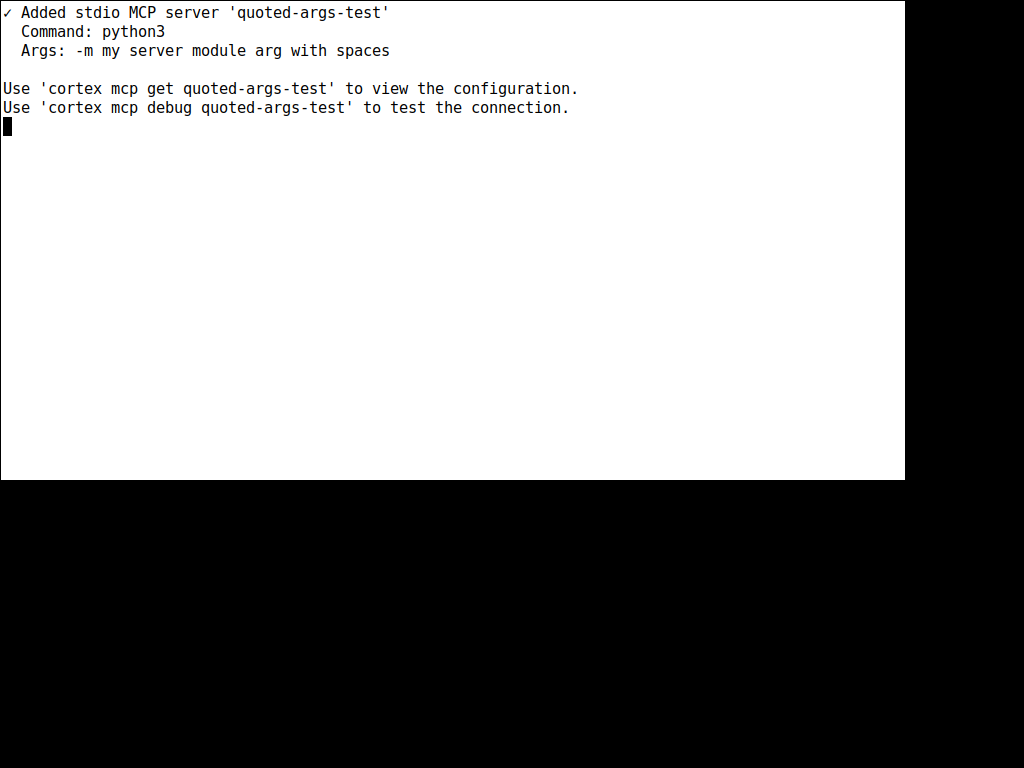
Args: -m my server module arg with spaces
This displays 3 arguments as if they were 7 separate words. In contrast, cortex mcp get myserver correctly quotes space-containing arguments: Args: -m "my server module" "arg with spaces".
This is misleading because a user reading the add confirmation cannot verify whether their arguments were parsed correctly. The get command applies quoting logic to args containing spaces, but the add success path simply calls .join(" ") without any quoting.
Error Message
N/A
Debug Logs
N/A
System Information
- Cortex TUI v0.0.7
- OS: Linux x86_64
Screenshots
Steps to Reproduce
- Run
cortex mcp add myserver -- python3 -m "my server module" "arg with spaces"
- Read the success confirmation output
- Compare with
cortex mcp get myserver
Expected Behavior
The add success message should quote arguments containing spaces, matching the format used by cortex mcp get. Expected output: Args: -m "my server module" "arg with spaces".
Actual Behavior
The add success message joins all arguments with a flat space: Args: -m my server module arg with spaces. This makes it look like 7 separate single-word arguments instead of the 3 that were actually stored.

Project
ide
Description
When adding a stdio MCP server whose arguments contain spaces, the success confirmation message joins all arguments with a single space, making it impossible to distinguish individual arguments from one another.
For example, after running
cortex mcp add myserver -- python3 -m "my server module" "arg with spaces", the success output says:This displays 3 arguments as if they were 7 separate words. In contrast,
cortex mcp get myservercorrectly quotes space-containing arguments:Args: -m "my server module" "arg with spaces".This is misleading because a user reading the add confirmation cannot verify whether their arguments were parsed correctly. The
getcommand applies quoting logic to args containing spaces, but theaddsuccess path simply calls.join(" ")without any quoting.Error Message
N/A
Debug Logs
N/A
System Information
Screenshots
Steps to Reproduce
cortex mcp add myserver -- python3 -m "my server module" "arg with spaces"cortex mcp get myserverExpected Behavior
The add success message should quote arguments containing spaces, matching the format used by
cortex mcp get. Expected output:Args: -m "my server module" "arg with spaces".Actual Behavior
The add success message joins all arguments with a flat space:
Args: -m my server module arg with spaces. This makes it look like 7 separate single-word arguments instead of the 3 that were actually stored.