The XML toolkit is a VSCode extension that provides XML language editor support.
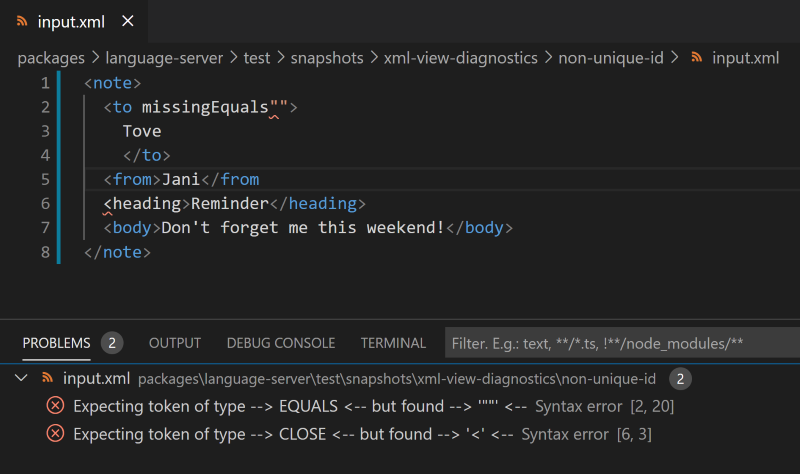
The syntax validations use a fault-tolerant parser. This enables the detection of multiple syntax errors.
- Unique Attribute Names.
- Tag open/close names are aligned.
In the XML Toolkit page, click Install.
- Go to GitHub Releases.
- Search for the
.vsixarchive underxml-toolkit\@x.y.zreleases.- Replace
x.y.zwith the desired version number.
- Replace
- Follow the instructions for installing an extension from a
.vsixfile in the VSCode's guide.
The extension is activated when an .xml file is opened.
Both lexing and parsing errors will be shown as squiggly red underlines
and in the Problems view.
You can open issues on GitHub.
See CONTRIBUTING.md.