Task - Java Overview - Compilation and Execution of a Java Program #77

Replies: 15 comments

-
Calc.javaclass calculate
{
public void add(int a,int b)
{
int sum=a+b;
System.out.println("Value is= "+sum);
}
public void sub(int a,int b)
{
int sub=a-b;
System.out.println("value is "+sub);
}
public void mul(int a,int b)
{
int mul=a*b;
System.out.println("Value is= "+mul);
}
}
public class Calc {
public static void main(String[] args)
{
calculate c=new calculate();
c.add(2,3);
c.sub(3,2);
c.mul(3,4);
}
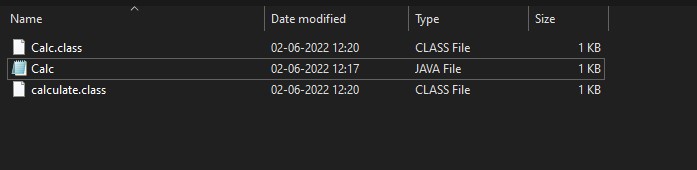
}Before compilationNo class files has been created only the source code is available CompilationThe Class files of the two classes Calc and calculate has been created. After compilationNow the class files can be seen in the folder for the Calc.java code InterpretationNow the class files of the Source code (Calc.java) has been Interpreted and the result has been displayed |



Beta Was this translation helpful? Give feedback.

-
Compilation with Multiple class
Interpretation
|
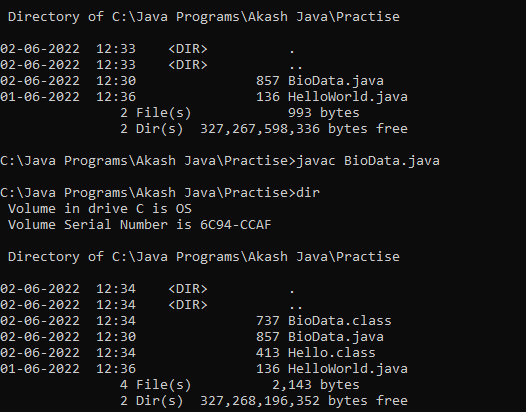
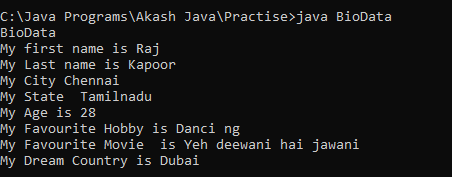
Beta Was this translation helpful? Give feedback.

-
FactorialMain.javaclass Factorial {
int calcFactorial(int n) {
int f = 1, i;
for (i = 1; i <= n; i++) {
f = f * i;
}
return f;
}
}
public class FactorialMain {
public static void main(String[] args) {
Factorial f = new Factorial();
System.out.println("Factorial of 5 is " + f.calcFactorial(5));
}
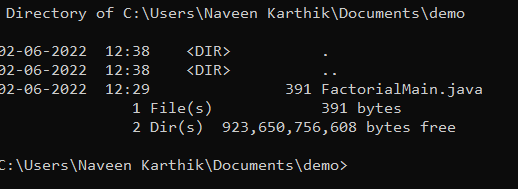
}Before compilation
After compilation
Interpretation
|
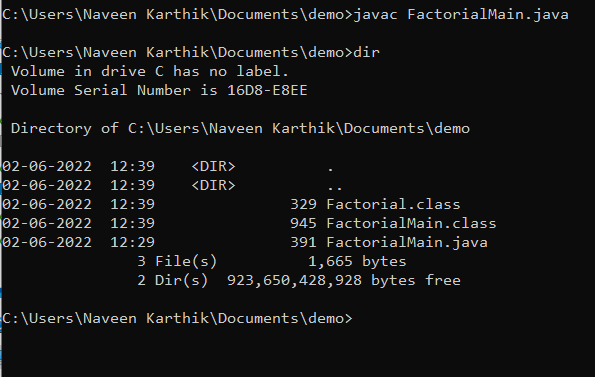
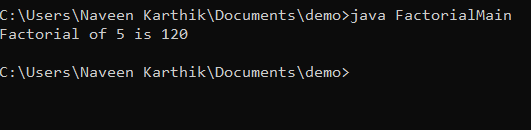
Beta Was this translation helpful? Give feedback.

-
Compilation with multiple classes
Interpretation
|
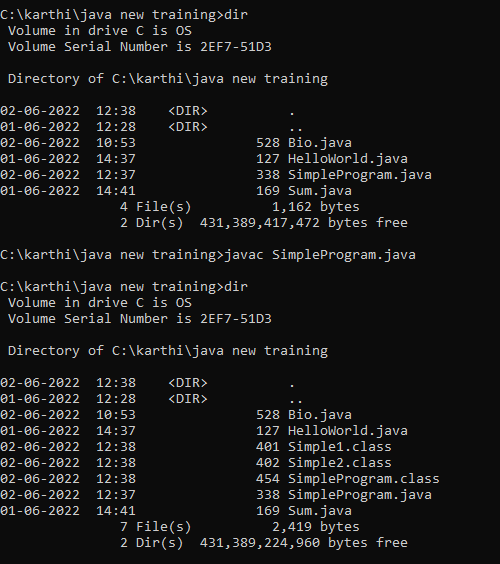

Beta Was this translation helpful? Give feedback.

-
Compilation of Java File with multiple class
Execution of main method
|
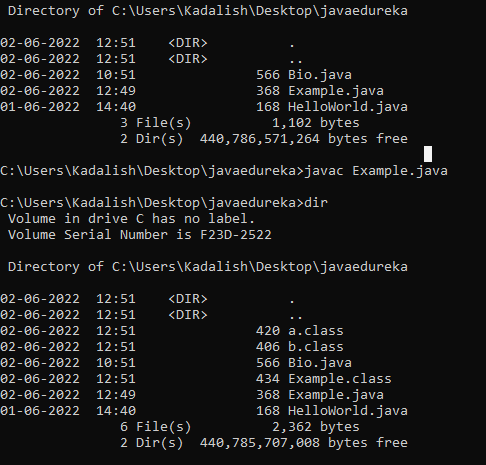

Beta Was this translation helpful? Give feedback.

-
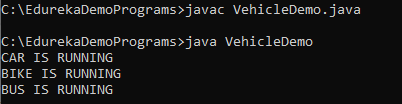
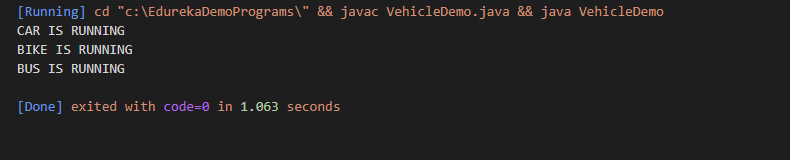
DEMONSTRATING THE EXECUTION OF A JAVA PROGRAMVehicleDemo.javaclass Car
{
static void run1()
{
System.out.println("CAR IS RUNNING");
}
}
class Bike
{
static void run2()
{
System.out.println("BIKE IS RUNNING");
}
}
class Bus
{
static void run3()
{
System.out.println("BUS IS RUNNING");
}
}
public class VehicleDemo
{
public static void main(String ar[])
{
Car.run1();
Bike.run2();
Bus.run3();
}
}OUTPUTCOMPILATION
INTERPRETATION
EXECUTION OF A JAVA PROGRAM
FILESBEFORE COMPILATION-Java file is present
AFTER COMPILATION-Class files generated
|




Beta Was this translation helpful? Give feedback.

-
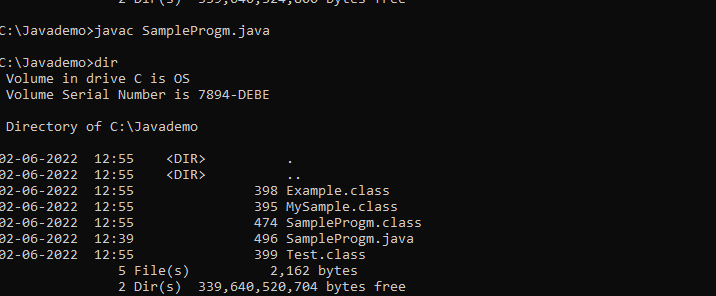
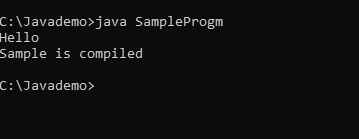
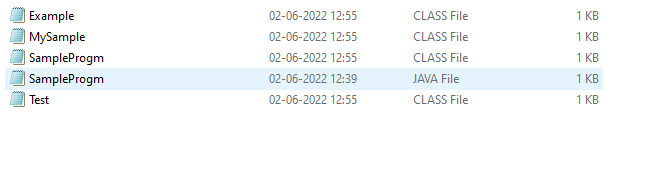
Compilation and Executionclass MySample{
public static void method(){
System.out.println("Hello");
}
}
class Test{
public void service(){
System.out.println("Welcome all!");
}
}
class Example{
private void run(){
System.out.println("java program");
}
}
public class SampleProgm{
public static void main(String[] args) {
MySample.method();
System.out.println("Sample is compiled");
}
}OUTPUT:Before Compilation
After Compilation
Interpretation
Files
|

Beta Was this translation helpful? Give feedback.

-
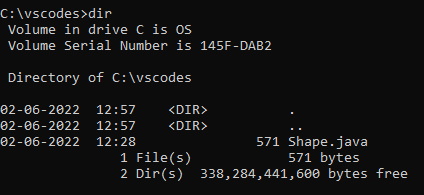
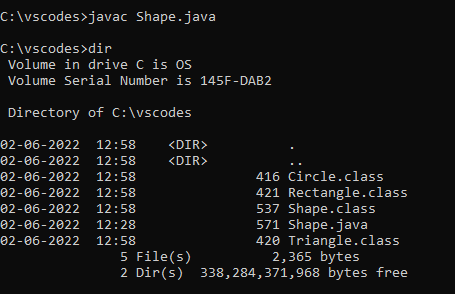
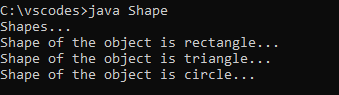
Shape.javaclass Rectangle{
static void display(){
System.out.println("Shape of the object is rectangle...");
}
}
class Triangle{
static void display1(){
System.out.println("Shape of the object is triangle...");
}
}
class Circle{
static void display2(){
System.out.println("Shape of the object is circle...");
}
}
public class Shape{
public static void main(String[] args){
System.out.println("Shapes...");
Rectangle.display();
Triangle.display1();
Circle.display2();
}
}Before Compilation
After Compilation
Interpretation
|
Beta Was this translation helpful? Give feedback.

-
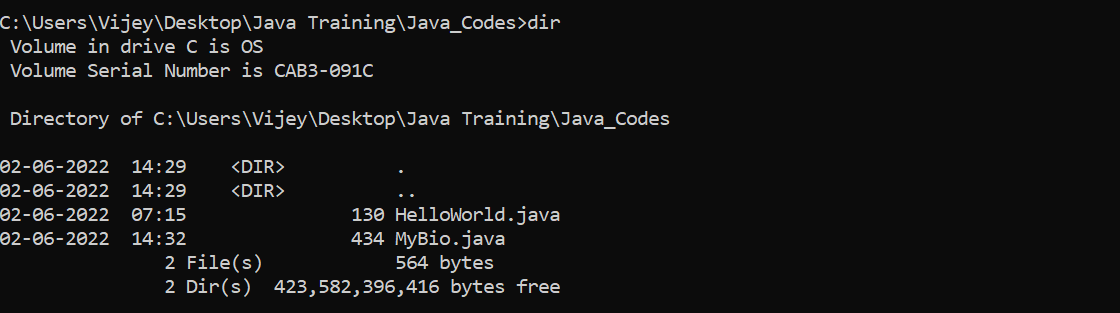
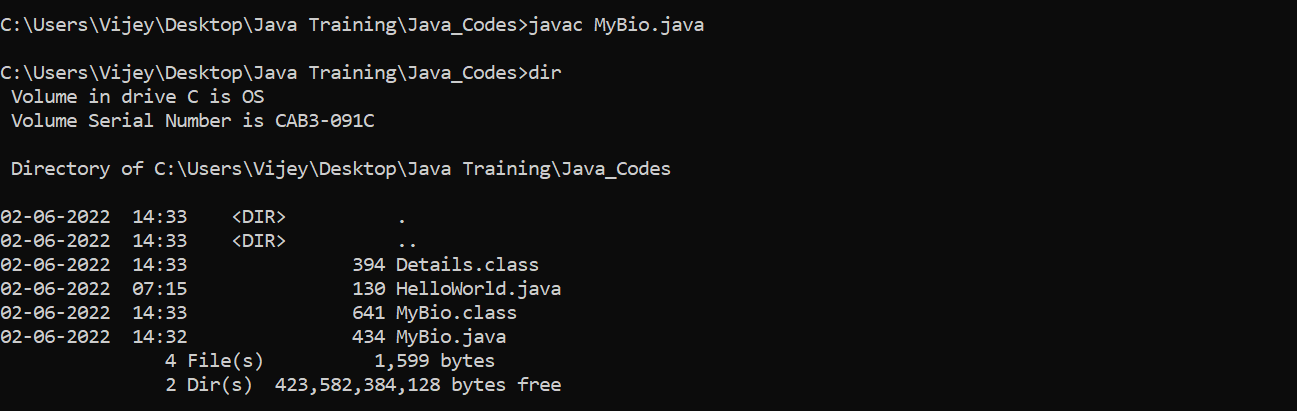
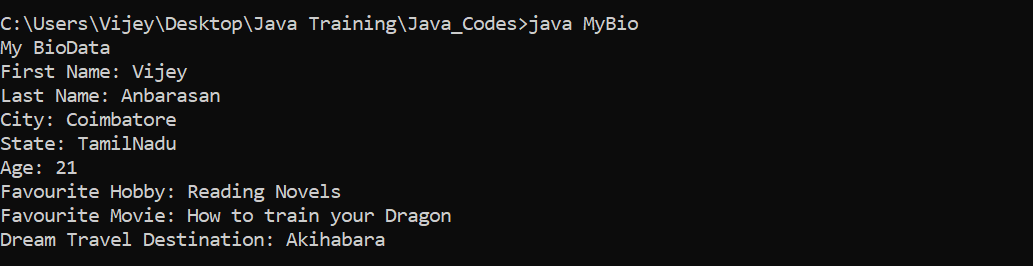
Before Compilation with multiple class
After Compilation
Interpretation
|
Beta Was this translation helpful? Give feedback.

-
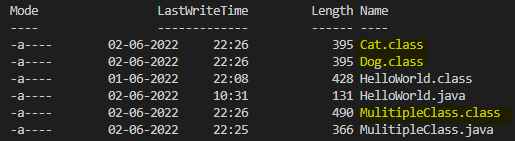
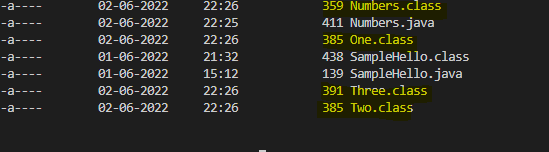
Compilation
Interpretation
|

Beta Was this translation helpful? Give feedback.

-
Compilation
Interpretation
|

Beta Was this translation helpful? Give feedback.

-
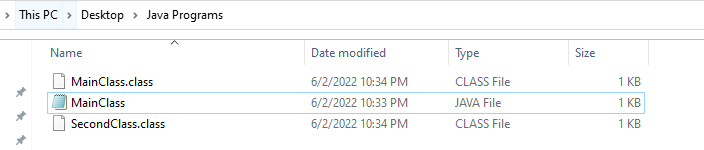
Before Compilation
After Compilation
Interpretation
|


Beta Was this translation helpful? Give feedback.

-
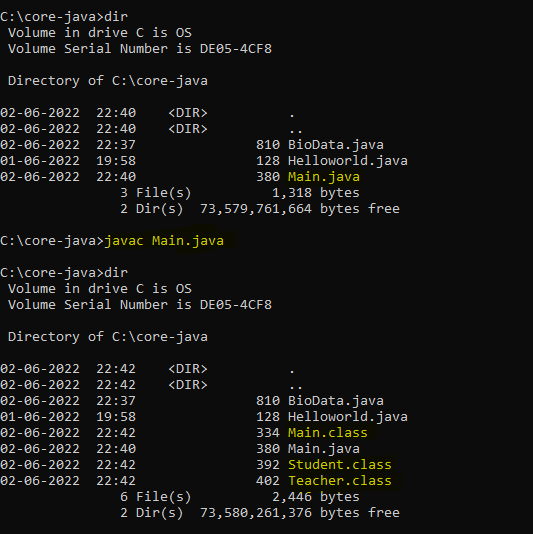
Compilation with multiple class:
Interpretation:
|

Beta Was this translation helpful? Give feedback.

-
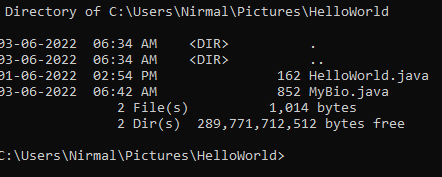
Before Compilation
After Compilation
Interpretation
|
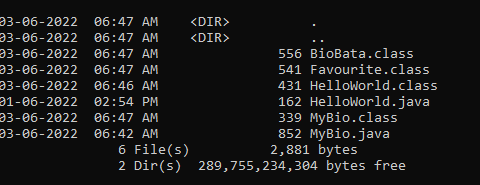
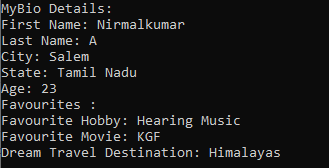
Beta Was this translation helpful? Give feedback.

-
Before Compilation
After Compilation
Interpretation
|
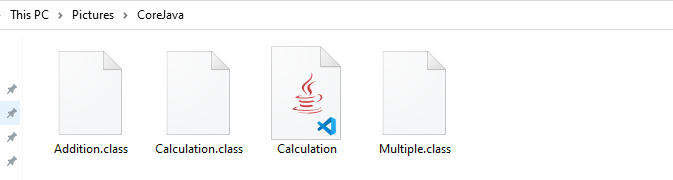
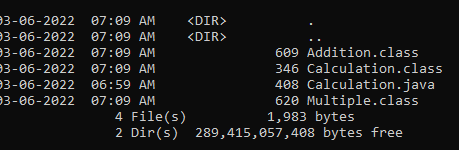

Beta Was this translation helpful? Give feedback.


Uh oh!
There was an error while loading. Please reload this page.
Uh oh!
There was an error while loading. Please reload this page.
-
Create a Java program, such as HelloWorld.java, or any other simple Java program.
Demonstrate compiling the source code with the
javaccommand.Demonstrate executing the generated bytecode using the
javacommand.Bonus
Include multiple classes in a Java program file, and compile it. Run the program using the bytecode containing the
main()method.Beta Was this translation helpful? Give feedback.
All reactions