The Figma document contains the entire UI of the project.
You can export any image (asset) directly from Figma. Here's how.
Please do not try to recreate the UI design exactly. Prioritize using default UI mobile components and following the Human Interface Guidelines. The UI objects should be positioned roughly the same as in the Figma screens.
The mobile flow can be found in the project Wiki.
Please define related colors and text & button styles in the corresponding values files. Please extract all text values in the corresponding Localizable files so we can easily adjust them. <3
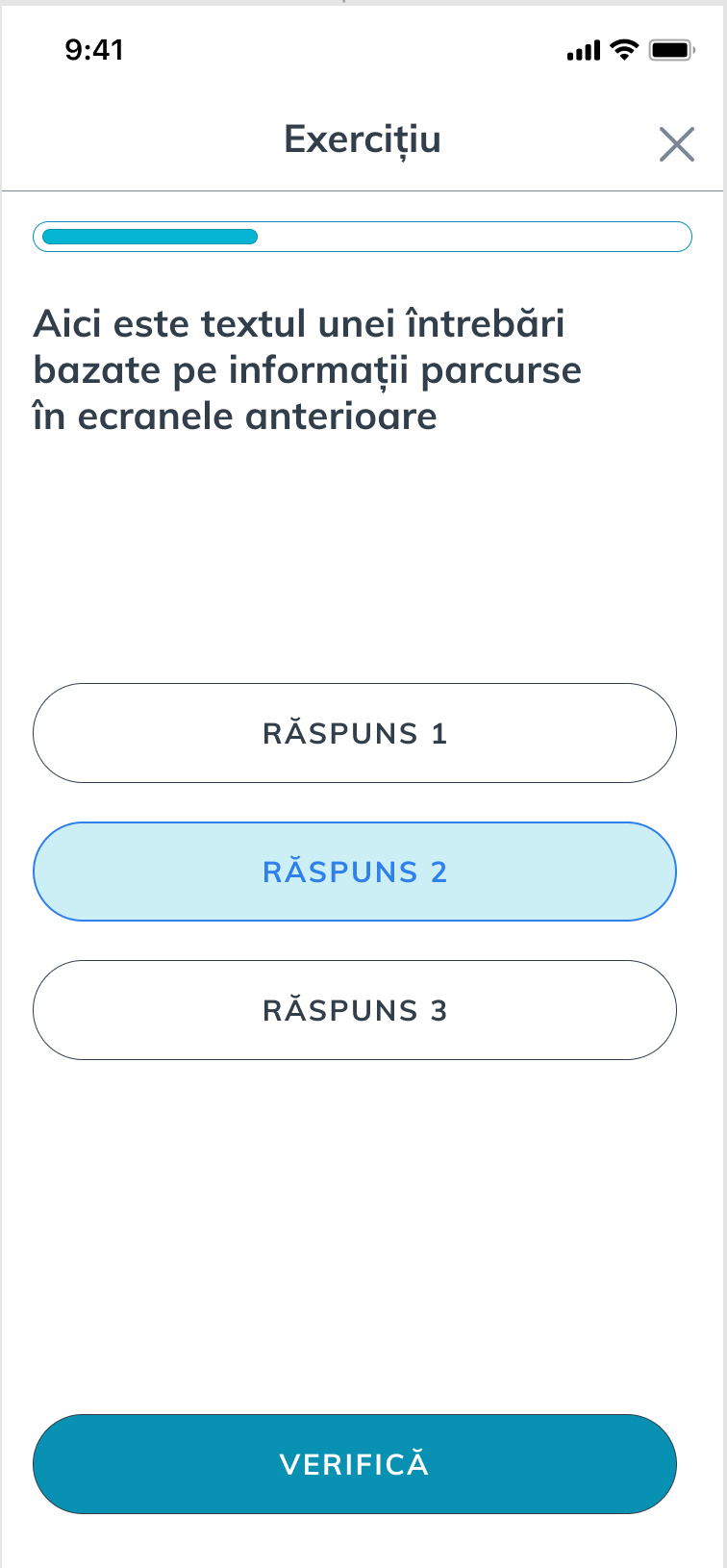
To check the lesson progress, we have some exercises slides. An exercise slide has a title, possible answers and a check button.
For API, use our stagging environment (https://teacher.heroesof.tech/graphql)
The Figma document contains the entire UI of the project.
You can export any image (asset) directly from Figma. Here's how.
Please do not try to recreate the UI design exactly. Prioritize using default UI mobile components and following the Human Interface Guidelines. The UI objects should be positioned roughly the same as in the Figma screens.
The mobile flow can be found in the project Wiki.
Please define related colors and text & button styles in the corresponding values files. Please extract all text values in the corresponding Localizable files so we can easily adjust them. <3
To check the lesson progress, we have some exercises slides. An exercise slide has a title, possible answers and a check button.
For API, use our stagging environment (https://teacher.heroesof.tech/graphql)