[create-theme]: Audio Tab Stripe #1813

Description

Name
Audio Tab Stripe
Description
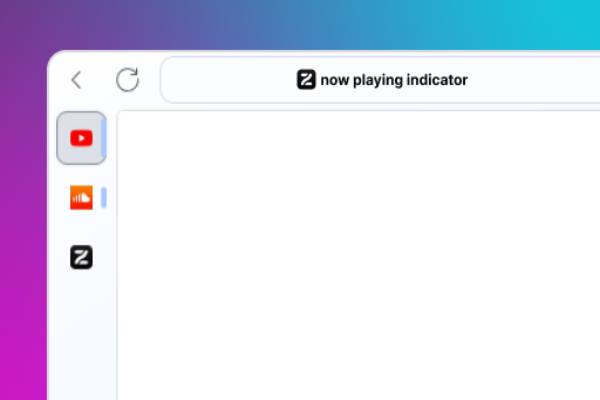
Display an indicator on the 'Now playing' tab when the sidebar is collapsed.
Homepage
https://github.com/itacentury/zen-mods/tree/main
Image
Type
- JSON Color Theme
Theme Styles
@media not (-moz-bool-pref: "zen.view.sidebar-expanded") {
	.tabbrowser-tab:is([soundplaying], [muted]) {
		/* Create colored indicator bar on the right edge of tabs with audio */
		& .tab-background::after {
			content:'';
			position: absolute;
			width: 4px !important;
			border-radius: 4px !important;
			height: 80% !important;
			top: 50%;
			left: calc(100% - 4px) !important;
			transform: translateY(-50%);
			background-color: var(--zen-colors-primary) !important;
		}

		/* Make indicator smaller and more subtle for inactive tabs */
		&:not([selected='true']) .tab-background::after{
			height: 33.33% !important;
			background-color: var(--zen-colors-secondary) !important;
		}

		/* Expand indicator on hover over inactive tabs */
		&:not([selected='true']):hover .tab-background::after{
			height: 80% !important;
			background-color: var(--zen-colors-secondary) !important;
		}

		/* Hide the speaker icon when the indicator bar is shown */
		& .tab-icon-overlay[soundplaying] {
			display: none !important;
		}
	}
}
Readme
# Audio Tab Stripe

Display an indicator on the 'Now playing' tab when the sidebar is collapsed. This is helpful if you've installed the 'Hide tab mute' Zen browser theme and want to quickly identify which tab is currently playing sound.

This is a fork of [benstone326: Now playing indicator](https://github.com/benstone326/zen-mods), which has not been updated for over a year. This fork represents a fresh start with significant improvements and starts at version 1.0.0.

## Version 1.0.0

- Fixed CSS variable names to use correct Zen Browser variables (`--zen-colors-primary` and `--zen-colors-secondary`)
- Hide the speaker icon when the indicator bar is shown to reduce visual clutter
- Active tabs use primary color, inactive tabs use secondary color
- Increased indicator height to 80% in active tab or hover


## Original Version 1.2.1 (archived)

- Fixed issue with YT video opened in new tab and the indicator shows up, hence the video is not playing.

## Compatibility

Please note that other themes may conflict with this one. If you experience any issues, please disable this theme and report the issue to the theme maintainer.