
A web interface for Google DeepMind's AlphaGenome genomic prediction model.
Quick Start · Features · Deployment · License
AlphaGenome Viewer gives you a point-and-click interface to query AlphaGenome predictions — no notebook or SDK boilerplate required. Enter a genomic region or variant, pick your output types and tissues, and get back publication-ready plots and scores in seconds.
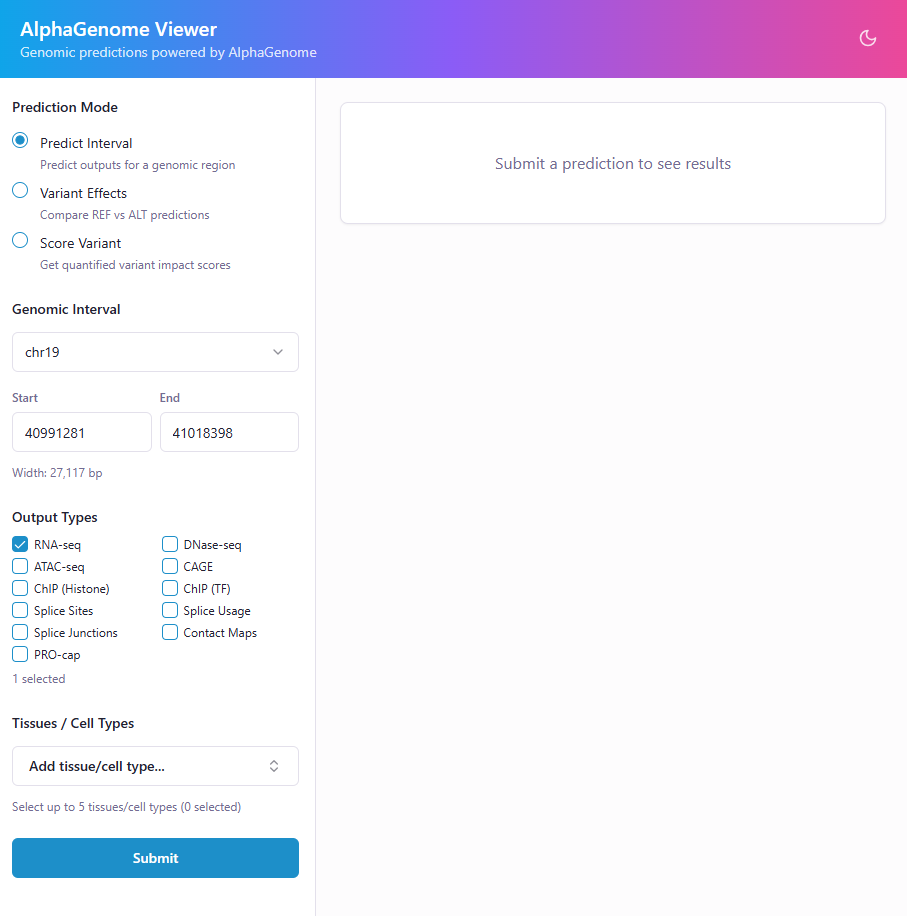
Interval Predictions — Visualize gene expression, chromatin accessibility, histone marks, and more across any genomic region.
Variant Effect Comparison — Overlay REF vs ALT predictions side-by-side to see exactly how a variant changes the signal.
Variant Scoring — Score variants with AlphaGenome's recommended scorers and get quantile rankings across the genome.
| Category | Types |
|---|---|
| Expression | RNA-seq, CAGE, PRO-cap |
| Accessibility | ATAC-seq, DNase-seq |
| Chromatin | ChIP-seq (histones), ChIP-seq (TFs), Contact maps |
| Splicing | Splice sites, Splice site usage, Splice junctions |
pip install alphagenome-viewer
alphagenome-viewer
Open http://localhost:8000 and enter your API key when prompted. The command accepts --port, --host, --workers, and --plots-dir flags.
- Python 3.10+
- Node.js 18+
- AlphaGenome API key
# Clone the repo
git clone https://github.com/Abrar-Abir/alphagenome-viewer.git
cd alphagenome-viewer

# Install dependencies
cd backend && pip install -r requirements.txt && cd ..
cd frontend && npm install && cd ..

# Start both services
./start.sh
You should see output like this:
Starting AlphaGenome Viewer...

Starting backend on http://localhost:8000...
Backend started (PID 20094, logging to backend/app.log)
Starting frontend on http://localhost:5173...
Frontend started (PID 20134, logging to frontend/app.log)

Both services running. Press Ctrl+C to stop.
  Backend:  http://localhost:8000 (logs: backend/app.log)
  Frontend: http://localhost:5173 (logs: frontend/app.log)
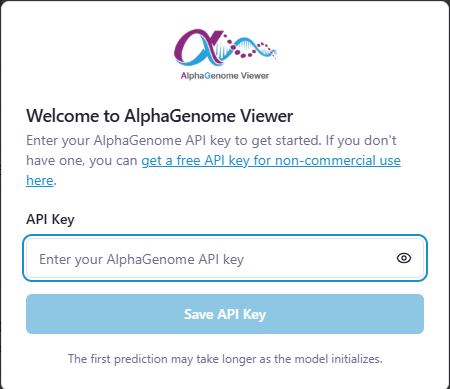
Open http://localhost:5173 and enter your API key when prompted. That's it.
Press Ctrl+C to stop both services:
^C
Shutting down...
[2]+  Terminated              npm run dev > app.log 2>&1
Shutdown complete.
You can also run the services separately — see backend/README.md and frontend/README.md for details.
docker compose upOpen http://localhost:8000. Generated plots persist across restarts via a Docker volume. Your API key is stored in your browser's localStorage.
To build and run manually:
docker build -t alphagenome-viewer .
docker run -p 8000:8000 -v agplots:/app/data/plots alphagenome-viewerFor shared servers or HPC environments, build a single container — no Node.js needed at runtime:
apptainer build alphagenome-viewer.sif alphagenome-viewer.def

mkdir -p ./data/plots
apptainer run \
    --bind ./data/plots:/opt/alphagenome-viewer/data/plots \
    alphagenome-viewer.sif
Open http://localhost:8000. Change the port with APPTAINERENV_AGVIEWER_PORT=9000.
See apptainer run-help alphagenome-viewer.sif for the full list of environment variables and bind mount paths.
- Frontend: React, Vite, Tailwind CSS, shadcn/ui
- Backend: FastAPI, Matplotlib
- API: AlphaGenome SDK
Contributions are welcome! Please open an issue first to discuss what you'd like to change.
This project uses open-source dependencies under their own licenses. See THIRD-PARTY-NOTICES for details.