
Interactive TUI for listing and launching Android emulators and iOS simulators.
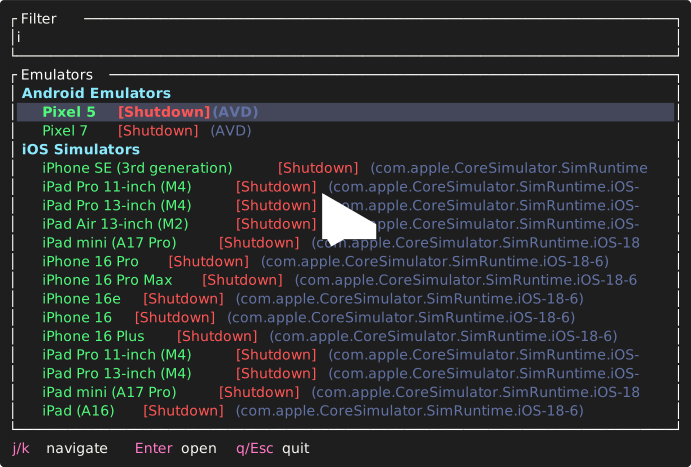
curl --proto '=https' --tlsv1.2 -LsSf https://github.com/ArnabXD/emulaunch/releases/latest/download/emulaunch-installer.sh | shpowershell -ExecutionPolicy Bypass -c "irm https://github.com/ArnabXD/emulaunch/releases/latest/download/emulaunch-installer.ps1 | iex"Download from the latest release page.
Supported platforms:
- macOS (Intel x86_64 and Apple Silicon aarch64)
- Linux (x86_64 and ARM64)
- Windows (x86_64) — includes MSI installer
cargo install --path .# Launch interactive TUI picker
emulaunch
# Print plain text list
emulaunch list
# Open a specific emulator by name
emulaunch open <name>| Key | Action |
|---|---|
j / k / arrows |
Navigate |
Enter |
Open selected emulator |
q / Esc |
Quit |
| Type any text | Filter list |
Backspace |
Clear filter |
emulaunch looks for a TOML config file at:
~/.config/emulaunch/config.toml~/.emulaunch/config.toml(fallback)
# Command paths (optional — auto-detected by default)
android_emulator_cmd = "emulator"
adb_cmd = "adb"
xcrun_cmd = "xcrun"  # macOS only

# Theme (optional — defaults to "default")
# Available: default, catppuccin-mocha, catppuccin-latte, dracula, tokyo-night, gruvbox-dark, nord
theme = "catppuccin-mocha"

# Per-slot color overrides using hex values (optional)
[theme_overrides]
selection_bg = "#313244"
If no config file exists, environment variables are used as fallback:
export ANDROID_EMULATOR_CMD="emulator"
export ADB_CMD="adb"
export XCRUN_CMD="xcrun" # macOS only| Theme | Style |
|---|---|
default |
Classic terminal colors |
catppuccin-mocha |
Dark pastel |
catppuccin-latte |
Light pastel |
dracula |
Dark purple/pink |
tokyo-night |
Blue-heavy dark |
gruvbox-dark |
Warm amber retro |
nord |
Cool blue-gray |
All theme colors use true-color RGB values for consistent rendering across terminals. Individual color slots can be overridden via [theme_overrides] using #rrggbb hex values. Available slots: header_fg, name_fg, state_booted_fg, state_shutdown_fg, state_unknown_fg, meta_fg, filter_placeholder_fg, filter_active_fg, selection_bg, help_key_fg, help_text_fg.
- Rust via
rustup - macOS for iOS simulator support
- Android SDK for Android emulators
MIT