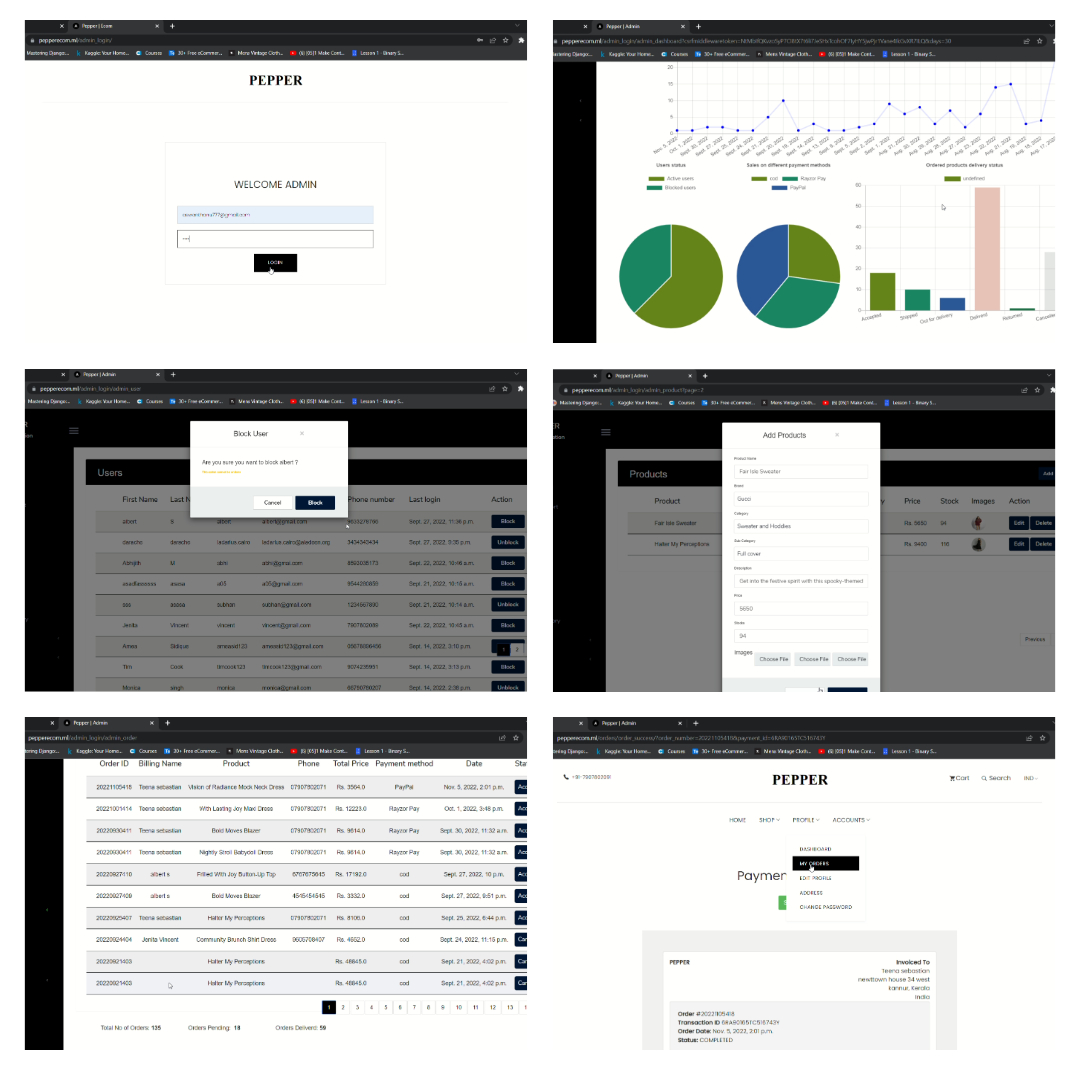
Pepper is an end-to-end ecommerce website that specializes in selling women's vintage model dresses. The website has a user-facing side and a custom-made admin side, both of which are fully responsive and have a range of functionalities.
- AWS EC2 instance setup
- Set Up Django with Postgres, Nginx, and Gunicorn on Ubuntu 20.04
- AWS RDS PostgreSQL Instance for Django
- Storing Django Static and Media Files on Amazon S3
- Secure Nginx with Lets Encrypt on Ubuntu 20.04 with Certbot
- User login and registration.
- Login with OTP and phone number verification for registration
- Search functionality
- Dress variations by size and color
- Category and subcategory browsing
- Brand-wise category browsing
- Payment options including PayPal and Razorpay
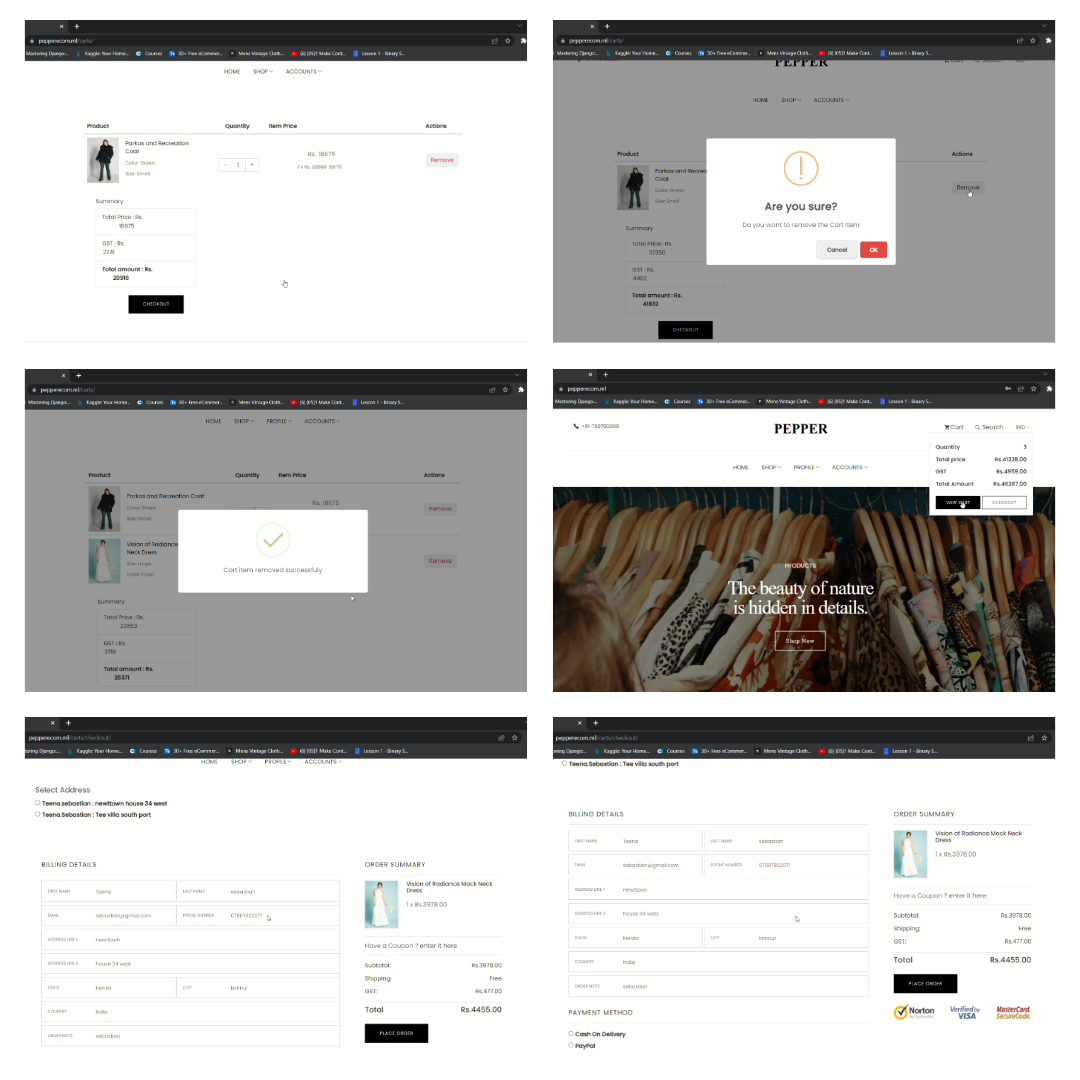
- Cart management
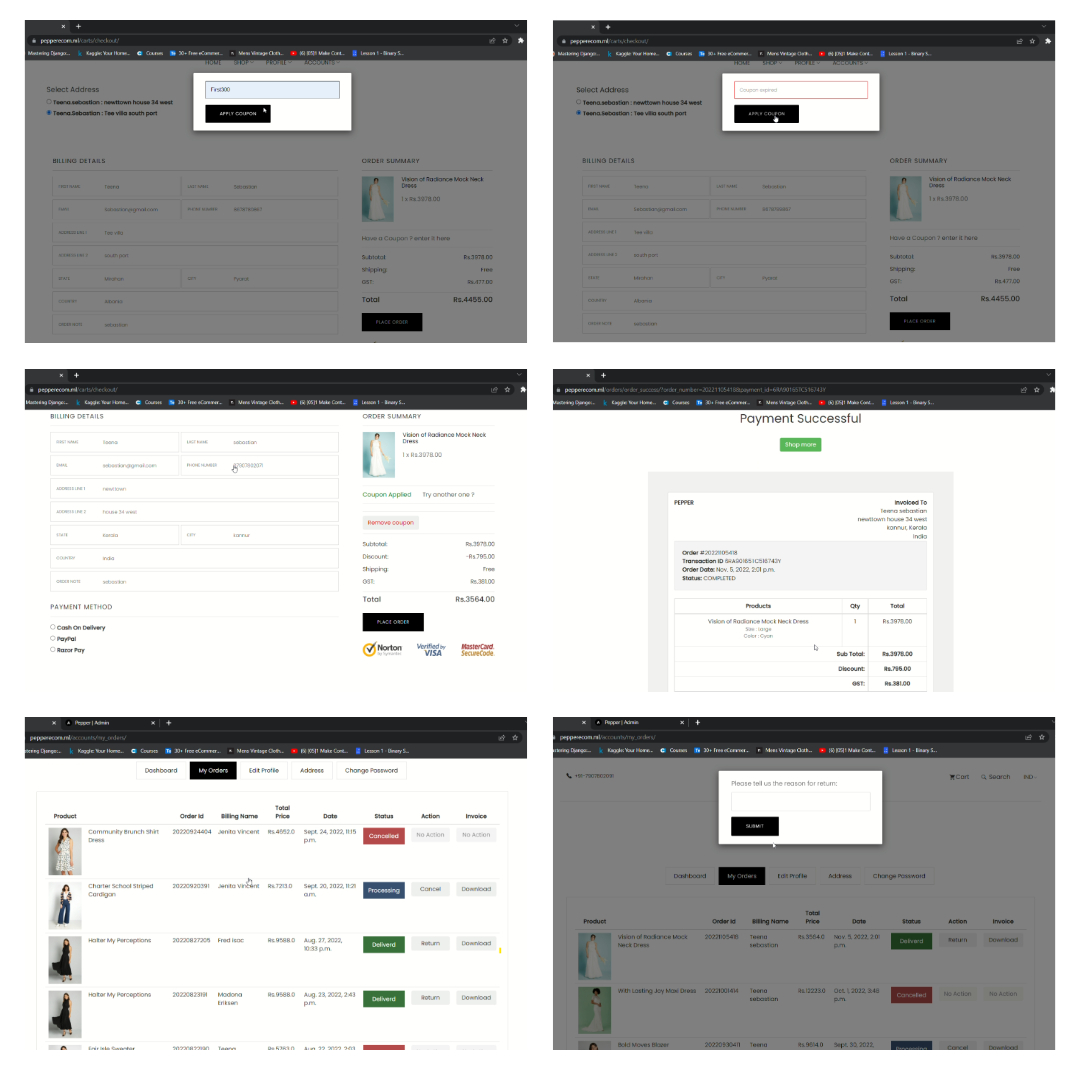
- Order management
- Coupon management
- Address management
- Profile management for users, including the ability to change address and password
- Cancel orders
- Invoice download
- Return option
- Admin login and registration
- Order management
- Sales overview using charting tools such as Chart.js
- Sales report management
- Banner management
- Offer management
- Coupon management
- Category and subcategory management
- Product management
- User management
- Django
- PostgreSQL
- HTML, CSS, and JavaScript
- Bootstrap
- Ajax and XHTTP
- NGINX
- Charts
- GitHub
- AWS (EC2, RDS, and S3 bucket)
- Twilio
- PayPal and Razorpay
- Custom decorators and slugs
The website is hosted on AWS EC2 and the database is hosted on AWS RDS (PostgreSQL). The code for the project is available on GitHub.
Clone the project
https://github.com/AswanthAnu/django_project.gitGo to the project directory
cd ecomInstall dependencies
pip install -r requirements.txtStart the server
    cd ecom
    python manage.py runserver - Windows OS
python3 manage.py runserver - MAC OS, Linux OSBefore Running the project make sure that you are in virtual env
To run this project, you will need to add the following enivronment variables to your .env file
SECRET KEY - Django Secret Key
ACCOUNT_SID AUTH_TOKEN SERVICE
RAZOR_KEY_ID RAZOR_KEY_SECRET OPENEXCHANGEKEY
AWS_ACCESS_KEY_ID AWS_SECRET_ACCESS_KEY AWS_STORAGE_BUCKET_NAME
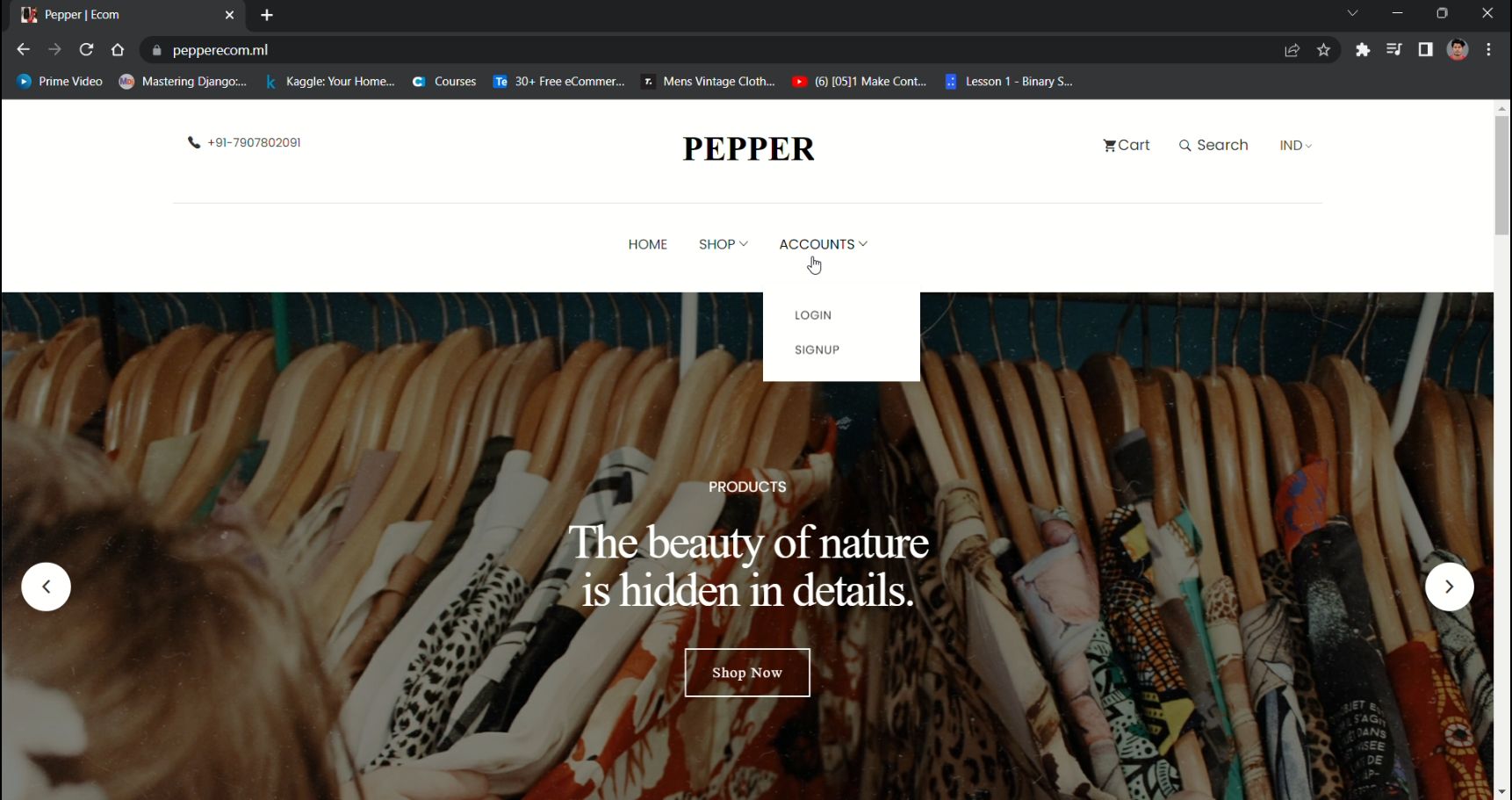
Landing Page
Store and individual product details

Cart and checkout
Coupon, Order, Order details
Admin Side