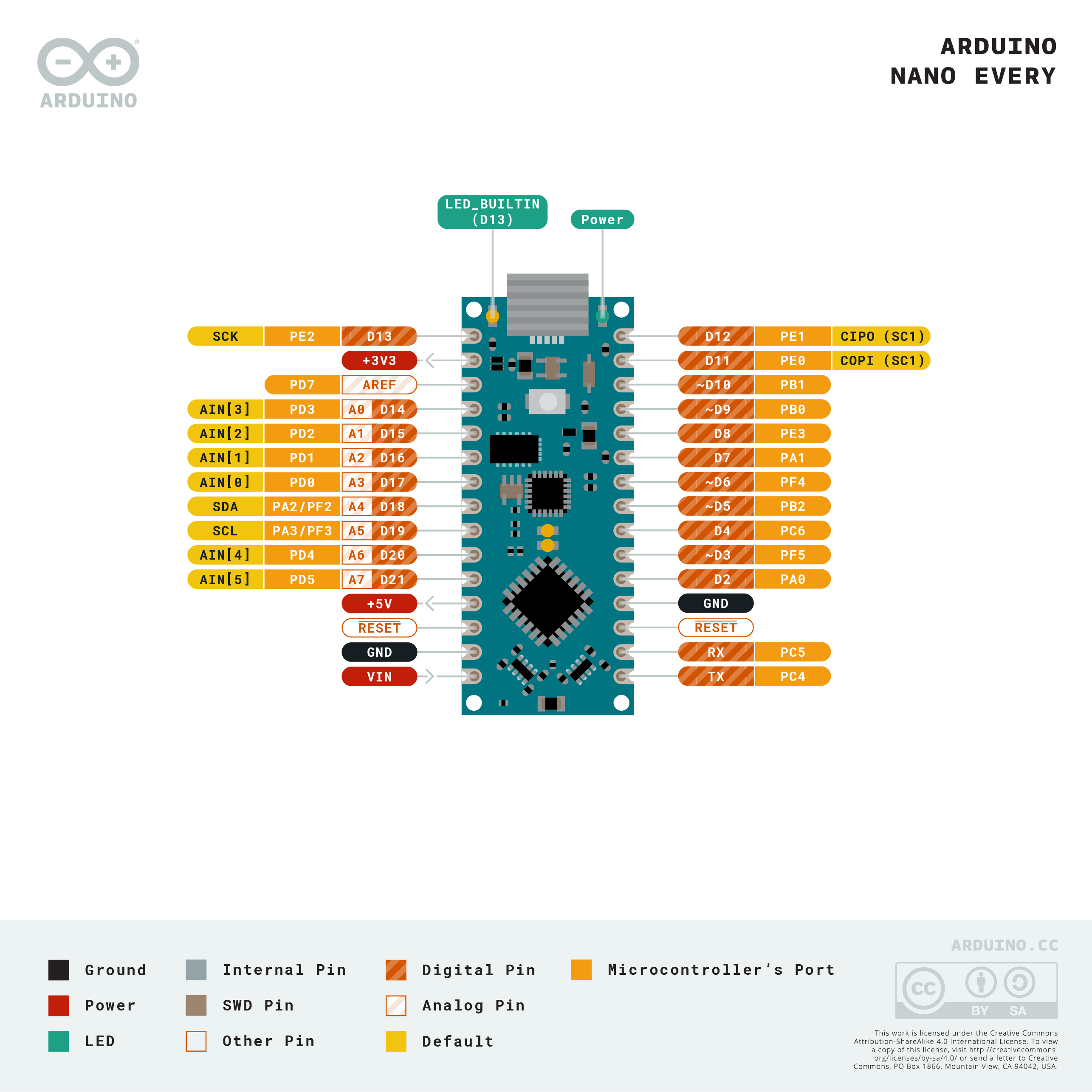
Software to control Arduino-based protogen heads, using 8x8 MAX7219 LED matrices.

- Controls a protogen head using 8x8 LED matrices to render eyes, nose & mouth on each side of a face
- Supports light strips in each ear/headphones
- Nose "boop" detection & animation
- Blinking animations
- Different expressions, with simple animations
- Remote control support
- FastLED (not included; installed via Arduino IDE)
- For both sides of the face
- Mouth: 4 x MAX7219 8x8 LED martices
- Eyes: 2 x MAX7219 8x8 LED martices
- Nose: 1 x MAX7219 8x8 LED martices
- For both sides of the head
- A strip of 15 RGB LEDs (5V, 3-pin)
- Boop sensor
- A 3-pin 5V IR proximity distance sensor
- A 5V Noctua fan (40x40x10mm) for ventilation (not connected to the arduino)
- A USB cable and voltage + ground splitters to power everything via a USB battery pack
The configuration can be found in ToasterOS/Config.h
This file includes configuration for the face LEDs, the side lights, boop sensor and more.
There are some examples below for different setups.

FaceConfig::FaceConfig() {
  NumConnections = 1;

  Connections = new FaceLEDConnection[NumConnections]{
    {
      // Pin configuration
      .PIN_DataIn = 11,
      .PIN_CS = 9,
      .PIN_CLK = 13,

      // Define the order of the panels
      .NumPanels = 14,
      .Panels = {
        // Start: Right mouth back
        { .PanelType = PANEL_RIGHT_MOUTH_BACK, UpsideDown = false },
        { .PanelType = PANEL_RIGHT_MOUTH_MID_BACK, UpsideDown = false },
        { .PanelType = PANEL_RIGHT_MOUTH_MID_FRONT, UpsideDown = false },
        { .PanelType = PANEL_RIGHT_MOUTH_FRONT, UpsideDown = false },

        // -> Left mouth front
        { .PanelType = PANEL_LEFT_MOUTH_FRONT, UpsideDown = false },
        { .PanelType = PANEL_LEFT_MOUTH_MID_FRONT, UpsideDown = false },
        { .PanelType = PANEL_LEFT_MOUTH_MID_BACK, UpsideDown = false },
        { .PanelType = PANEL_LEFT_MOUTH_BACK, UpsideDown = false },

        // -> Left eye back
        { .PanelType = PANEL_LEFT_EYE_BACK, UpsideDown = false },
        { .PanelType = PANEL_LEFT_EYE_FRONT, UpsideDown = false },

        // -> Left nose
        { .PanelType = PANEL_LEFT_NOSE, UpsideDown = false },

        // -> Right nose
        { .PanelType = PANEL_RIGHT_NOSE, UpsideDown = false },

        // -> Right eye front
        { .PanelType = PANEL_RIGHT_EYE_FRONT, UpsideDown = false },
        { .PanelType = PANEL_RIGHT_EYE_BACK, UpsideDown = false },
      },
    }
  };
}
FaceConfig::FaceConfig() {
  // Separate left and right connection
  NumConnections = 2;

  Connections = new FaceLEDConnection[NumConnections]{
    {
      // Pin configuration
      .PIN_DataIn = 3,
      .PIN_CS = 4,
      .PIN_CLK = 5,

      // Define the order of the panels
      .NumPanels = 7,
      .Panels = new PanelConfig[7]{
        // Start: mouth back
        { .PanelType = PANEL_RIGHT_MOUTH_BACK, .UpsideDown = true },
        { .PanelType = PANEL_RIGHT_MOUTH_MID_BACK, .UpsideDown = true },
        { .PanelType = PANEL_RIGHT_MOUTH_MID_FRONT, .UpsideDown = true },
        { .PanelType = PANEL_RIGHT_MOUTH_FRONT, .UpsideDown = true },
        // -> nose
        { .PanelType = PANEL_RIGHT_NOSE, .UpsideDown = false },
        // -> eye front
        { .PanelType = PANEL_RIGHT_EYE_FRONT, .UpsideDown = false },
        { .PanelType = PANEL_RIGHT_EYE_BACK, .UpsideDown = false },
      },
    },
    {
      // Pin configuration
      .PIN_DataIn = 6,
      .PIN_CS = 7,
      .PIN_CLK = 8,
      // Define the order of the panels
      .NumPanels = 7,
      .Panels = new PanelConfig[7]{
        // Start: mouth back
        { .PanelType = PANEL_LEFT_MOUTH_BACK, .UpsideDown = false },
        { .PanelType = PANEL_LEFT_MOUTH_MID_BACK, .UpsideDown = false },
        { .PanelType = PANEL_LEFT_MOUTH_MID_FRONT, .UpsideDown = false },
        { .PanelType = PANEL_LEFT_MOUTH_FRONT, .UpsideDown = false },
        // -> nose
        { .PanelType = PANEL_LEFT_NOSE, .UpsideDown = true },
        // -> eye front
        { .PanelType = PANEL_LEFT_EYE_FRONT, .UpsideDown = true },
        { .PanelType = PANEL_LEFT_EYE_BACK, .UpsideDown = true },
      },
    }
  };
}FaceConfig::FaceConfig() {
// Separate left and right connection
NumConnections = 1;
Connections = new FaceLEDConnection[NumConnections]{
{
// Pin configuration
.PIN_DataIn = 12,
.PIN_CS = 11,
.PIN_CLK = 10,
// Define the order of the panels
.NumPanels = 11,
.Panels = new PanelConfig[11]{
// Start Right eye back
{ .PanelType = PANEL_RIGHT_EYE_BACK, .UpsideDown = true },
{ .PanelType = PANEL_RIGHT_EYE_FRONT, .UpsideDown = true },
// -> Right mouth back
{ .PanelType = PANEL_RIGHT_MOUTH_BACK, .UpsideDown = true },
{ .PanelType = PANEL_RIGHT_MOUTH_MID_BACK, .UpsideDown = true },
{ .PanelType = PANEL_RIGHT_MOUTH_MID_FRONT, .UpsideDown = true },
// -> Nose
{ .PanelType = PANEL_SINGLE_NOSE, .UpsideDown = true },
// -> Left mouth front
{ .PanelType = PANEL_LEFT_MOUTH_MID_FRONT, .UpsideDown = true },
{ .PanelType = PANEL_LEFT_MOUTH_MID_BACK, .UpsideDown = true },
{ .PanelType = PANEL_LEFT_MOUTH_BACK, .UpsideDown = true },
// // -> Left eye back
{ .PanelType = PANEL_LEFT_EYE_FRONT, .UpsideDown = true },
{ .PanelType = PANEL_LEFT_EYE_BACK, .UpsideDown = true },
// Example empty panel
// { .PanelType = -1, .UpsideDown = false },
},
}
};
}If the face isn't rendering properly, there are some steps you can take
- In
ToasterOS/Config.h, setDEBUG_MODEto 3- This will render 7s to every LED panel
- If one of the panels is displaying the 7 the wrong way or upside down, update the config
- In
ToasterOS/Config.hunderFaceConfig - Find the right panel (see the diagrams above)
- If the 7 is facing the wrong way, change the
FlipXvalue - If the 7 is upside down, change the
FlipYvalue
- In
- In
ToasterOS/Config.h, setDEBUG_MODEback to 0 - If the face still looks wrong, check that you have added the panels to the config in the right order
- They should be added in the same order they are wired
- Open the file
face-demo.htmlin your browser - Draw your new face
- Add it to the code
ToasterOS/Protogen_Faces.h- Add in your
FaceExpressionstruct - Give it a good variable name
- Increase the variable
NumSpecialFacesby 1 - Add
&YourVariableNameto theSpecialExpressionsarray (see others for examples)