
- Install Anaconda (check Add Anaconda3 to my PATH environment variable upon installation)
- Download this project
- Go in the directory where it was downloaded, unpack the project and go into the project's directory
- On command line interface, navigate to the project's directory
- On MacOS or Linux:
- Run
conda env update -n base --file meta.yaml
- Run
- On Windows:
- Make sure to have a Nvidia GPU
- Install Git
- Install CUDA 10.1
- Install Visual Studio 2019 (install all C++ build tools)
- Restart your computer
- Run
conda install cudatoolkit=10.1 - Run
pip install -e .(within the project's directory)
- Download the trained model
- Put the trained model under a new subdirectory called
logs
At inference time, navigate to the directory you want to run predictions on. Then, from command line interface, specify either:
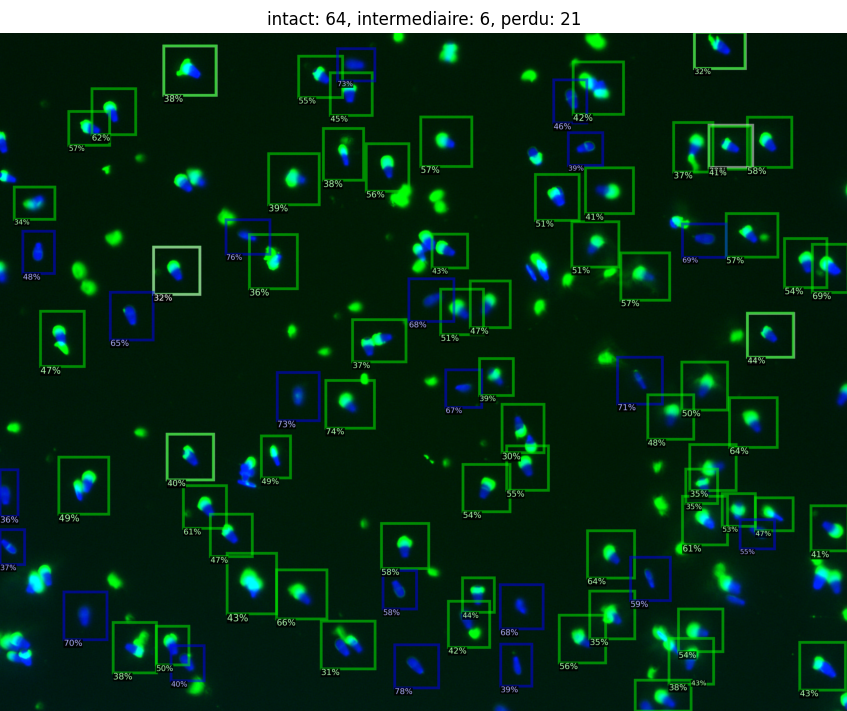
python -m acrosome_counter . --inferto produce predictions. You may also add--plotto plot the results during execution.python -m acrosome_counter . --reviewto review the predictions produced previously. You may also usepython -m acrosome_counter . --infer --reviewto automatically fall into review mode after inference.
You may also use -t or --threshold to filter results according to confidence. For instance, python -m acrosome_counter . --infer --review -t 0.2 would discard all predictions with confidence under 0.2. Threshold ranges from 0 to 1 and is 0.1 by default.
You may also use -z or --zoom if your input images have a zoom different from 20 ×. For instance, python -m acrosome_counter . --infer --review --zoom 40 would resize images at 40 × magnification to the appropriate 20 ×.
acrosome-counter saves predictions as a XML file under the current directory (.) and statistics as a CSV file. The XML file is compatible with CVAT. The CSV file can be opened from any software that can parse tabular data, such as Microsoft Excel.
Ask for help directly in GitHub's Issues tab.
If you have specific needs for deep learning solutions, contact me at [email protected] or [email protected]. Geolearn provides automated machine learning solutions for geosciences, but also general purpose artificial intelligence tools.