XDR Brightness Boost for Mac — Up to 1600 nits
The brightest, lightest, and most color-accurate XDR boost app for macOS. Uses Apple's native EDR overlay — not gamma table hacks. Keyboard backlight control, Dark Mode / Night Shift / True Tone toggles, multi-display support. Built for Apple Silicon (M1–M5).


Download · Mac App Store · Website
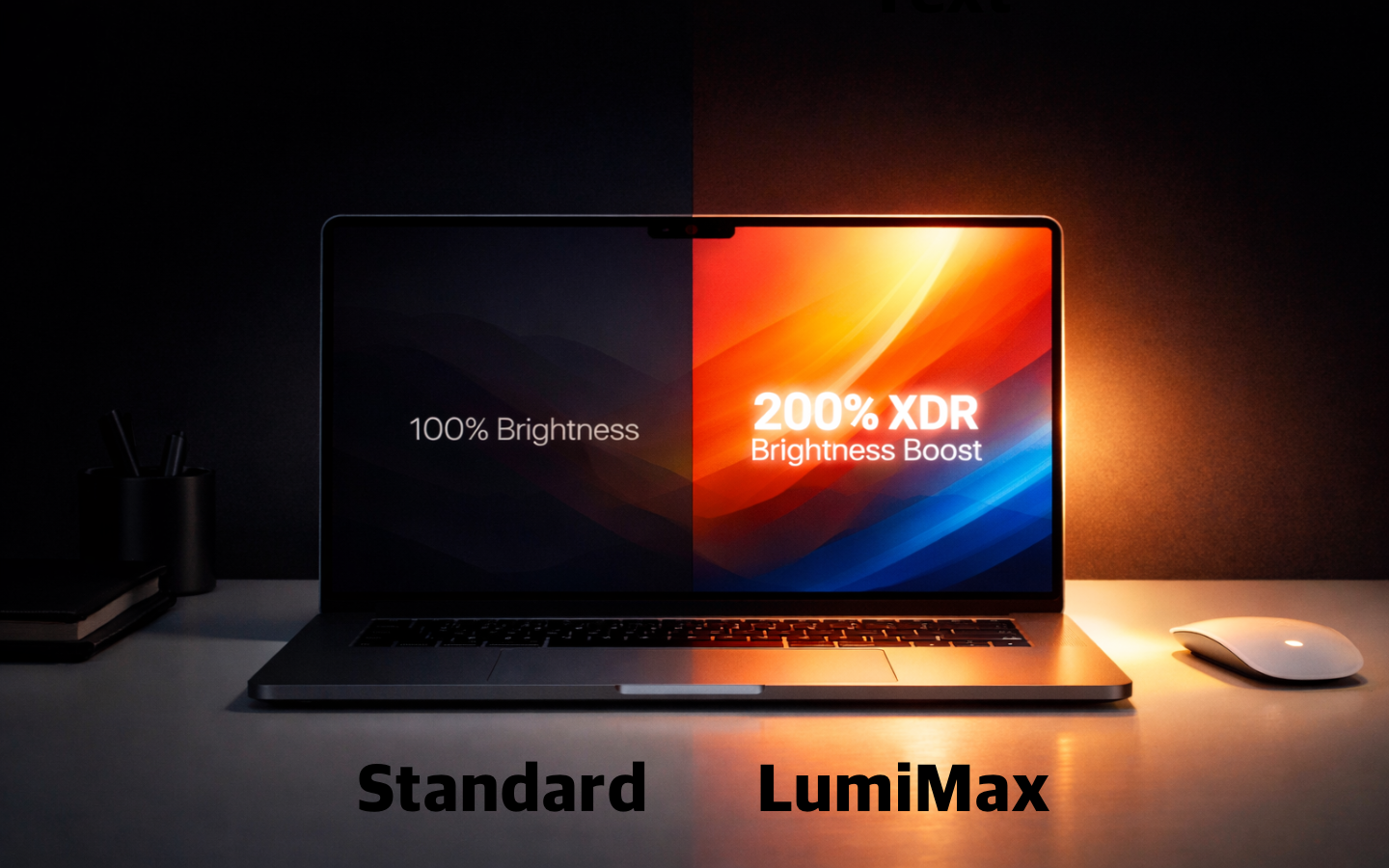
There are already XDR brightness boost apps out there — None of them were good enough.
| Other Apps | LumiMax | |
|---|---|---|
| Method | Gamma table manipulation | Native EDR overlay |
| Color accuracy | Colors get distorted | Preserved |
| Max brightness | Limited | Full 1600 nits |
| Battery | Backlight always maxed | Efficient overlay |
| Weight | Heavy, feature-bloated | Lightweight & fast |
LumiMax uses Apple's native EDR (Extended Dynamic Range) overlay — not gamma table hacks.
- Full 1600 nits — Reaches the true maximum brightness of your XDR display.
- Color accuracy preserved — No gamma shifting. Your P3 wide color gamut stays intact.
- Battery efficient — Only boosts the overlay, not the backlight.
- Lightweight — No unnecessary features. Instant response.
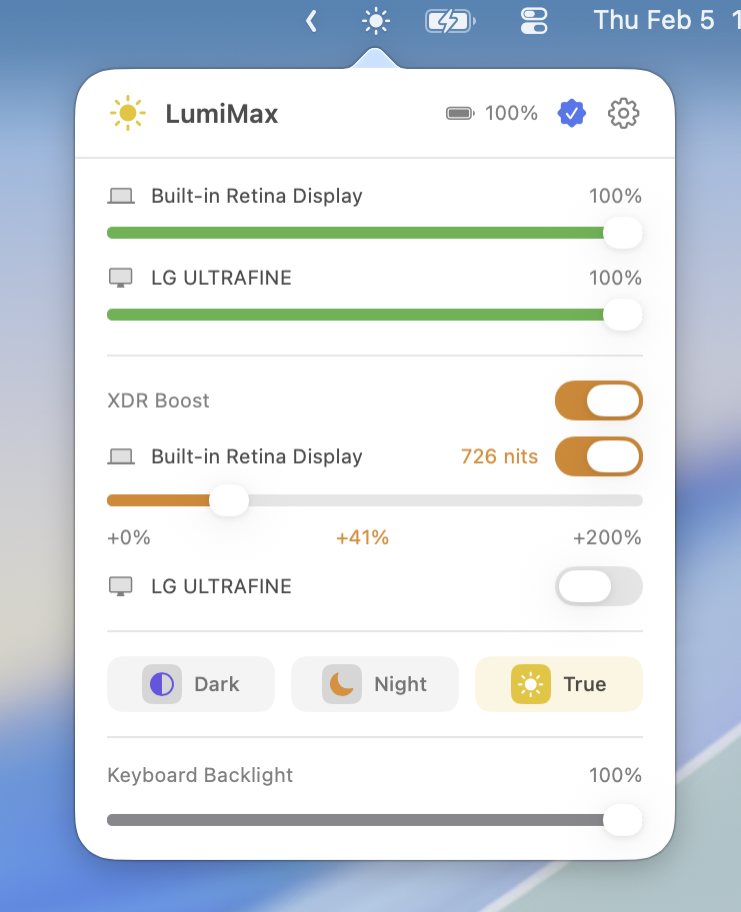
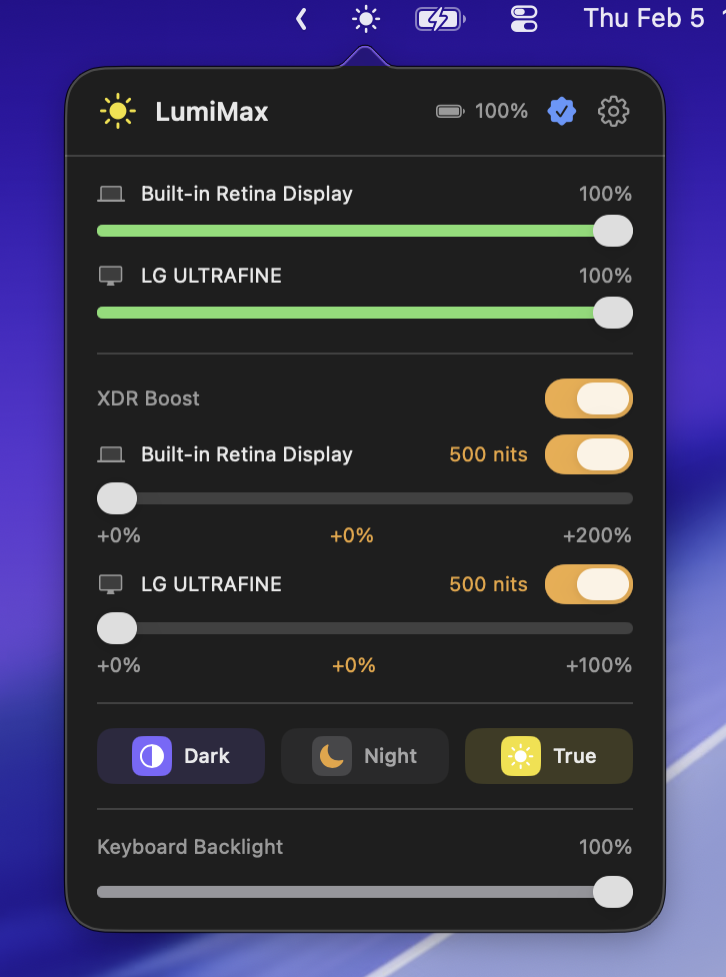
Push your MacBook Pro display up to 1600 nits — the true hardware maximum. Perfect for HDR content, bright outdoor environments, and sunlit offices.
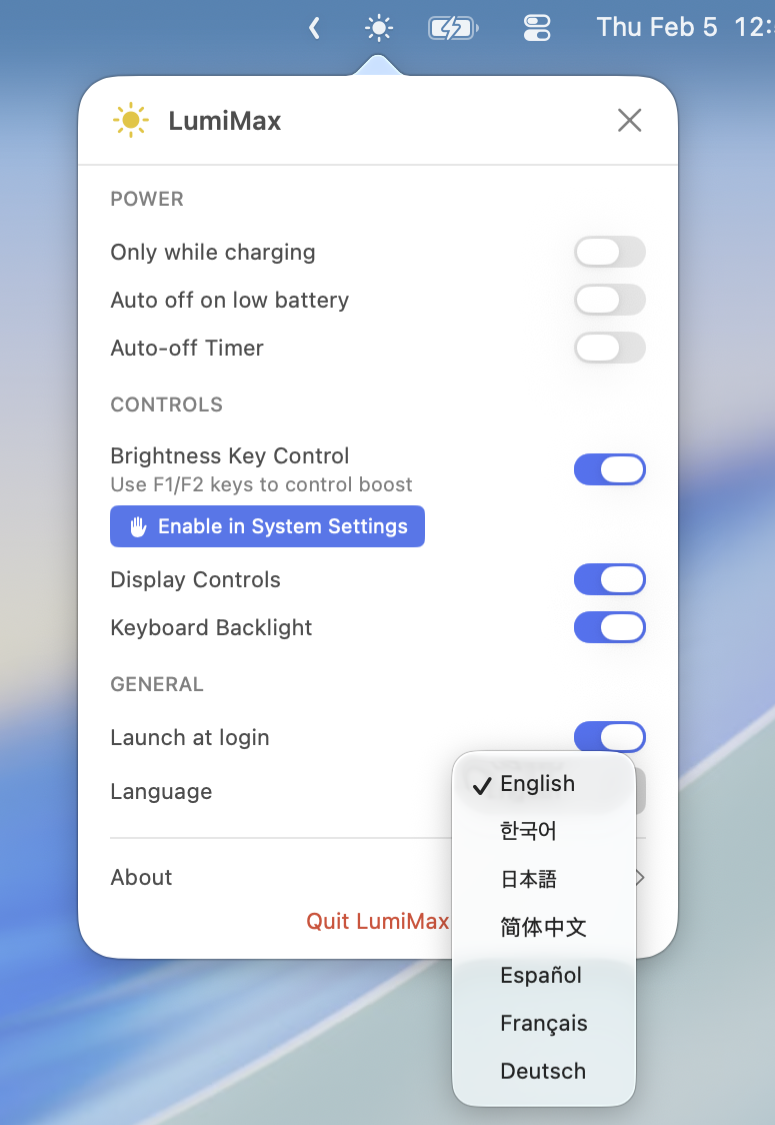
Adjust keyboard backlight brightness with a convenient slider — a feature only LumiMax offers.
Quick toggles for Dark Mode, Night Shift, and True Tone right from the menu bar — another LumiMax exclusive.
Control brightness for all connected displays including Pro Display XDR, LG UltraFine, Studio Display, and third-party monitors.
- F1/F2 — Brightness control with keyboard
- Shift+Option+F1/F2 — Fine-grained brightness adjustment
Auto-disable on battery or when charge drops below your set threshold. Timer-based auto-off also available.
English, Korean, Japanese, Chinese, German, Spanish, and French.
Want to help translate LumiMax into your language? Open an issue or email us at ramterstudio@gmail.com.
- MacBook Pro 14" / 16" (M1 Pro/Max and later) — Full XDR boost up to 1600 nits
- MacBook Pro 13" (M1/M2) — Optimized boost
- MacBook Air (M1 and later) — Up to +60% brightness boost
- Pro Display XDR, LG UltraFine, and other external displays
- Supports the new MacBook Pro M5 Pro/Max and MacBook Air M5
- macOS 14.0+ (Sonoma, Sequoia, Tahoe)
- Apple Silicon (M1, M1 Pro, M1 Max, M2, M3, M3 Pro, M3 Max, M4, M4 Pro, M4 Max, M5, M5 Pro, M5 Max) required
- XDR display recommended for full 1600 nit boost
| Website Version | App Store Version | |
|---|---|---|
| Download | Download DMG | Mac App Store |
| Auto Update | Sparkle (faster) | App Store |
| Free Trial | 3 days | 3 days |
| Features | Full access to all features | Full access to brightness boost |
brew tap Joowonoil/lumimax
brew install --cask lumimax- Download the latest DMG or install from the Mac App Store.
- Open the DMG and drag LumiMax to your Applications folder.
- Launch LumiMax — it lives in your menu bar.
One-time purchase. Yours forever. No subscription.
- ✓ Unlimited XDR boost
- ✓ Brightness key control (F1/F2)
- ✓ Keyboard backlight slider
- ✓ Display controls (Dark Mode / Night Shift / True Tone)
| Details | |
|---|---|
| Price | $16.35 (one-time, +10% platform fee at checkout) |
| Free Trial | 3 days with full Pro features |
| Free Version | Basic brightness boost available without Pro |
| Updates | Free lifetime updates |
| Purchase | Website (Gumroad) or Mac App Store |
Buy Pro on Website · Buy Pro on App Store
Already purchased on the App Store? Your purchase is automatically recognized in the website version — just use "Restore Purchase" in the app.
LumiMax does not collect, store, or transmit any personal data. All settings are stored locally on your device. No analytics, no tracking, no telemetry.
If you have any issues or feature requests, please open an issue or email us at ramterstudio@gmail.com.
Made by RamterStudio