

A MIDI player utility optimized for performance and flexibility.
- Android Support: Android 5.0 or higher.
- Platform: Does not support Apple/iOS devices.
- Python Version: Requires Python 3.10 or lower.
Note: Python 3.14+ is not recommended as
pygameis still in beta for that version. - File Requirements: Use original MIDI files. Files converted from MP3 or other audio formats will not work properly. You can use the provided stock MIDI files.
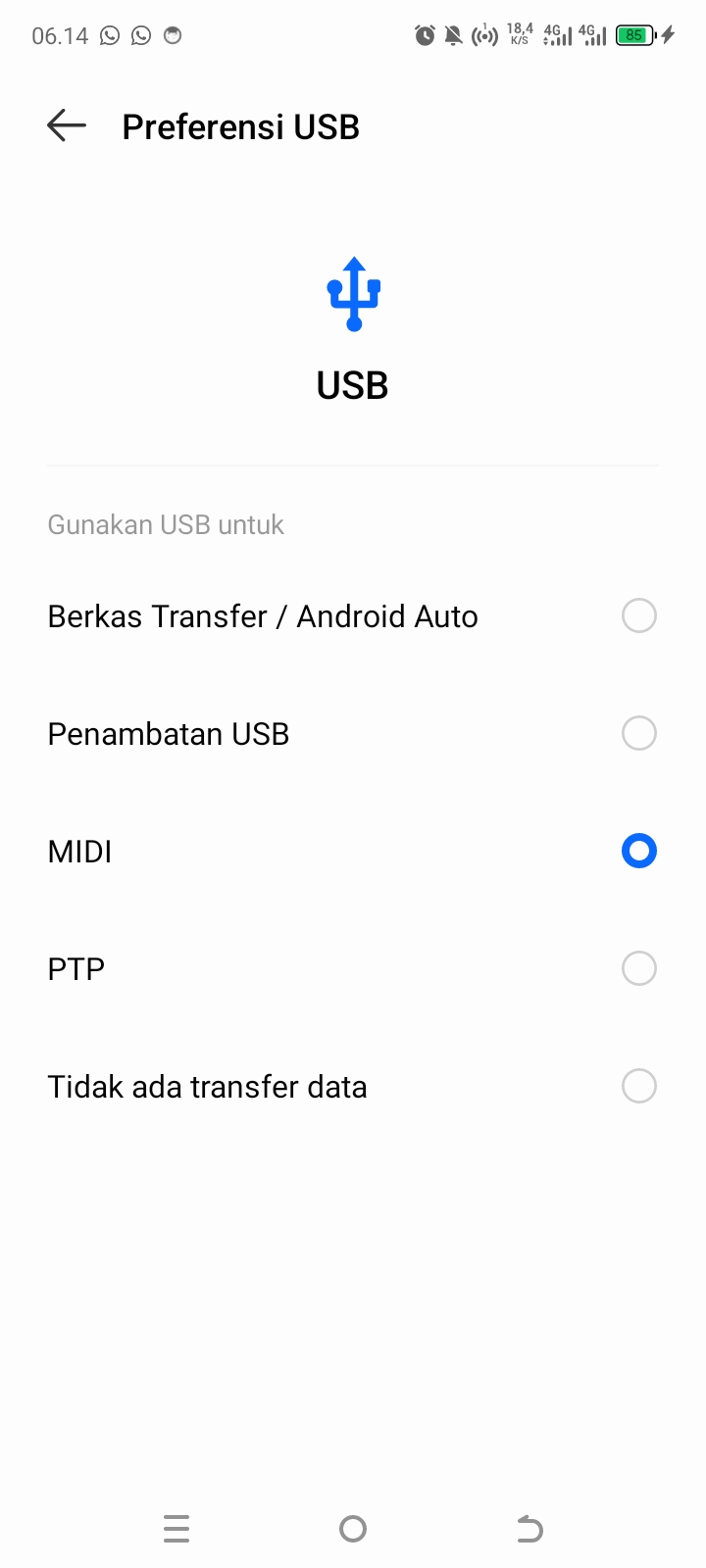
- make sure usb mode is in midi input mode.
Use Python 3.10 for best stability:
# Install dependencies
pip install mido pygame

# Run the recommended version (GUI)
py -3.10 runG1.py- there is have some limiter with how loud(Velocity) you can use. the limit is aroud 0-127 Velocity. and more Velocity means more noise. it's depend from your usb quality.
- run.py: This is the single version. It does not support complex MIDI files.
- run1.py: This is the multi version. It supports complex MIDI files and is simple to use if you prefer terminal commands.
- run2.py: Same as run1.py, but includes speed adjustment features.
- run3.py: Same as run2.py, but includes both speed and volume adjustment.
- runG.py: Same as run3.py, but features a GUI interface for easier use.
- runG1.py: Same as runG.py, but more optimize.
- portmidi: host error? try plug in and plug out your usb.
- port not detected? are you sure your usb is in midi mode? you have double check it.
- your phonr explode? i don't care. not my problem.