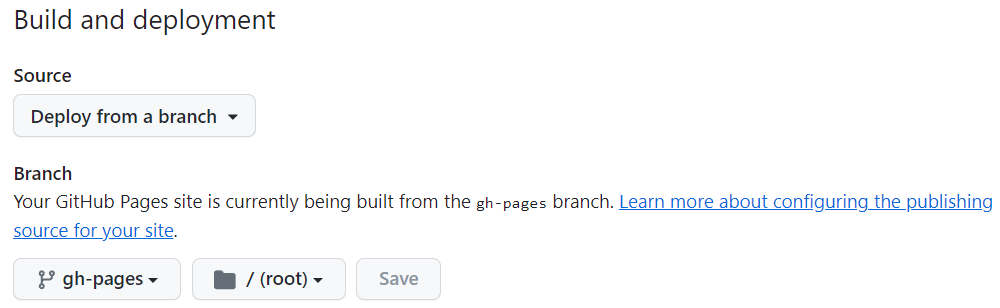
we can install create-react-app globally via npm install -g create-react-app. But we can't always use the latest version in that way.
Of course, we recommend using npx to install react framework every time.
If we don't install the react framework previously, we need to install it again here.
Here we install the echarts library.
To work with icons in a react project we need to use the echart-for-react package, which depends on the echarts package.
After preparing the above things, we can start the project now in a browser.
Now we can make some experiments with the echarts library about data visualization.
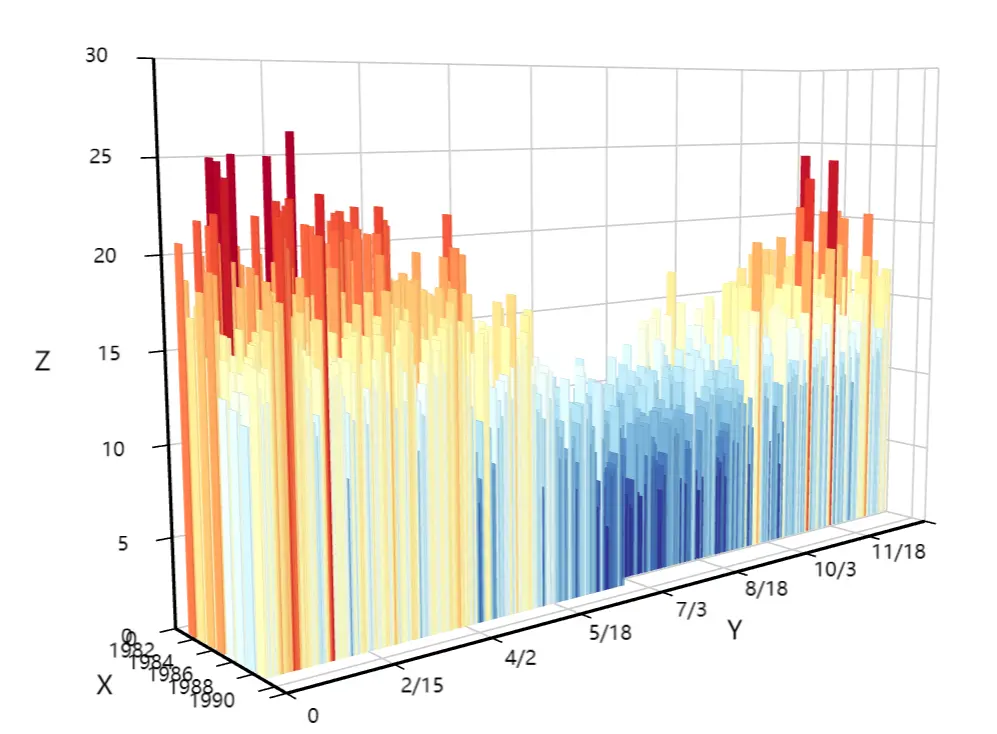
Open your package.json and add a homepage field for your project, taking my project as an example:
"homepage": "./",That's take your react project directory as the root directory of your website. Just for me, my react project is React-With-Echarts/website. And by the way, github pages will automatically choose your github project as the default directory, so actually we needn't to write the path of your project.
There we need to install gh-pages library in order to deploy our project using gh-pages in github.
npm install --save gh-pages
Add the following scripts in your package.json:
  "scripts": {
+   "predeploy": "npm run build",
+   "deploy": "gh-pages -d build",
    "start": "react-scripts start",
    "build": "react-scripts build",
That's because the predeploy script will run automatically before deploy is run.
Another point is that if the name of your local repository is not origin which is default, you need to configure the deploy more detailedly.
"deploy": "gh-pages -d build -r <repo-url>",