Windows SDK
SAM currently requires Windows SDK 8.1 in order to provide support on Windows 7 and Windows 10 platforms. To install the correct components, please follow the following steps.
- Select
Individual Components.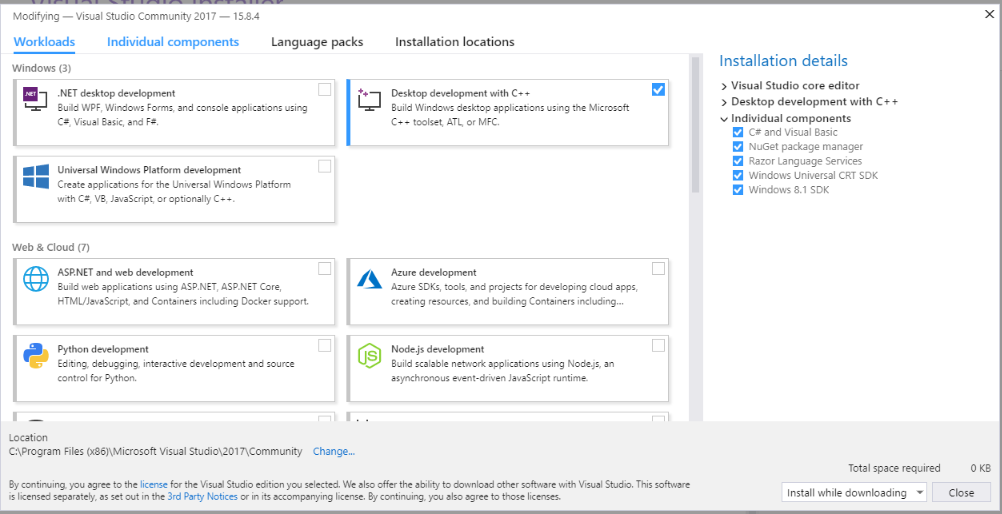
- Under
Compilers, build tools, and runtimes, selectWindows Universal CRT SDK.
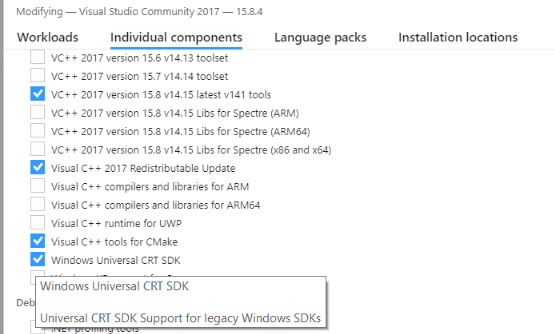
-
Under
SDKs, libraries, and frameworks, selectWindows 8.1 SDK.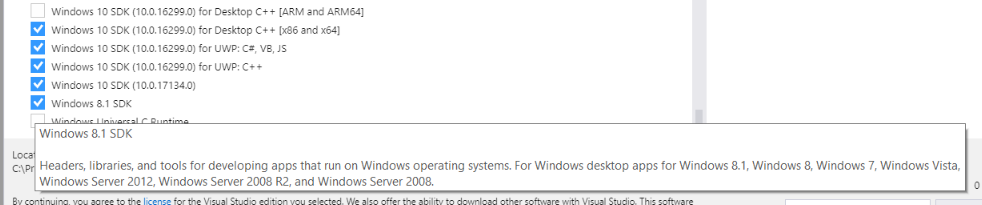
-
Click
Modifyto begin installation.
- Go to
Tools -> Get Tools & Features. - Follow the instructions above to install the two additional components.