
MyAlbum is a modern web application for sharing photo albums and individual photos, enriched with location context via Google Maps and AI-powered assistance.
Users can:- Create and share albums
- Upload and browse photos
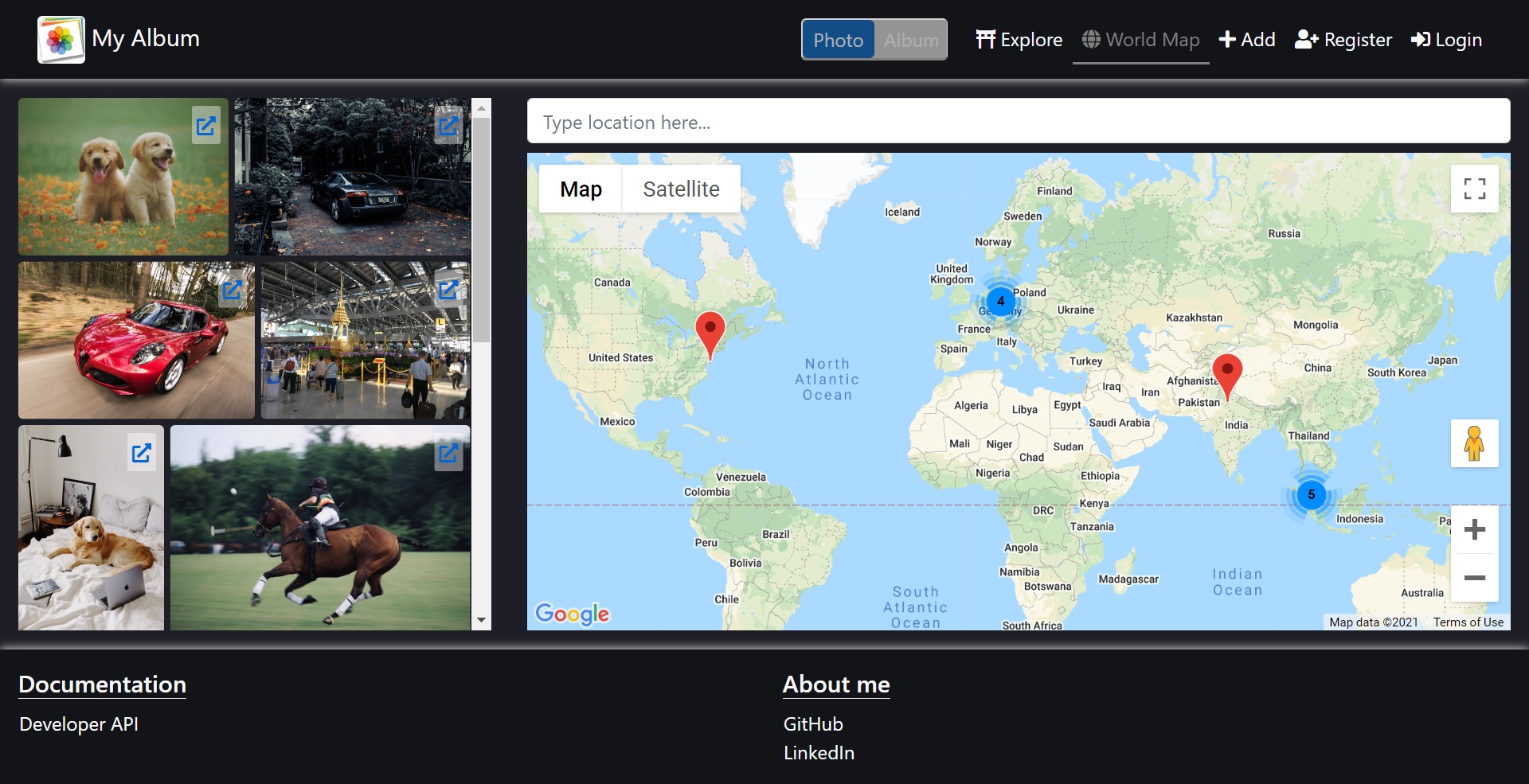
- View photo locations on Google Maps
- Use an AI assistant to:
- Auto-generate image titles and descriptions
- Suggest friendly comments based on user-provided hints
The system is built using a microservices architecture, designed to be scalable, extensible, and production-ready.

⚠️ This project is under active development
- Core album and photo features are functional
- AI service is live and evolving
- Architecture is stable, but APIs and UI may continue to change
✅ Current focus
- Improving AI-assisted features
- Strengthening CI/CD and deployment reliability
- Enhancing user experience and performance
┌─────────────────────────────┐
│        Web Browser          │
│         (React UI)          │
└──────────────┬──────────────┘
               │ HTTPS
               ▼
┌─────────────────────────────┐
│    WebSPA.React.Identity    │
│ - Serves frontend UI        │
│ - Authentication            │
│ - Issues JWT tokens         │
└──────────────┬──────────────┘
               │ JWT
               ▼
┌───────────────────────────────────────────────────────────────────────────────────────┐
│                                   Microservices                                       │
│                                                                                       │
│ ┌────────────────┐ ┌────────────────┐ ┌──────────────────┐ ┌────────────────────────┐ │
│ │ Albums Service │ │ Photos Service │ │ Comments Service | |       AI Service       | |
| |(C#, .NET Core) | |(C#, .NET Core) | |  (C#, .NET Core) | | (Python, FastAPI + LLM)| |
│ └────────────────┘ └────────────────┘ └──────────────────┘ └────────────────────────┘ |
└───────────────────────────────────────────────────────────────────────────────────────┘
WebSPA.React.Identity acts as both:
- The frontend entry point
- The authentication authority
Responsibilities:
- Serves React frontend requests
- Handles user authentication
- Issues JWT tokens
- Acts as a gateway for downstream API calls
All downstream services validate JWT tokens issued by WebSPA.React.Identity.
Each backend service is:
- Independently deployable
- Stateless
- Protected by JWT
- Documented with Swagger / OpenAPI
| Service | Responsibility |
|---|---|
| Albums | Album management |
| Photos | Photo upload, metadata, and location |
| Comments | User comments on photos |
| AI Service | Image description & comment suggestion |
┌──────────────────────────┐
│ React Frontend           │
│ (Generate / Suggest UI)  │
└────────────┬─────────────┘
             │ HTTPS + JWT
             ▼
┌──────────────────────────┐
│     AI Service API       │
│        (FastAPI)         │
│                          │
│ /image/describe          │
│ /comment/suggest         │
│                          │
└────────────┬─────────────┘
             │
             ▼
┌──────────────────────────┐
│ LLM Provider Layer       │
│ (Pluggable Design)       │
│                          │
│ - OpenAI (current)       │
│ - Future providers       │
└──────────────────────────┘
Key design goals
- Provider-agnostic LLM layer
- Easy model switching
- Clean separation between API, prompts, and providers
The AI service enhances user experience by automating repetitive and creative tasks:
- Image description
- Auto-generate title and description from image content
- Comment suggestion
- Generate friendly comments based on user hints (positive or negative)
- Extensible architecture
- Designed to support multiple LLM providers in the future
- URL:
- https://my-album.azurewebsites.net/ (Angular 8.0)
- https://my-album-react.azurewebsites.net/ (React 16.12)
- Email: [email protected] (for add/edit photo, album, comment and reply)
- Password: 2u)TAa
- Albums API: https://my-album-album-api.azurewebsites.net/swagger/index.html
- Photos API: https://my-album-photo-api.azurewebsites.net/swagger/index.html
- Comments API: https://my-album-comment-api.azurewebsites.net/swagger/index.html
- AI Service API: https://my-album-ai.azurewebsites.net/docs
- React
- TypeScript
- .NET Core + SignalR + Entity Framework (Albums, Photos, Comments)
- FastAPI (AI Service)
- OpenAI (current provider)
- Pluggable provider design
- Azure App Service
- GitHub Actions (CI/CD)
- Setup DB by running 3 scripts in "src/WebSPA/sql"
- Open "src/MyAlbum.sln"
- Change Default connection string in either:
- React with: "src/WebSPA.React.Identity/appsettings.Development.json"
- Angular with: "src/WebSPA.Identity/appsettings.Development.json"
- Set Startup Projects using menu "Debug->Set Startup Projects..." for Debugging in either:
- React with projects: Web Apps/WebSPA.React.Identity and 3 projects in Services folder
- Angular with projects: Web Apps/WebSPA.Identity and 3 projects in Services folder
- Press F5 for Debugging
- Install Docker.
- Open "src/Docker" folder and run:
docker-compose down
docker-compose build
docker-compose up
- Open "src/Docker" folder and install this SSL certificate to Local Computer's "Trusted Root Certification Authorities" folder:
File name: my-album.pfx
Password: 2u)TAa
- Verify by browsing https://localhost:5002/swagger/ successfully.
- Browse the website at http://localhost:5000/
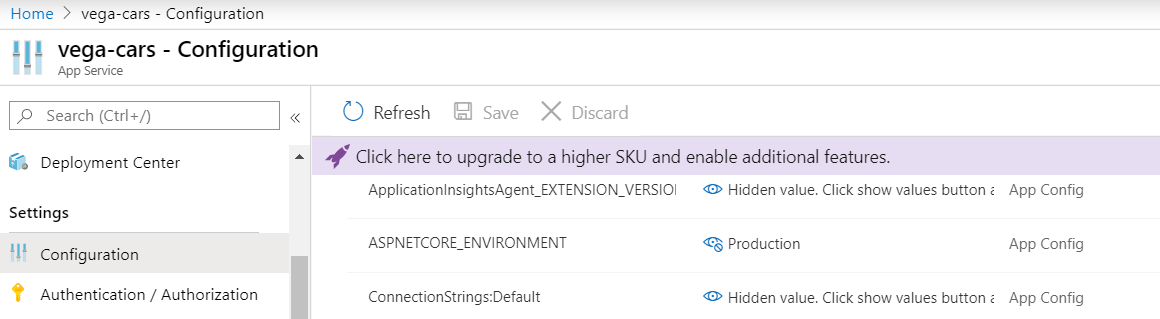
- Create 1 Azure App Service and 1 Azure SQL database
- Add 2 app settings: "ASPNETCORE_ENVIRONMENT" and "ConnectionStrings:Default" to Azure App Service:
- Deploy to Azure
-
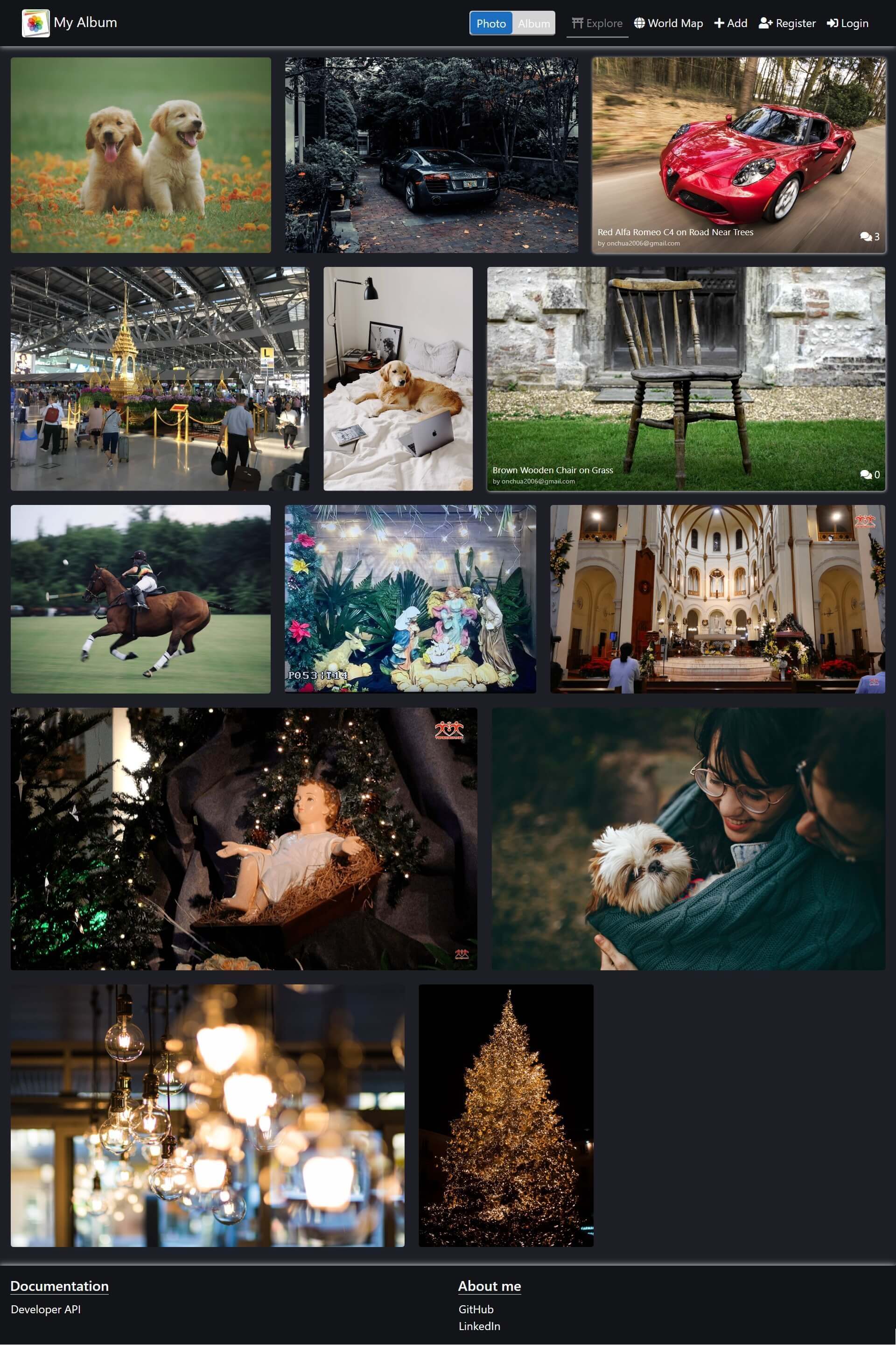
[Photo] Explore
-
[Photo] World Map
-
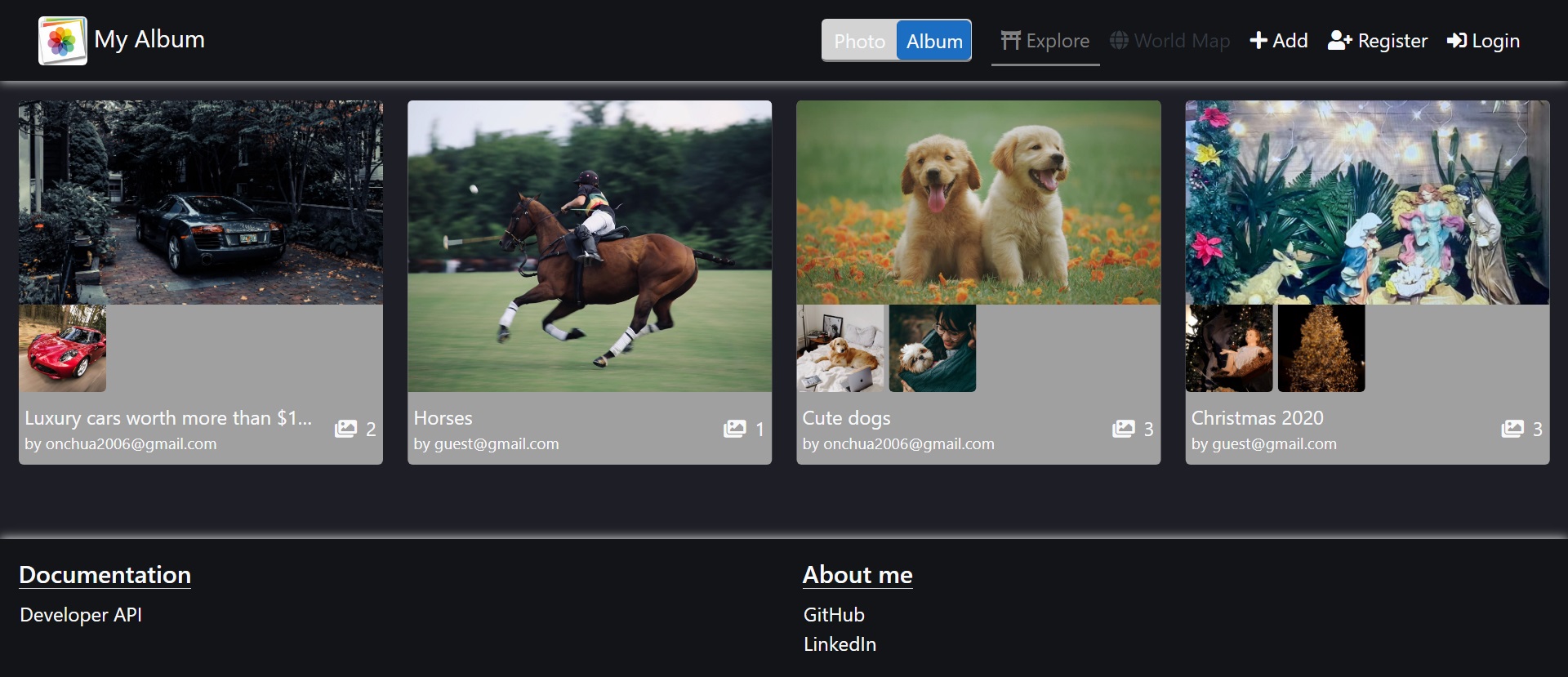
[Album] Explore
-
[Album] View
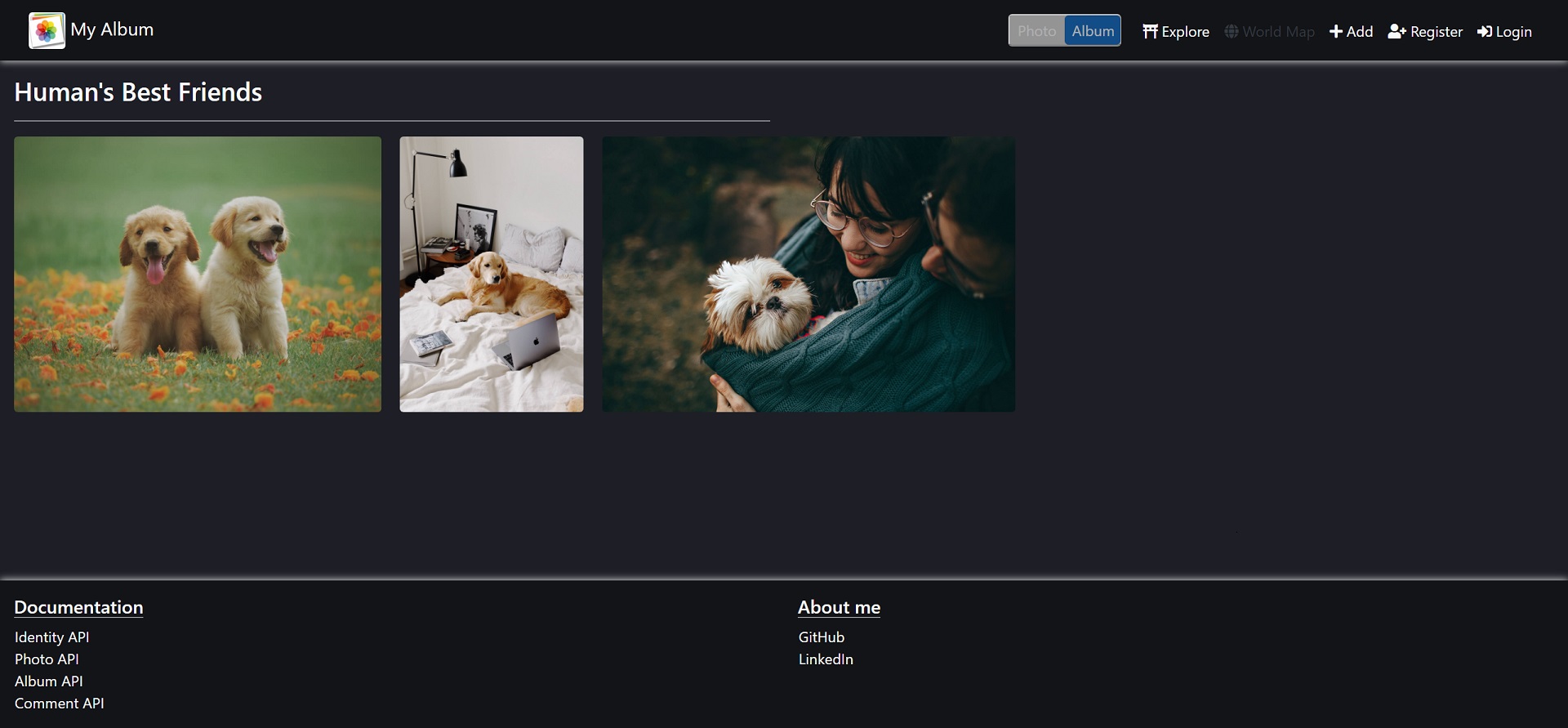
-
[Photo] Add
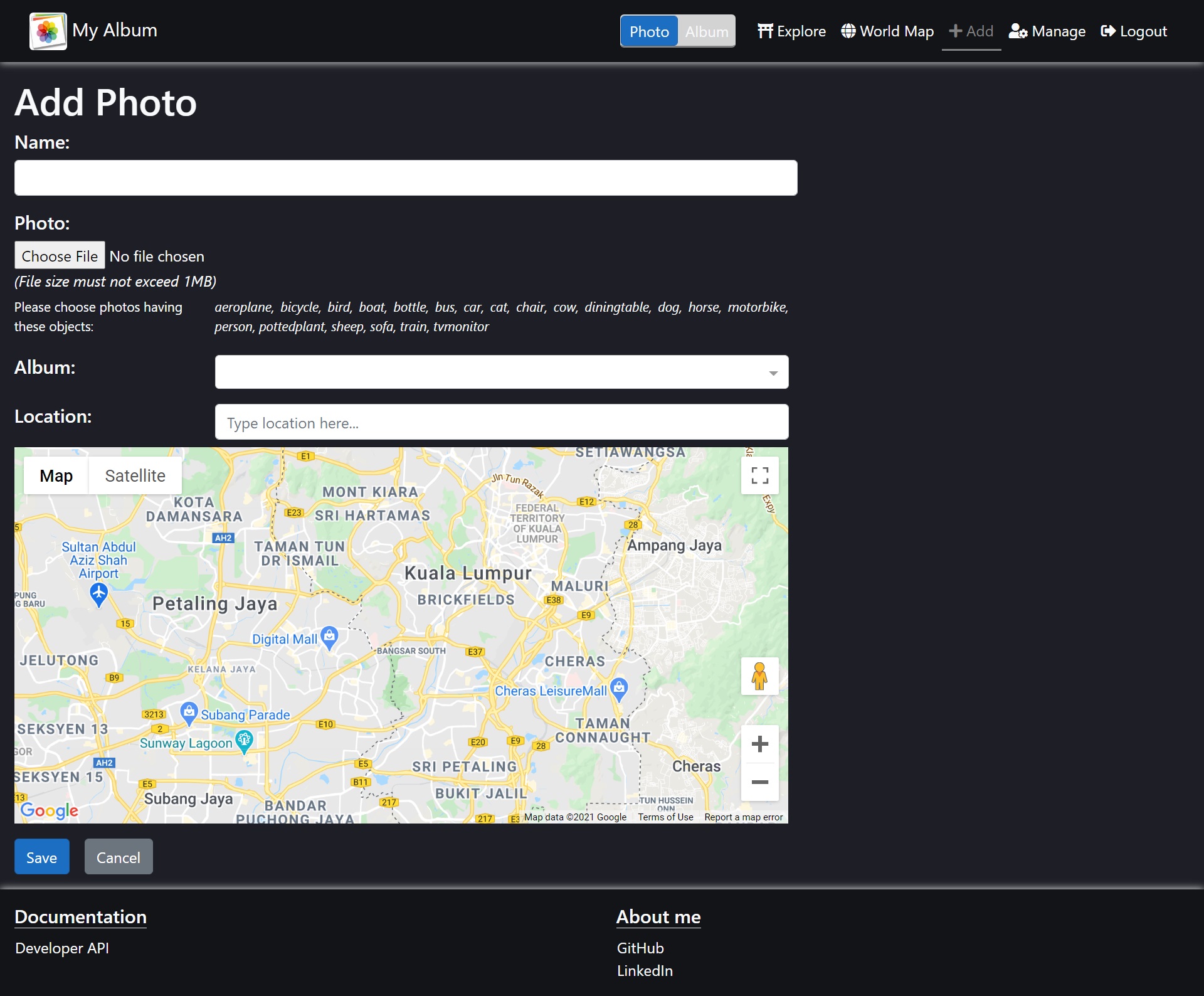
-
[Photo] Edit
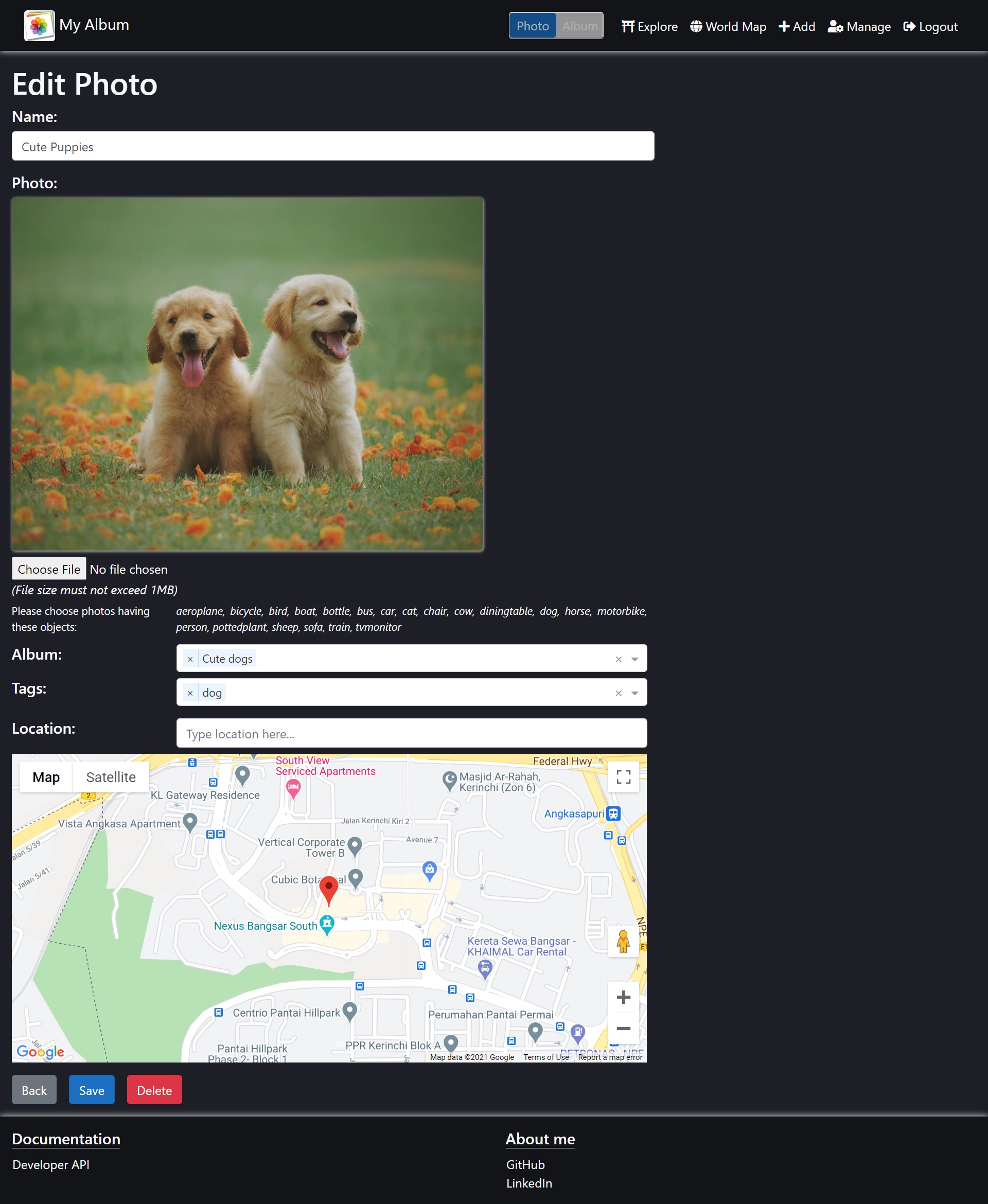
-
[Photo] View
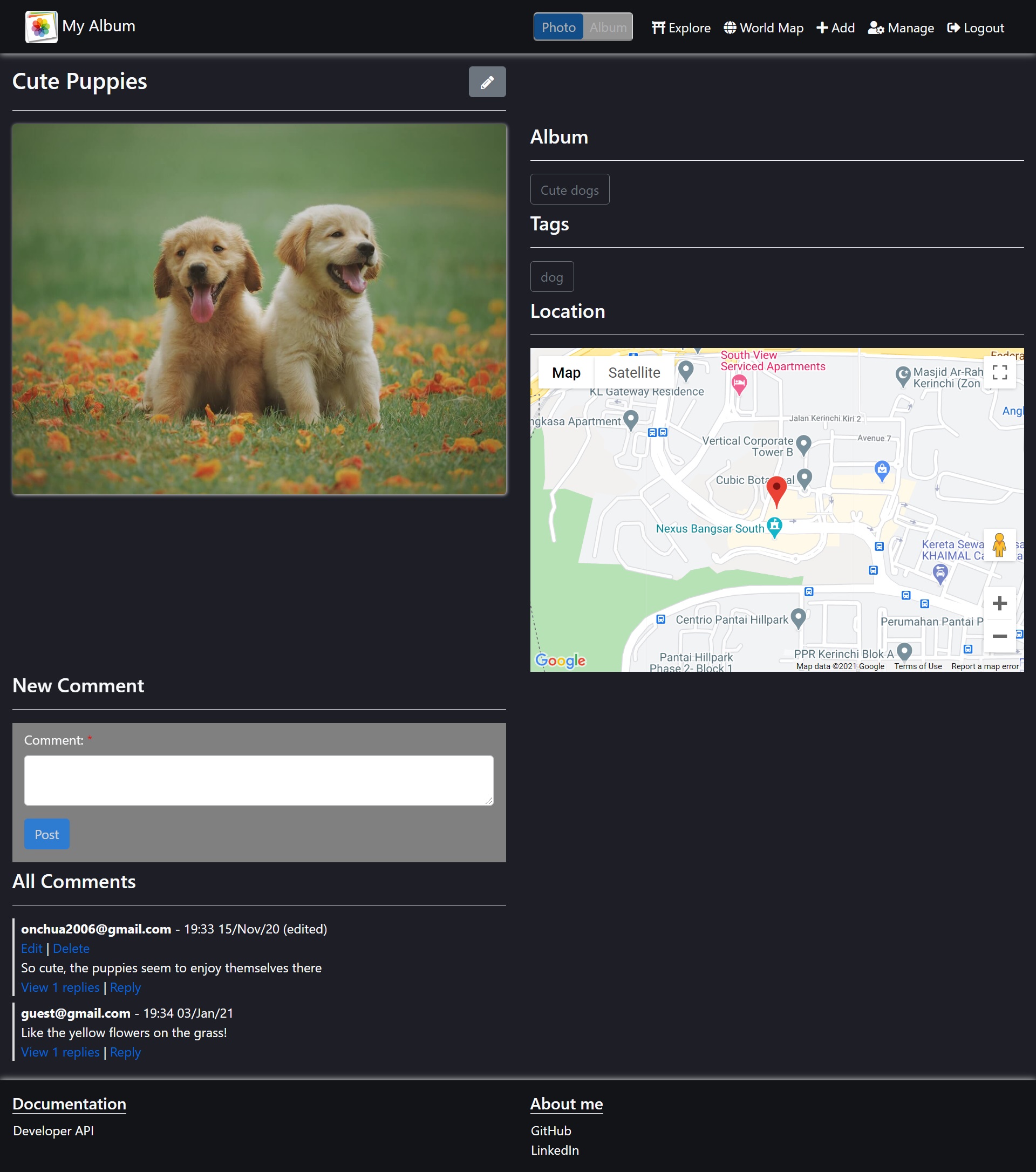
-
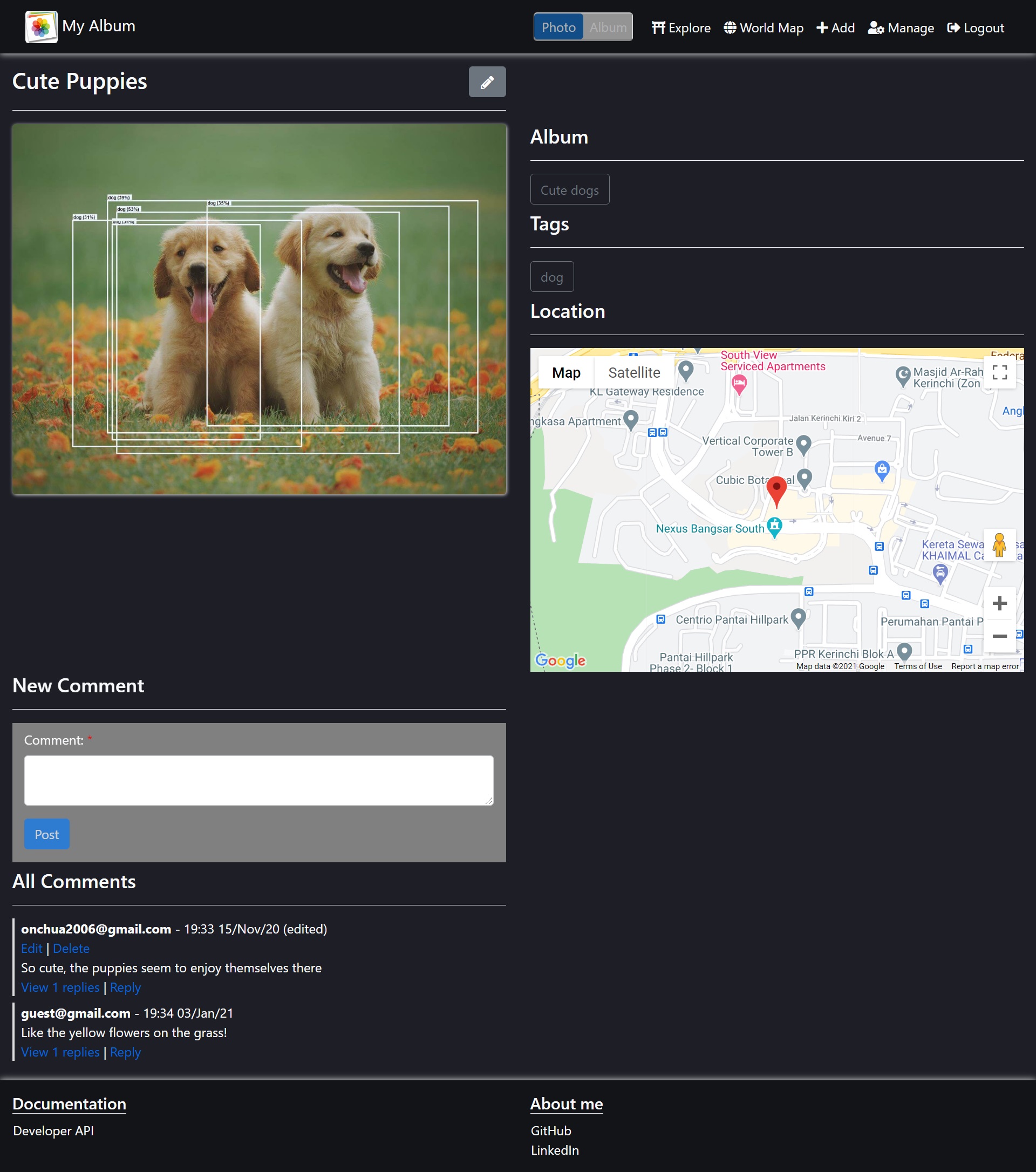
[Photo] View >> Object Detection (click on the photo)
-
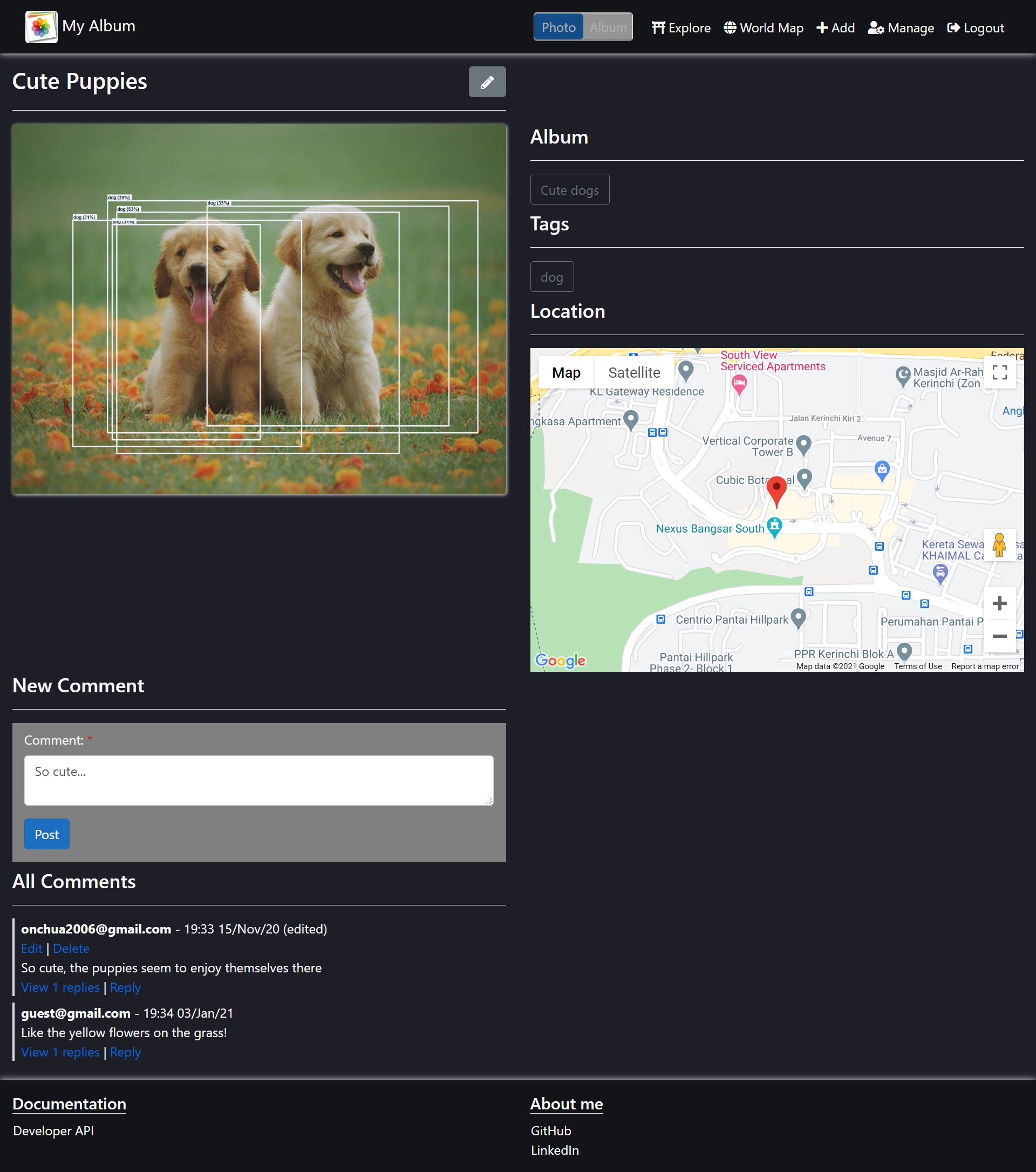
[Photo] View >> Add Comment
-
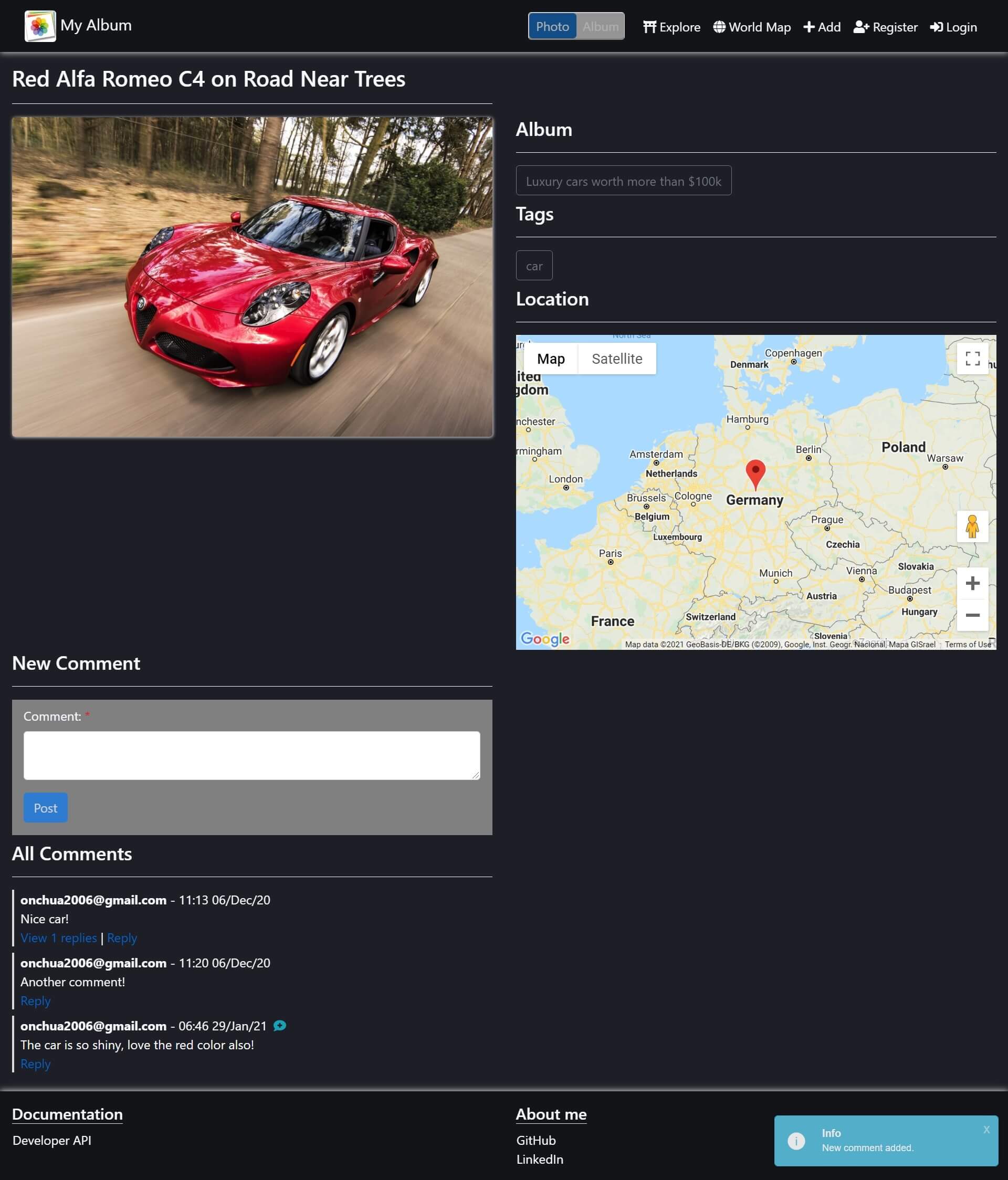
[Photo] View >> Notify Comment (real-time)
-
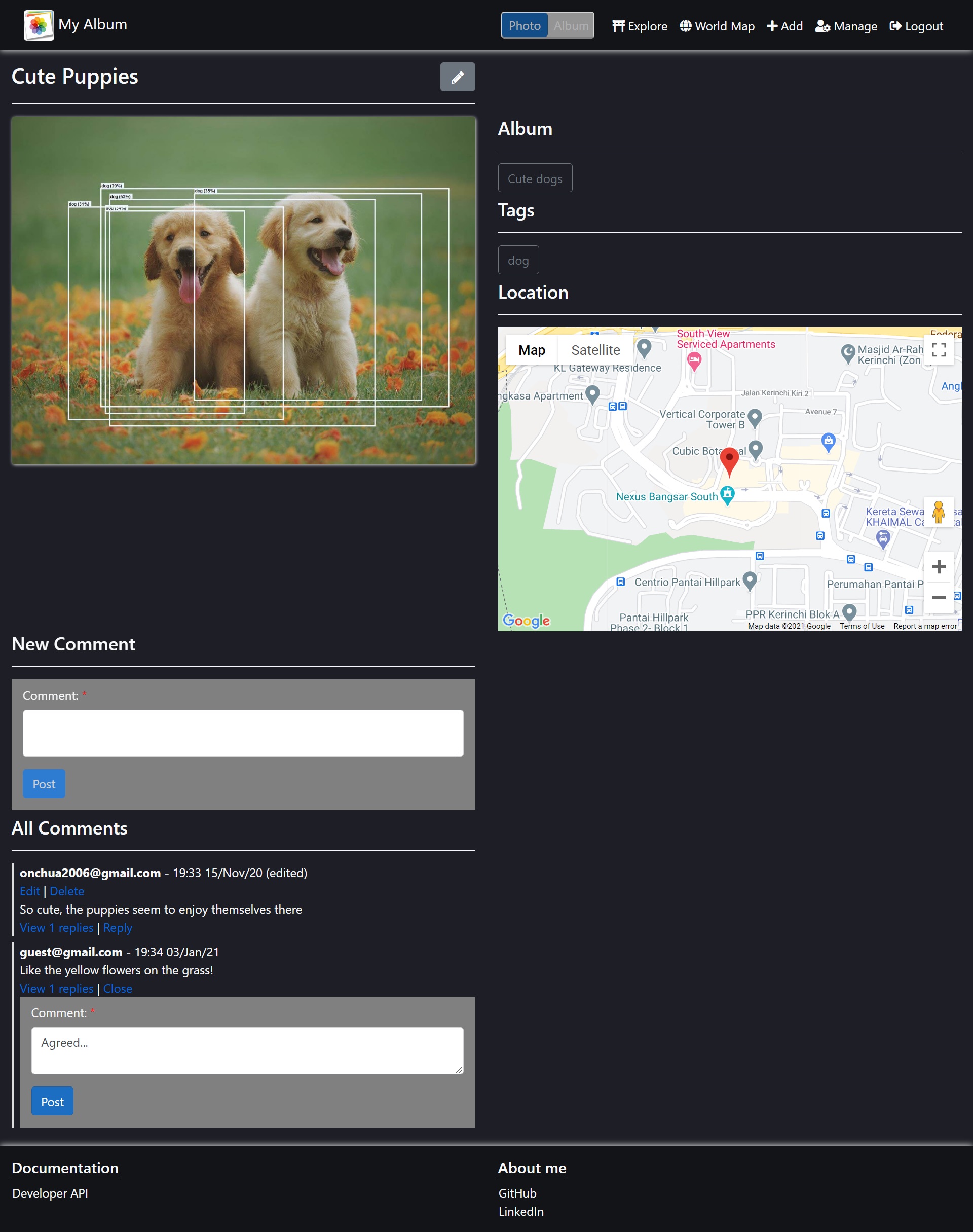
[Photo] View >> Reply Comment
Thanks to everyone who has supported this project through ideas, feedback, and testing ❤️