
Personal dashboard for people who take their life seriously.
Kanban · Finance · AI Advisor · Canvas LMS · Telegram Mini App · Work Tracker · Freelance Tracker










Bird's-eye view of everything at once — active tasks, today's and monthly spending, a quick expense form, and a recent transactions panel. Canvas LMS deadlines widget appears automatically when configured.
Full-featured task management with multiple boards, custom columns, and drag-and-drop. Completed tasks can be archived in bulk and restored at any time.
Track both expenses and income with custom color-coded categories. Built-in charts cover daily, weekly, and monthly breakdowns. Supports setting an initial balance for accurate running totals. History view with period filters (day / week / month / year / all).
Powered by Claude, OpenAI, or Groq — your choice. Analyzes today's expenses on demand and holds a full chat with streaming responses. Maintains multiple conversations with persistent history.
AI Memory stores personal facts as vector embeddings (Jina AI + pgvector). The advisor automatically extracts facts from conversations using Groq, so it remembers your habits and context across sessions.
Supported models:
- Anthropic — Claude Sonnet 4.6, Haiku 4.5, Opus 4.6
- OpenAI — GPT-4o, GPT-4o Mini, GPT-3.5 Turbo
- Groq — Llama 3.3 70B, Llama 3.1 8B, Mixtral 8x7B, Gemma 2 9B
Full integration with Canvas LMS (Instructure). Connect once with your API key and the dashboard syncs all your academic data automatically.
Deadlines — view upcoming assignments and quizzes filtered by period (tomorrow / this week / this month). Each item shows submission status (graded, submitted, missing, late), points, and a direct link to Canvas.
Courses — browse active courses with current grade/score. Each course has a dedicated page with three tabs:
- Timeline — chronological view of all assignments and calendar events
- Assignments — full assignment list with submission status and due dates
- Announcements — course announcements with mark-as-read support
Assignments — global assignments view across all courses, filterable by status (upcoming / past / all) and by course.
Calendar — monthly calendar grid with color-coded events from all courses. Navigate months, click events to see details, and browse the full event list below the grid.
Grades & GPA — current and final scores per course, displayed on the course card and course page.
Telegram notifications — get notified 24h, 3h, and 1h before each deadline (configurable in Settings).
Data is cached in PostgreSQL and refreshed on demand via a sync button.
Add expenses in seconds by texting the bot. Natural language input is parsed by AI — it extracts amount, category, and date automatically.
| Command | Description |
|---|---|
/add 500 coffee |
Add an expense |
/today |
Today's expenses |
/help |
List of commands |
A full mobile-optimized interface embedded directly inside Telegram. Sections accessible via bottom navigation:
| Section | Description |
|---|---|
| Home | Stats summary, quick expense form, recent transactions |
| Tasks | Kanban boards with horizontal column scrolling |
| Finance | Expense list, period summary |
| Work | Check-in/out, shift history, weekly/monthly stats |
| AI Chat | Streaming AI advisor with conversation switcher |
| Settings | Language, currency, AI provider, categories, bot connection |
Includes haptic feedback, Telegram safe area support, and a dedicated tma-auth middleware.
Time tracking built for freelancers who bill by the hour. Create client projects, run a server-side stopwatch (survives browser closes), and export clean reports.
Projects — each with a name, color label, and optional deadline. Projects display weekly and monthly hour totals at a glance.
Timer — start, pause, resume, and stop. The timer runs on the server, so closing the tab or reloading the page doesn't lose time. Only one active session at a time.
Manual entry — log past sessions retroactively with start/end times and an optional note.
History — session table filterable by period (week / month / all) and by project. Edit or delete any session inline.
Stats — weekly and monthly breakdowns with a color-coded bar chart per project.
CSV export — download a report (Date, Project, Start, End, Duration, Note) filtered by project and date range — ready to paste into Excel or Google Sheets.
Dashboard widget — if a timer is running, a live counter appears on the main dashboard with a one-click Stop button.
Web only — not available in the Telegram Mini App.
Track work hours with one-tap check-in / check-out. Live timer for active shifts. History view grouped by week or month with per-session duration and totals.
Supports iOS Shortcuts integration — a webhook endpoint lets you automate check-in/out via location-triggered shortcuts.
Two accent palettes switchable from Settings:
- Violet — Syne + DM Sans, deep purple tones
- Emerald — Cabinet Grotesk + Instrument Sans, green tones
Both support dark and light mode, stored in localStorage and applied instantly without page reload.
Full English and Russian interface. Language is selected in Settings and saved to the backend — persists across devices. Lightweight custom useLocale composable, no external library.
- Language (EN / RU) and currency
- Theme accent (Violet / Emerald) and mode (Dark / Light)
- AI provider and model selection
- API keys: Anthropic, OpenAI, Groq, Jina
- Canvas LMS domain, API key, toggles
- Finance categories (CRUD with custom colors)
- Telegram bot token and webhook registration
- Work tracker iOS Shortcut webhook
- Password change
Dokploy → New Service → Database → PostgreSQL
Note down the service name (will be DB_HOST), Database, Username, and Password.
Dokploy → New Service → Application → source GitHub → select repo and branch main.
Dokploy will automatically find the Dockerfile in the root of the repository.
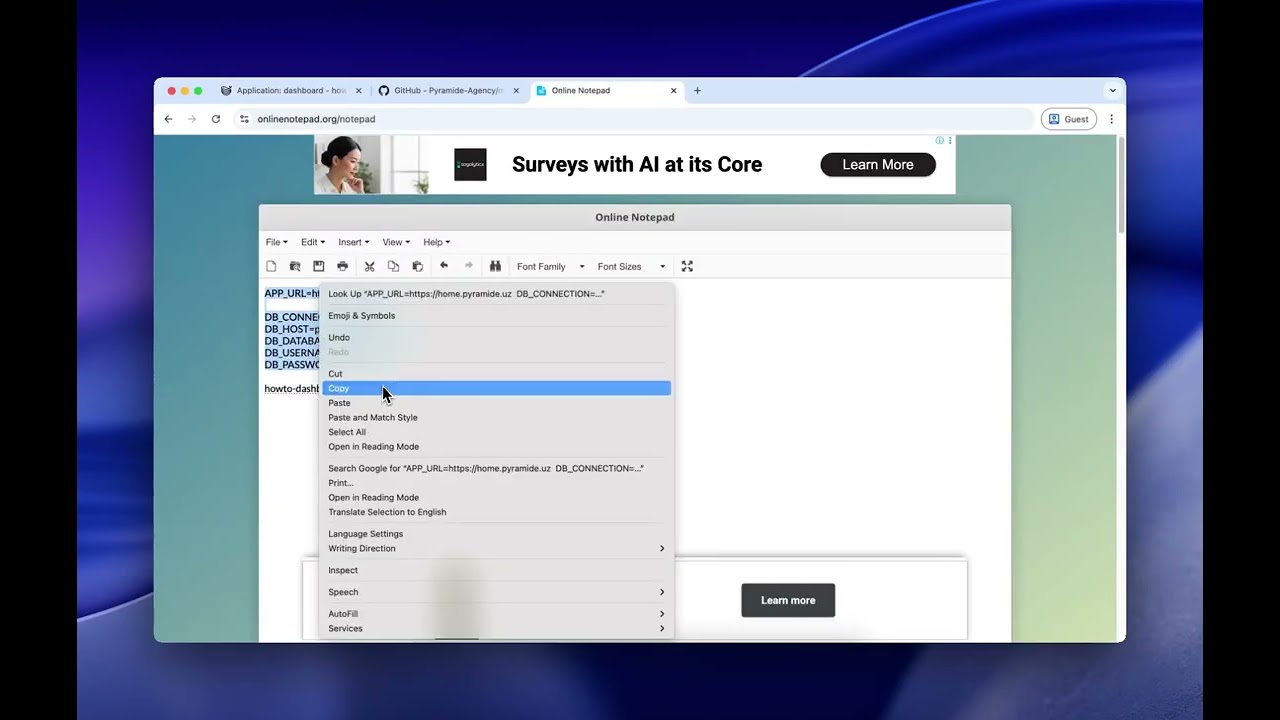
# Required
APP_URL=https://your-domain.com

DB_CONNECTION=pgsql
DB_HOST=postgres           # service name from Step 1
DB_DATABASE=your_db_name
DB_USERNAME=your_db_user
DB_PASSWORD=your_db_password

# Optional
ANTHROPIC_API_KEY=sk-ant-...
OPENAI_API_KEY=sk-...
GROQ_API_KEY=...
JINA_API_KEY=...
TELEGRAM_BOT_TOKEN=...
APP_KEY=base64:...Click Deploy. Build takes 2–4 minutes. After startup, the container applies migrations and seeds default data automatically.
Default password:
secret— change it immediately in Settings.
Requirements: PHP 8.4, Composer, Node 20, PostgreSQL
# 1. Clone
git clone <repo> && cd personal-dashboard

# 2. Set up backend
cd back
cp .env.example .env
# Edit .env: DB_*, APP_KEY
php artisan key:generate
php artisan migrate:fresh --seed
cd ..

# 3. Set up frontend
cd front && npm install && cd ..

# 4. Start both servers
./start.sh- Frontend: http://localhost:3000
- Backend API: http://localhost:8000/api
Via Docker Compose:
cp .env.example .env
# Set: DB_PASSWORD, APP_KEY (php artisan key:generate --show)
docker compose up --build| Variable | Required | Description |
|---|---|---|
APP_URL |
Yes | Public URL (https://your-domain.com) |
DB_HOST |
Yes | PostgreSQL host |
DB_DATABASE |
Yes | Database name |
DB_USERNAME |
Yes | Database user |
DB_PASSWORD |
Yes | Database password |
APP_KEY |
No* | Encryption key — auto-generated on first start |
ANTHROPIC_API_KEY |
No | Claude API key |
OPENAI_API_KEY |
No | OpenAI API key |
GROQ_API_KEY |
No | Groq API key (also used for memory fact extraction) |
JINA_API_KEY |
No | Jina AI key for vector embeddings |
TELEGRAM_BOT_TOKEN |
No | Telegram bot token |
*Recommended to set manually after first run.
├── back/               Laravel 11 API
│   ├── app/
│   │   ├── Http/Controllers/   LmsController, AiController, WorkController, ...
│   │   ├── Models/             LmsCourse, LmsAssignment, LmsGrade, ...
│   │   ├── Services/           CanvasService, MemoryService, ...
│   │   └── Console/Commands/   LmsDeadlineNotify, ...
│   └── database/
│       ├── migrations/         6 global migrations
│       └── ...
│   └── resources/tenant-migrations/   18 tenant migrations
├── front/              Nuxt 4 SPA (shadcn-vue, Tailwind v3)
│   └── app/
│       ├── assets/
│       │   ├── css/main.css    Theme system (CSS custom properties)
│       │   ├── fonts/          Self-hosted Cabinet Grotesk
│       │   └── logo/           Vektron SVG logo mark
│       ├── composables/        useApi, useAuth, useLocale, useTheme
│       ├── pages/
│       │   ├── lms/            index, assignments, calendar, course/[id]
│       │   ├── finance/
│       │   ├── tma/            Telegram Mini App pages
│       │   └── ...
│       └── i18n/               en.ts, ru.ts
├── configs/
│   └── themes/         vektron-violet.css, vektron-emerald.css
├── docker/
│   ├── entrypoint.sh
│   ├── nginx.conf
│   └── supervisord.conf
├── Dockerfile          Multi-stage: Nuxt build → Composer → PHP-FPM + Nginx
├── docker-compose.yml  For local development
└── start.sh            Dev server launcher
This project is licensed under CC BY-NC-SA 4.0 (Creative Commons Attribution-NonCommercial-ShareAlike 4.0 International).
| Use case | Allowed |
|---|---|
| Personal / non-commercial use | ✅ Free — attribution required |
| Forks & derivative works | ✅ Must be open-sourced under the same license |
| Commercial use | 💼 Requires a paid license — contact the author |
| Claiming as your own work | ❌ Prohibited |
| Removing attribution | ❌ Prohibited |
Attribution requirement: Any public deployment, fork, or publication must include a visible link to the original repository.
For commercial licensing inquiries: @odilovicc
Full terms: LICENSE · CODE_OF_CONDUCT.md