




An intelligent wolf is better than a foolish lion.
— Matshona Dhliwayo.
Wolf is a streaming server for Moonlight that allows you to share a single server with multiple remote clients in order to play videogames!
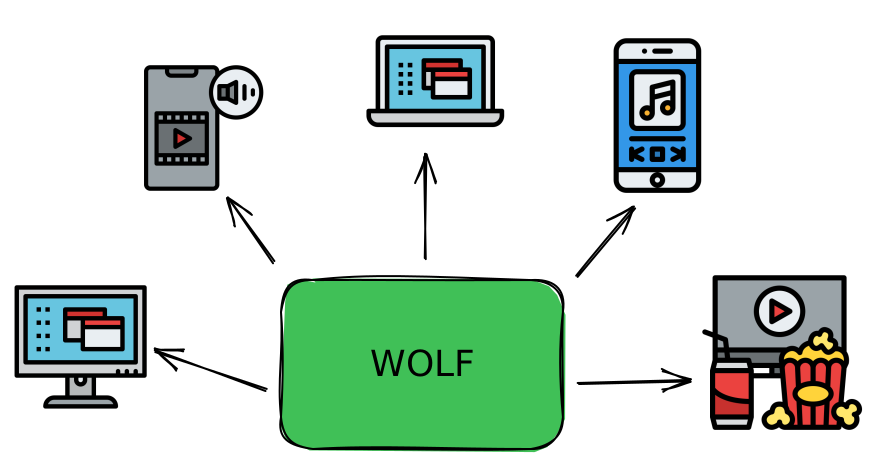
It's made from the ground up with the following primary goals:
- Allow multiple users to stream different content by sharing a single remote host hardware
- On demand creation of virtual desktops with full support for any resolution/FPS without the need for a monitor or a dummy plug.
- Allow multiple GPUs to be used simultaneously for different jobs
- Example: stream encoding on iGPU whilst gaming on GPU
- Provide low latency video and audio stream with full support for gamepads
- Linux and Docker first: run your games with low privileges in containers (based on Games On Whales)
- Mostly hackable, just edit the config file to modify encoding pipelines, GPU settings or Docker/Podman low level details
It's a specific tool for a specific need, are you looking for a general purpose streaming solution? Try out Sunshine!
Want to give it a spin? Checkout our docs!

This fork is based on upstream stable at
fe51439c3ed531345ddee63a0b85662f308ae7bb.
It keeps Wolf's Moonlight protocol behavior, stream configuration, adaptive FEC/bitrate/pacing behavior, and GStreamer
pipeline semantics intact. The changes since that baseline are intentionally narrow:
- FEC workspace assembly —
rtpmoonlightpay_videonow allocates the data-and-parity workspace once per FEC block and copies each finalized data shard directly to its final offset. This replaces repeated buffer concatenation while preserving packet bytes, headers, zero-padding, AV1 final-payload handling, shard geometry, sequence numbering, and Reed-Solomon behavior. Reference-based tests cover data/parity output, multi-block frames, reconstruction, padding, AV1 payloads, and RTP headers. - Suppressed control-path logging — expensive trace/debug log arguments are evaluated lazily when their log level is enabled. In particular, hexadecimal conversion for control/crypto diagnostics no longer runs for filtered records. Enabled log output and filtering semantics are unchanged; focused tests cover both enabled and suppressed logging.
- Control-path session handling — avoids incidental
StreamSessioncopies in selected control/input paths while retaining the copies that intentionally provide snapshots across asynchronous work or lock boundaries. Tests cover the adjusted control behavior.
These are CPU and allocation reductions, not protocol or quality changes. The fork does not change FEC policy, bitrate adaptation, pacing policy, packet formats, encoder settings, GStreamer/CUDA lifetime handling, or session ownership.
Wolf's NVIDIA zero-copy pipeline is an upstream capability, enabled by default unless
WOLF_USE_ZERO_COPY=FALSE. On the maintainer's RTX 5070 Ti host, using WOLF_USE_ZERO_COPY=TRUE for a single 4K60 AV1,
80 Mbps test reduced measured Wolf CPU cycles from 630.7 billion to an average of 91.3 billion over 120 seconds. This is a
host- and workload-specific measurement, not a general performance guarantee. It reflects keeping raw frames in CUDA memory
instead of the legacy system-memory upload path.
Before adopting zero-copy in another deployment, validate active gameplay, reconnects, lobby/game transitions, client frame drops, latency, and GPU headroom on that host. In particular, do not treat successful menus or a synthetic benchmark as proof of pipeline-lifecycle stability.
The next evidence-driven area is packet transmission and pacing under concurrent active streams: measure scheduler wakeups,
CPU migrations, packet batching, and timing overhead before changing code. AV1/NVENC itself is currently configured for
low-latency operation (preset=p1, CBR, one-frame VBV, no B-frames, and ultra-low-latency tuning); change encoder settings
only through a controlled quality/latency/capacity A/B test.
- @Drakulix for the incredible help given in developing Wolf
- @zb140, @JBailes and @salty2011 for the constant help and support in GOW
- @loki-47-6F-64 for creating and sharing Sunshine
- @ReenigneArcher for being the first stargazer of the project and taking care of keeping Sunshine alive
- All the guys at the Moonlight Discord channel, for the tireless help they provide to anyone