Use the right AI agents in parallel. Ship work that survives evidence.
Koryphaios is a free, local-first native desktop workspace that coordinates the agents and model providers you already use. It keeps serious attempts isolated, makes changes and costs inspectable, and gives you a clean path back when an agent gets it wrong.
Website · Documentation · Published builds · Contributors



macOS and Linux:
curl -fsSL https://koryphaios.com/install | shWindows PowerShell:
curl.exe -fsSL https://koryphaios.com/install.ps1 | powershell.exe -NoProfile -ExecutionPolicy Bypass -Command -These commands resolve the latest published build for the supported target.
On macOS, the script downloads a DMG to ~/Downloads, opens it, and leaves the
Applications drag-and-drop step to you. The current macOS build is ad-hoc
signed, so it may require a one-time Finder control-click → Open confirmation
until it is Developer ID signed and notarized. On Windows x64, the script
downloads and opens the setup executable; the installer adds the Start-menu
entry. On Linux x64, the script installs the AppImage executable as
~/.local/bin/koryphaios (or $XDG_BIN_HOME/koryphaios) and does not currently
create a desktop-launcher entry. Unsupported architectures fail explicitly.
You can inspect the macOS/Linux or
Windows script before running it.
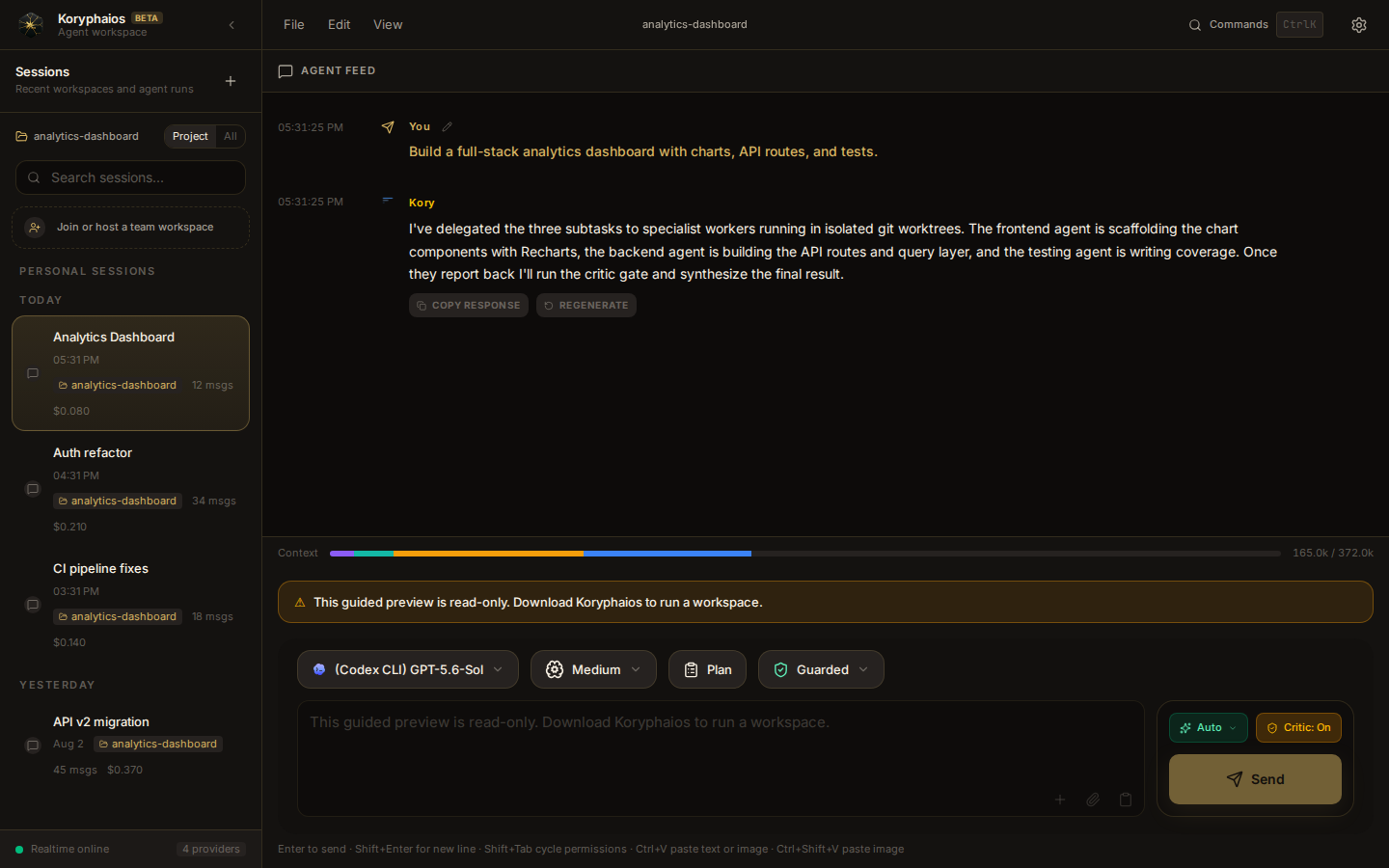
Watch the short product demo · Open the second interface capture
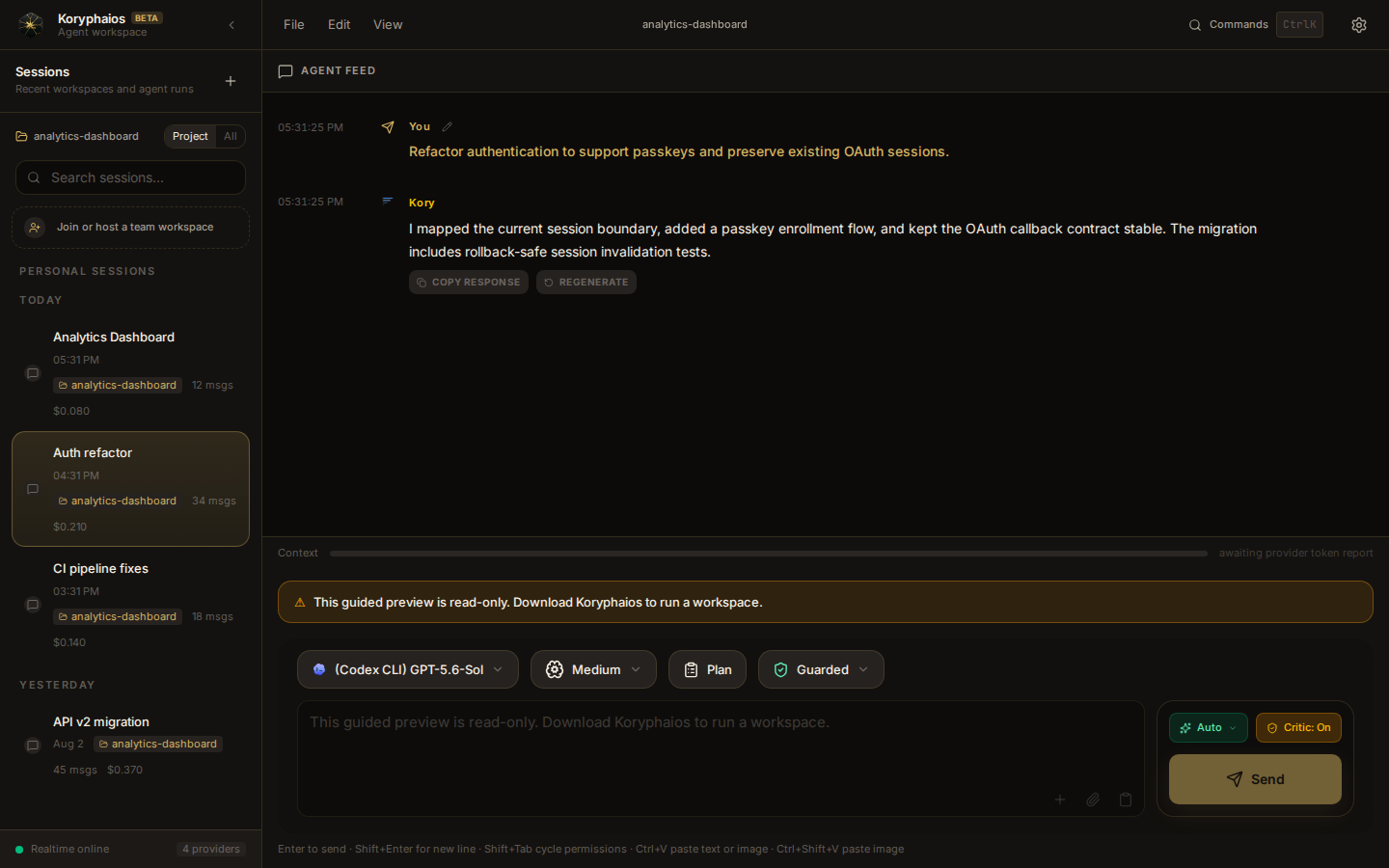
Koryphaios is a native desktop application that puts a fast local AI workspace on your machine. It runs a local backend server inside a Tauri shell and gives you a clean SvelteKit interface for talking to language models, running agents, and getting real work done without leaving your computer. Koryphaios itself has no subscription or account wall; configured providers and CLI subscriptions keep their own pricing, quota, terms, and availability.
The backend handles orchestration, tools, sessions, HTTP APIs, and WebSocket streaming. The frontend provides the interface and runs inside the Tauri webview. App state and orchestration are local, while prompts, attachments, and tool context sent to a configured remote provider leave the machine under that provider's contract. Direct API credentials are stored locally in .koryphaios/credentials.json with owner-only file permissions; that store is plaintext, not an OS keychain or encryption claim. CLI-backed providers continue to own their login material.
Native desktop experience. Koryphaios is a real desktop app with a custom frameless window, system tray integration, and direct native file system access through Tauri. It is not a website wearing a desktop costume.
Multi-provider workspace with explicit capability boundaries. Koryphaios includes first-class paths for direct APIs such as Anthropic, OpenAI, Google Gemini, GitHub Models, Groq, OpenRouter, Azure OpenAI, SAP AI Core, and Anthropic Claude on AWS Bedrock; it also has local CLI harnesses for selected coding subscriptions and supports user-supplied OpenAI-, Anthropic-, or Gemini-compatible endpoints. Catalog presence is not a compatibility promise: Settings distinguishes locally detected configuration from a provider probe completed during the current backend run. Azure and SAP require explicit deployment identifiers. The Bedrock catalog check lists only Anthropic text models supported by this adapter, but remains a detected catalog-access state until runtime inference proves InvokeModel access. Unsupported non-chat or restricted adapters fail closed instead of inheriting a generic chat route. Custom endpoints must actually implement the protocol selected by the user.
Capability-aware agent routing. The router compares enabled model metadata and task requirements, while preserving an explicit provider/model choice when one is required. Local credential or CLI-file detection is not treated as proof of account entitlement, quota, or runtime availability; verify the provider in Settings before relying on it for unattended work.
Session-scoped Time Travel. Koryphaios publishes private Git checkpoints only after their snapshot, metadata, manifest, and cursor are durable. Recovery is limited to the session-owned paths and conversation boundary recorded at that checkpoint. It is refused while an agent tool is active or when the current index/worktree cannot be proven safe, so unrelated work is not silently overwritten. Repositories without an initial Git commit cannot use delegated rollback and fail closed before a worker starts.
Parallel agent isolation. Git worktrees let multiple agents work at the same time without clobbering each other's files. The workspace manager, worker pipeline, and conflict resolution services keep concurrent work separated and reconciled.
Real time streaming. WebSocket streaming pushes response deltas, status changes, tool approvals, process lifecycle events, and recovery state to the desktop interface as they happen.
Local MCP diagnostics. The bundled MCP server exposes workspace error detection and bounded diagnostic tools over Model Context Protocol. It does not install, impersonate, or claim a native VS Code, Cursor, Windsurf, or Augment extension; editor-specific compatibility fields remain readable only for older configuration files.
Sub agent teams with explicit recovery boundaries. A manager plans and synthesizes while workers execute a bounded task and a read-only critic reviews the evidence. Delegation requires a project-scoped Git baseline. When a workflow requires kernel path confinement, the worker fails closed if the configured OS sandbox is unavailable instead of pretending argv parsing is a sandbox.
Notes, feedback, and cost tracking. Project-scoped long-form Notes and Memory use revision checks, explicit context budgets, and bounded attachments. The feedback dialog opens a prefilled GitHub issue containing only the text and optional app version you review; it does not silently upload diagnostics, source, prompts, screenshots, or keys. Session history tracks provider-reported usage and Koryphaios-attributed cost without inventing unavailable account totals.
Signed-update plumbing with a verification boundary. The Tauri shell includes signed-manifest update support and platform build workflows. A configured updater is not proof that every external artifact currently exists or works; each published OS/architecture target must pass its own build, signature, install, restart, and rollback checks. This checkout's local verification does not certify unavailable platform targets.
A marketing demo that runs offline. A dedicated demo mode powers the public website embed with a realistic sample workspace and performs zero backend requests during its guided tour, so anyone can see the product without installing it.
┌───────────────────────────────┐
│ Tauri Desktop Shell           │
│ • Native window + OS APIs     │
└──────────────┬────────────────┘
               │ loads local UI
┌──────────────▼────────────────┐
│ Frontend (SvelteKit build)    │
│ • Chat UI                     │
│ • Session / provider views    │
│ • Uses HTTP + WebSocket       │
└──────────────┬────────────────┘
               │ /api/* and /ws
┌──────────────▼────────────────────────────────────────────────┐
│ Backend (Bun / Elysia / Bun.serve)                           │
│ • Kory manager and worker orchestration                      │
│ • Tool registry, provider registry, session persistence      │
│ • Serves REST-like API routes, WebSocket updates, static UI  │
│ • Loads local plugins and MCP-backed tools                   │
└───────────────────────────────────────────────────────────────┘
Manager (Kory). The manager uses the tools and provider routes allowed by the selected permission mode. YOLO can remove routine prompts, but it cannot waive the catastrophic-command approval floor. Agent-tool processes run with a stripped environment and bounded lifecycle evidence; user-authorized unsandboxed work is labeled as such rather than described as contained.
Workers (builders). Workers require a validated session project, path grant, and recoverable Git baseline. Sandbox-required commands need a real kernel confinement mechanism; unavailable confinement, missing baselines, and unsafe reconciliation stop the worker before provider execution.
Critic. The critic receives bounded, secret-redacted evidence and a disposable read-only project view rather than unrestricted private reasoning or unbounded tool output. Goal evidence is marked independently verified only when the producer and verifier use distinct provider/model identities; unavailable or same-identity review remains explicitly unverified.
Koryphaios is free, open, and genuinely useful, and it is also still growing. The honest weak spots are:
CLI integrations depend on the installed CLI and local profile. Koryphaios can detect an executable or login file without claiming that the account is authenticated. Those signals remain explicitly detected and unverified unless a supported read-only account probe succeeds; for file-only harnesses, definitive access is known only when the CLI actually runs. Results can vary with CLI version, profile layout, provider entitlement, and sandbox support. Kilo execution, the undocumented Freebuff SDK path, and approval-requiring Jules mutation are deliberately unavailable in this build rather than reported as working.
Kernel sandboxing is platform-dependent. Linux sandbox-required work needs Bubblewrap. Unsupported or unavailable confinement is reported as unavailable and does not count as a successful sandboxed run. Explicit unsandboxed execution remains a separate user-controlled mode.
External targets remain unverified until exercised. A catalog entry, build workflow, detected CLI, updater endpoint, or local credential file is not proof of a successful provider call, paid entitlement, native installer, or platform recovery. Koryphaios reports these states as detected, unavailable, unknown, or verified instead of treating absence as a pass.
git clone https://github.com/Sylorlabs/Koryphaios.git
cd Koryphaios
bun install
bun run dev
The supported development entrypoint is bun run dev (an alias for
bun run dev:desktop). The launcher in scripts/launch-desktop.ts starts the
local backend and frontend, waits for both to become healthy, and then launches
the native Tauri shell.
The localhost dev server is an implementation detail of Tauri development, not the supported user facing runtime.
Koryphaios is a native desktop application.
User facing runtime. The app launches as a Tauri window, not as a browser tab.
Local transport. The desktop UI talks to the local backend over HTTP and WebSocket inside your machine.
Backend binding. The canonical backend host and port come from config/app.config.json, currently 127.0.0.1:3001.
Dev shell behavior. During development Tauri loads the UI from an internal Vite dev server. That localhost URL exists only to feed the native webview.
For local tooling the backend writes the active runtime address to .koryphaios/.active-port.json after startup.
Koryphaios/
├── desktop/           # Tauri Desktop Shell
│   └── src-tauri/     # Rust backend & native config
├── backend/           # Bun server, orchestration, APIs, WebSocket
│   ├── src/kory/      # Manager logic
│   └── src/providers/ # LLM integrations
├── frontend/          # SvelteKit UI
│   └── src/lib/       # Components, stores, utilities
├── shared/            # Shared types & contracts
├── config/            # Runtime app config (host/port/window)
└── koryphaios.json    # Additional app configuration
- Configuration and sandbox boundaries
- 2026-08-09 native reliability hardening
- Architecture decision records
If you cannot drag the window:
Title bar. Drag from the main menu area at the top.
Sidebar. Drag from the logo or project area in the sidebar header.
Zen mode. A 16px drag region is active at the very top edge of the window.
Check config/app.config.json for the expected backend host and port. After startup inspect .koryphaios/.active-port.json to confirm the active backend URL. Use bun run dev for the supported integrated native desktop workflow.
Version: 0.2.0 License: Apache 2.0 Cost: Free, forever