
A custom "New" submenu on the context menu.
I do a lot of tests/experiments, and I'm tired of creating new files/templates everytime I want to try something. To get around this, I've created a submenu to contain all coding releated files.
For more information, you can check this question that I've asked on SUPER USER.
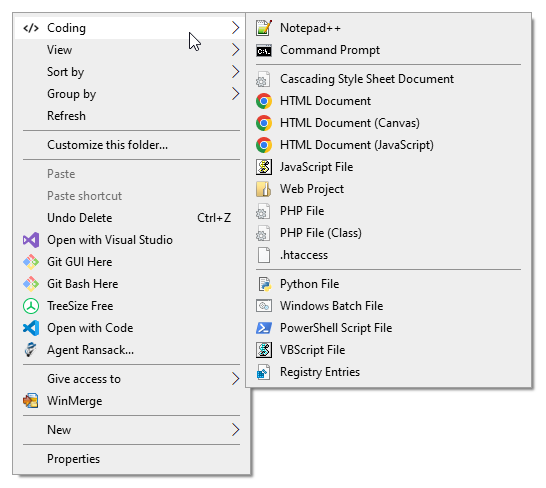
You need to copy CustomNew folder to your Windows directory (e.g. C:\Windows). Then run install.reg that's inside the CustomNew folder.
If you're familiar with Registry Keys and Batch files, you can modify the submenu to meet your needs.
Since the file paths are (need to be) hardcoded in install.reg, it's a little troublesome to use a different installation path. One would need to replace all C:\\Windows\\CustomNew with the desired path.
I'm thinking of creating a script that will do that. Some time.
- If you are using 32-bit applications on 64-bit OS, you will need to modify the
install.regand replaceProgram FileswithProgram Files (x86). This applies to- Notepad++ (app and icon)
- HTML menu items (chrome icons)