


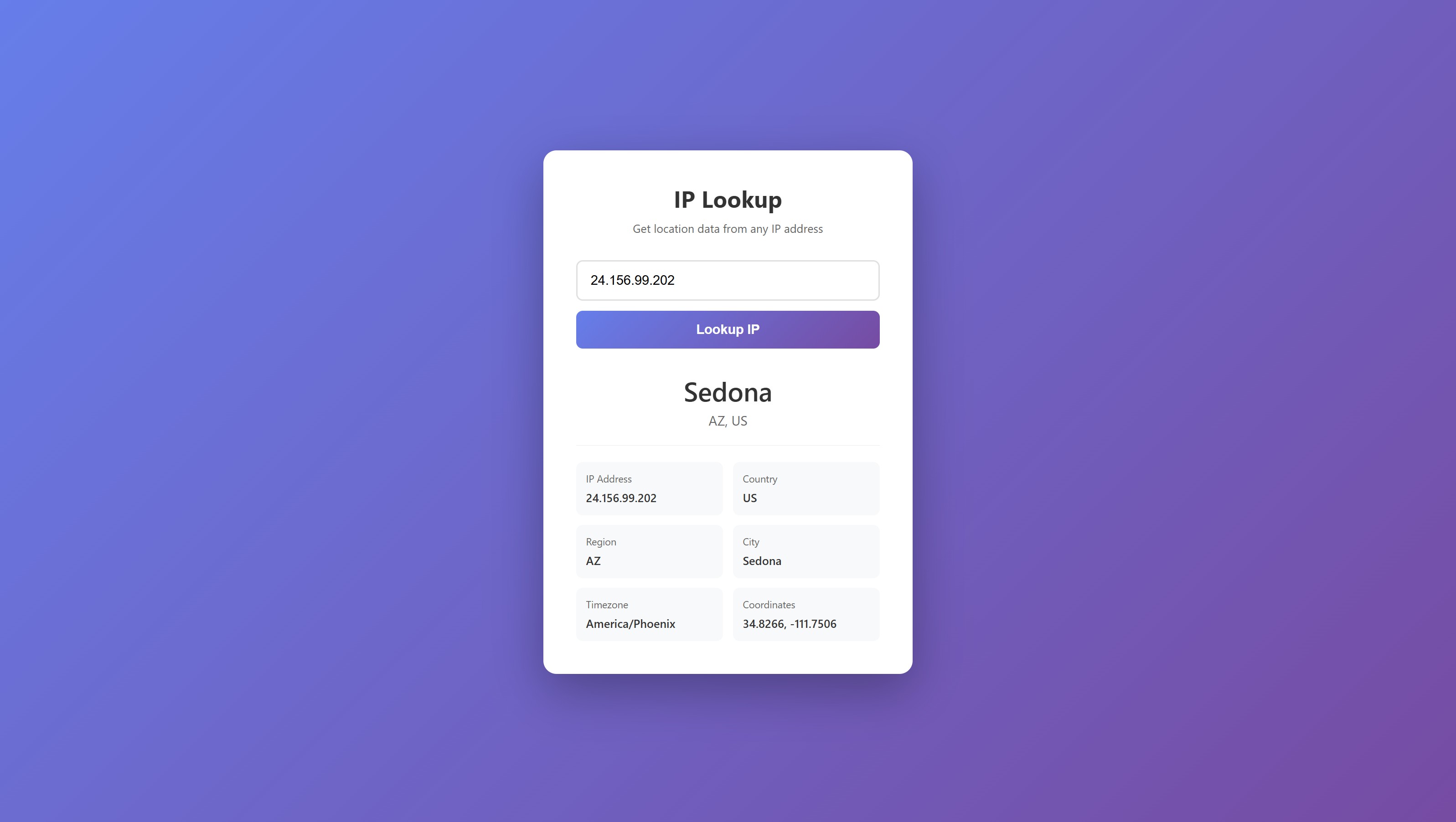
A modern IP geolocation app built with Next.js 14. Enter any IP address and get instant location data including city, country, timezone, and coordinates.
This tutorial requires an APIVerve API key. Sign up free - no credit card required.
- Instant IP geolocation lookups
- City, region, country, and timezone data
- Latitude/longitude coordinates
- Server-side API key protection (Route Handlers)
- Modern Next.js 14 App Router
- Clean, responsive UI
-
Clone this repository
git clone https://github.com/apiverve/ip-lookup-nextjs-tutorial.git cd ip-lookup-nextjs-tutorial -
Install dependencies
npm install
-
Add your API key
Open
app/api/lookup/route.jsand replace the placeholder with your API key:const API_KEY = 'your-api-key-here';
-
Start the development server
npm run dev
-
Open in browser
Visit http://localhost:3000 and try looking up
8.8.8.8(Google DNS)!
ip-lookup-nextjs-tutorial/
├── app/
│   ├── api/
│   │   └── lookup/
│   │       └── route.js    # API route (server-side)
│   ├── page.js             # Main page component
│   ├── page.module.css     # Page styles
│   ├── layout.js           # Root layout
│   └── globals.css         # Global styles
├── package.json            # Dependencies
├── next.config.js          # Next.js config
├── screenshot.jpg          # Preview image
├── LICENSE                 # MIT license
├── .gitignore              # Git ignore rules
└── README.md               # This file
This tutorial demonstrates Next.js best practices:
- Client Component (
page.js) - Handles the UI and user input - API Route (
api/lookup/route.js) - Proxies requests to APIVerve, keeping your API key secure - Server-side fetch - The API key never reaches the browser
Browser → Next.js API Route → APIVerve API
                ↓
         API key stays
         on the server
Endpoint: GET /api/lookup
Query Parameters:
| Parameter | Type | Required | Description |
|---|---|---|---|
ip |
string | Yes | IP address to lookup |
Example Response:
{
  "success": true,
  "data": {
    "ip": "8.8.8.8",
    "country": "US",
    "region": "CA",
    "city": "Mountain View",
    "timezone": "America/Los_Angeles",
    "coordinates": [37.3860, -122.0838]
  }
}IP geolocation is useful for:
- Analytics - Understand where your users are located
- Personalization - Show local content, currency, or language
- Security - Detect suspicious login locations
- Compliance - Enforce regional restrictions (GDPR, etc.)
- Fraud Detection - Flag mismatched billing/IP locations
- Load Balancing - Route to nearest server
- Auto-detect visitor's IP on page load
- Add a map visualization with Leaflet or Google Maps
- Show ISP/ASN information
- Add IP history with localStorage
- Deploy to Vercel with environment variables
- Add rate limiting
Explore more APIs at APIVerve:
- IP Blacklist Lookup - Check if an IP is blacklisted
- ASN Lookup - Get ASN details for an IP
- DNS Lookup - Query DNS records
- Push to GitHub
- Import to Vercel
- Add
API_KEYas an environment variable - Deploy!
MIT - see LICENSE
- Get API Key - Sign up free
- APIVerve Marketplace - Browse 300+ APIs
- IP Lookup API - API details