



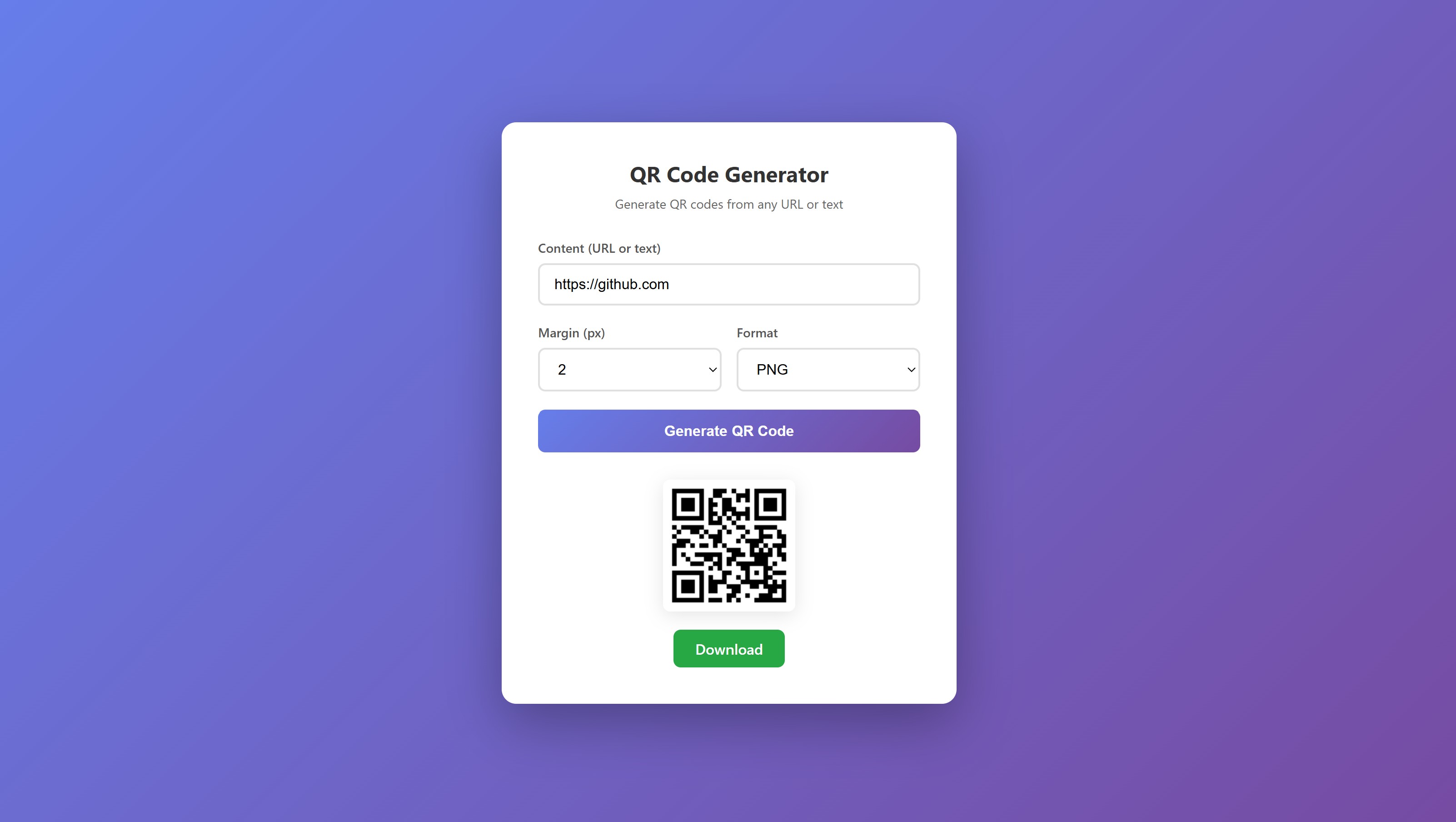
A simple, browser-based QR code generator built with vanilla HTML, CSS, and JavaScript. Generate QR codes from any URL, text, or data in seconds.
This tutorial requires an APIVerve API key. Sign up free - no credit card required.
- Generate QR codes from URLs, text, phone numbers, emails, or any string
- Choose between PNG and SVG output formats
- Adjustable margin/padding around the QR code
- One-click download of generated QR codes
- Clean, responsive UI that works on desktop and mobile
- Zero dependencies - pure HTML, CSS, and JavaScript
- No build step required - just open in browser
-
Clone this repository
git clone https://github.com/apiverve/qr-generator-html-tutorial.git cd qr-generator-html-tutorial -
Add your API key
Open
js/app.jsand replace the placeholder with your API key:const API_KEY = 'your-api-key-here';
-
Open in browser
Double-click
index.htmlor run a local server:npx serve . # or python -m http.server 8000
-
Generate a QR code
Enter any URL or text, choose your options, and click "Generate QR Code".
qr-generator-html-tutorial/
├── css/
│   └── styles.css      # Styling and layout
├── js/
│   └── app.js          # API integration and application logic
├── index.html          # Main HTML file
├── screenshot.jpg      # Preview image
├── LICENSE             # MIT license
├── .gitignore          # Git ignore rules
└── README.md           # This file
This tutorial demonstrates how to integrate with a REST API using vanilla JavaScript:
- User enters content - URL, text, or any data to encode
- Form submission - JavaScript captures the input and options
- API request - A POST request is sent to the APIVerve endpoint with your API key
- Response handling - The API returns a URL to the generated QR code image
- Display result - The QR code is displayed and available for download
const response = await fetch('https://api.apiverve.com/v1/qrcodegenerator', {
  method: 'POST',
  headers: {
    'Content-Type': 'application/json',
    'x-api-key': API_KEY
  },
  body: JSON.stringify({
    value: 'https://example.com',
    format: 'png',
    margin: 0
  })
});Endpoint: POST https://api.apiverve.com/v1/qrcodegenerator
Headers:
| Header | Value |
|---|---|
Content-Type |
application/json |
x-api-key |
Your API key |
Request Body:
| Parameter | Type | Required | Description |
|---|---|---|---|
value |
string | Yes | The content to encode (URL, text, etc.) |
format |
string | No | Output format: png or svg (default: png) |
margin |
integer | No | Margin around QR code in pixels (default: 0) |
Example Request:
{
  "value": "https://github.com",
  "format": "png",
  "margin": 0
}
Example Response:
{
  "status": "ok",
  "error": null,
  "data": {
    "id": "abc123",
    "format": "png",
    "type": "url",
    "correction": "M",
    "size": 256,
    "margin": 0,
    "expires": 1702425600000,
    "downloadURL": "https://storage.apiverve.com/qr/abc123.png"
  }
}QR codes are useful for:
- Marketing - Link to websites, landing pages, or promotions
- Business cards - Share contact information (vCard)
- Payments - Encode payment URLs or cryptocurrency addresses
- WiFi sharing - Generate WiFi network credentials
- Event tickets - Encode ticket IDs for scanning
- Product packaging - Link to manuals, reviews, or registration
- Restaurant menus - Contactless menu access
Want to extend this tutorial? Here are some ideas:
- Add color customization (foreground and background colors)
- Add logo/image overlay in the center of the QR code
- Add batch generation for multiple URLs
- Save generation history to localStorage
- Add QR code scanning/reading functionality
Explore more APIs at APIVerve:
- Barcode Generator - Generate various barcode formats
- QR Code Reader - Decode QR codes from images
- URL Shortener - Create short URLs for your QR codes
MIT - see LICENSE
- Get API Key - Sign up free
- APIVerve Marketplace - Browse 300+ APIs
- QR Code Generator API - API details