Repository navigation
Editor View
The Erlang editor provides specialized features for editing Erlang related files.
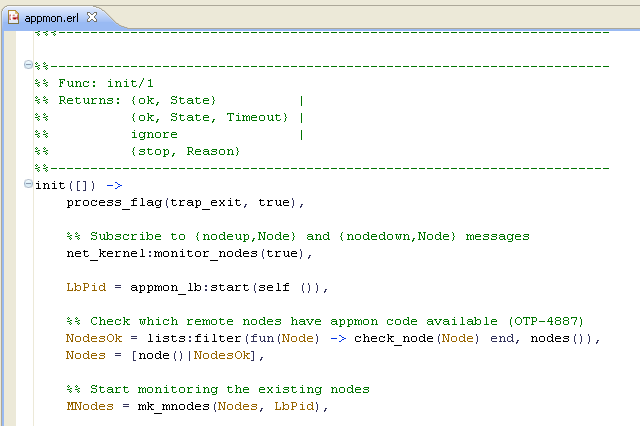 editor view
Associated with the editor is an Erlang-specific [outline view][4], which
shows the structure of the active .erl or .hrl file. It is updated as you
edit these files.
The editor includes the following features:
- Syntax highlighting
- Content/code assist; auto completion of function calls, display of function documentation)
The most common way to invoke the Erlang editor is to open a file from the Erlang Navigator. If you want to open an Erlang module by name, the keyboard shortcut is Ctrl+Shift+M or Ctrl+Alt+Shift+M.