[Demo] Bootstrapping Jenkins:
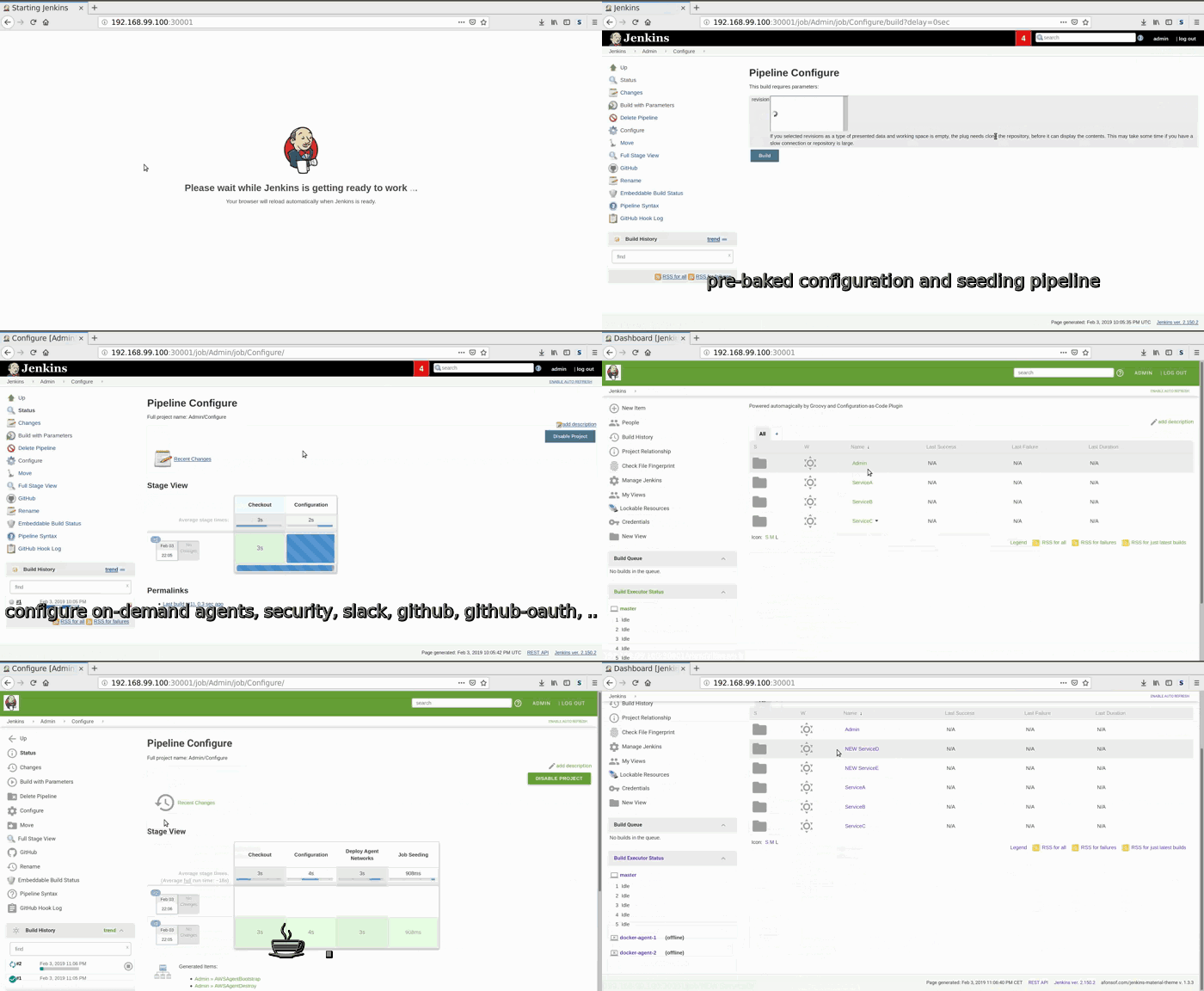
This repository contains a Jenkins-as-Code approach.
Everything is tested and running on minikube v0.33.1.
The setup is based on docker, helm and git so it can be easily applied in different infrastructures.
Plugins and minimum setup are pre-baked inside a docker image.
A configuration and seeding pipeline provisions Jenkins with configuration code from a central git repository.
Configuration includes: agents on demand (with terraform), slack, github, github-oauth, security settings, theming, ...
This setup is tested with:
- minikube
v0.33.1 - helm
2.12.2
The following files with your secrets have to be created to run this prototype:
resources/helm/
|-- secret-files
    |-- default-setup-password          # pre-baked setup user password
    |-- default-setup-user              # pre-baked setup user name
    |-- deploy-key-shared-library       # private ssh deploy key
    |-- deploy-key-shared-library.pub   # public ssh deploy key
    |-- github-ci-password              # GitHub Jenkins user password
    |-- github-ci-token                 # GitHub Jenkins user access token
    |-- github-ci-user                  # GitHub Jenkins user name
    |-- github-oauth-client-id
    |-- github-oauth-client-secret
    |-- slack-token
    |-- ssh-agent-access-key            # private ssh key for agent access
    |-- ssh-agent-access-key.pub        # public ssh key for agent access
    `-- terraform-config                # Terraform backend configs and secrets
        |-- aws-agent-network.backend.config
        |-- aws-agent-network.tfvars
        |-- aws-agent-vms.backend.config
        `-- aws-agent-vms.tfvars
After you have placed your secret files you can run:
minikube start
helm upgrade --install jenkins-as-code resources/helm/
This should open Jenkins on http://192.168.99.100:30001/.
The code base also supports on-demand agents with custom terraform bootstrapping/destroy pipelines. A demo can be found here
The following blog entries describe in more detail how this works: