Index your MEGA.nz account using Cloudflare Workers for faster browsing, improved stability, and direct downloads without MEGA's standard transfer quota restrictions. What's new: Shared link support.


⚠️ Experimental: This project is still under development and may not work in all situations. Use it at your own risk.
Two deployment modes are available:
- Mega Shared Link + Account mode https://youtu.be/5zfjZs_8gLQ
- Mega Shared Link only mode (no account required) https://youtu.be/vQRtRk5JFqA
-
Open the MEGA Index Code Generator:
-
Enter your MEGA Account Email.
-
Enter your MEGA Account Password.
-
Select your preferred Template Theme.
-
Click Generate Custom
worker.js. -
Copy or download the generated Cloudflare Worker code.
Note: Disable ad blockers and any browser extensions that block external scripts before generating the code.
- Log in to your Cloudflare Dashboard.
- Go to Workers & Pages → Create Application.
- Select Start with Hello World! → Get Started.
- Enter a name for your Worker (optional) and click Deploy.
- After deployment, click Edit Code (top-right).
- Delete all the default code in
worker.js. - Paste the generated
worker.jscode. - Click Deploy.
- Wait a few minutes for deployment to complete.
- Click Visit to open your MEGA Cloudflare Index.
Clicking the button will:
- Clone this repository into your own GitHub account.
- Let you pick a Worker name and confirm settings.
- Build and deploy it to your Cloudflare account automatically.
No environment variables or secrets are needed — it works out of the box.
Note: For the button to work, this repository must be public on GitHub.
- Landing page at
/— paste any public mega.nz link to index it. - Folder links (
https://mega.nz/folder/HANDLE#KEY) → a browsable file index. - File links (
https://mega.nz/file/HANDLE#KEY) → an index page showing the file name and size, with a download button. - Streams downloads directly through the Worker with HTTP range support (resumable / multi-threaded download friendly).
If you'd rather deploy from your own machine:
npm install
npx wrangler login
npx wrangler deploy
Requires Node.js and a Cloudflare account.
npm install
npm run dev
Then open the local URL Wrangler prints (usually http://localhost:8787).
.
├── worker.js        # The Cloudflare Worker (all app logic + UI)
├── wrangler.toml    # Worker configuration (name, entry point, compat date)
└──  package.json     # Scripts and Wrangler dependency
tutorial: https://youtu.be/5zfjZs_8gLQ?si=teAjbtEK1rtRBUpt
Use this method if you only want to access public MEGA shared links and don't need a MEGA account.
- Copy the latest
worker.jsfrom: worker.js - Sign in to your Cloudflare Dashboard: dash.cloudflare.com
- Go to Workers & Pages → Create Application.
- Select Start with Hello World! and click Get Started.
- Enter a name for your Worker (optional) and click Deploy.
- After deployment, click Edit Code.
- Delete the default contents of
worker.js. - Paste the copied
worker.jscode. - Click Deploy to publish the Worker.
- Wait a minute for the deployment to finish.
- Click Visit to open your MEGA Cloudflare Index.
Provided as-is for personal use. Respect the terms of service of MEGA and the rights of file owners.
The worker was tested using Google Colab with aria2 multi-threaded downloading (-x 13).
- Average download speed: 44 MiB/s
- Multi-threaded connections: 13
- Large file tested: 6+ GB
- Result: The download completed successfully, demonstrating support for downloading very large files.
Note: During multi-threaded downloads, a few connections may report temporary
Got EOF from the servererrors. This is expected with parallel range requests and does not affect the final download, which completes successfully.
07/12 03:07:56 [NOTICE] Downloading 1 item(s)

07/12 03:07:57 [NOTICE] File already exists. Renamed to /content/MEmu-Setup-9.0.3.0-Portable.2.zip.

07/12 03:08:33 [ERROR] CUID#9 - Download aborted. URI=https://x.xxxxxxx.workers.dev/download/xxXxxxx
Exception: [DownloadCommand.cc:234] errorCode=1 Got EOF from the server.

07/12 03:08:33 [ERROR] CUID#11 - Download aborted. URI=https://x.xxxxxxx.workers.dev/download/xxXxxxx
Exception: [DownloadCommand.cc:234] errorCode=1 Got EOF from the server.

07/12 03:08:37 [ERROR] CUID#12 - Download aborted. URI=https://x.xxxxxxx.workers.dev/download/xxXxxxx
Exception: [DownloadCommand.cc:234] errorCode=1 Got EOF from the server.

07/12 03:08:40 [ERROR] CUID#7 - Download aborted. URI=https://x.xxxxxxx.workers.dev/download/xxXxxxx
Exception: [DownloadCommand.cc:234] errorCode=1 Got EOF from the server.

07/12 03:08:52 [NOTICE] Download complete: /content/MEmu-Setup-9.0.3.0-Portable.2.zip

Download Results:
gid   |stat|avg speed  |path/URI
======+====+===========+=======================================================
8dd329|OK  |    44MiB/s|/content/MEmu-Setup-9.0.3.0-Portable.2.zip

Status Legend:
(OK):download completed.
# 🚀 Heroku MEGA Herondex (Mny not Work)
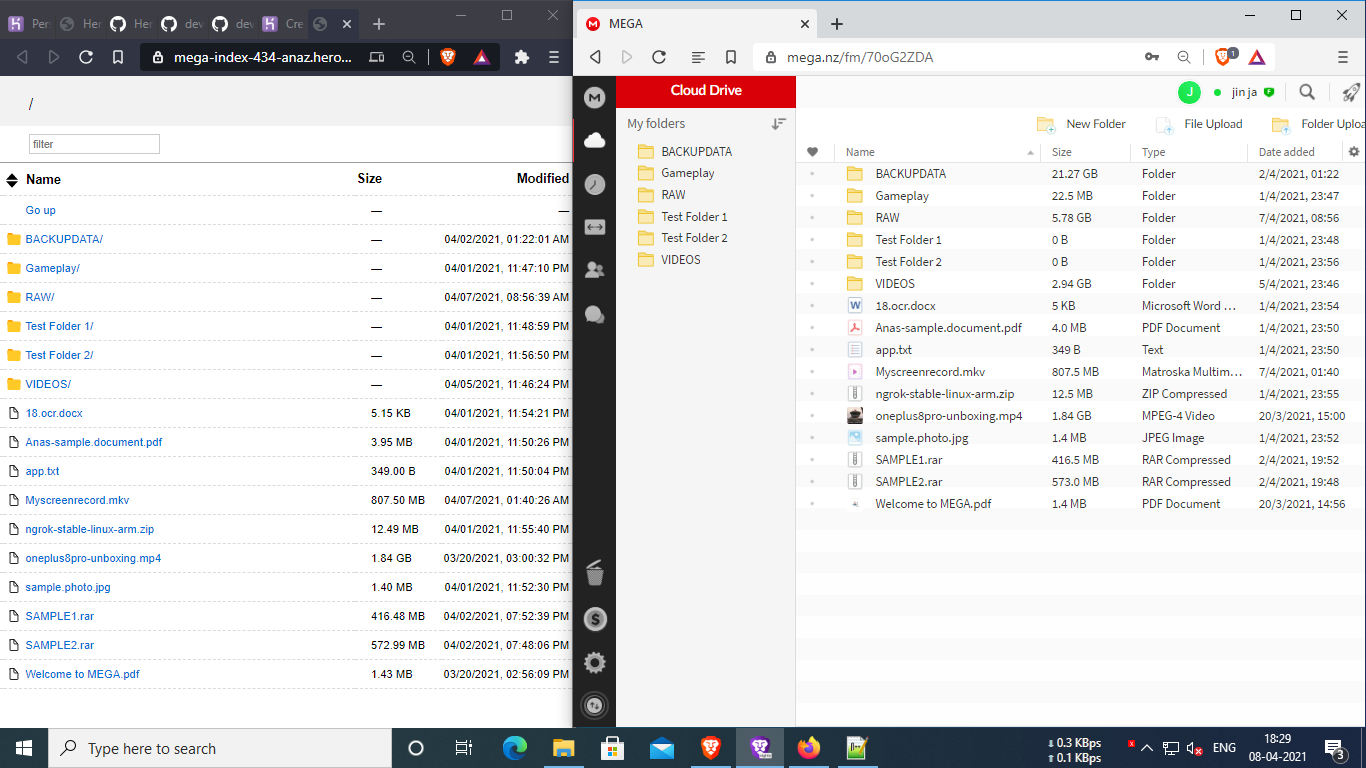
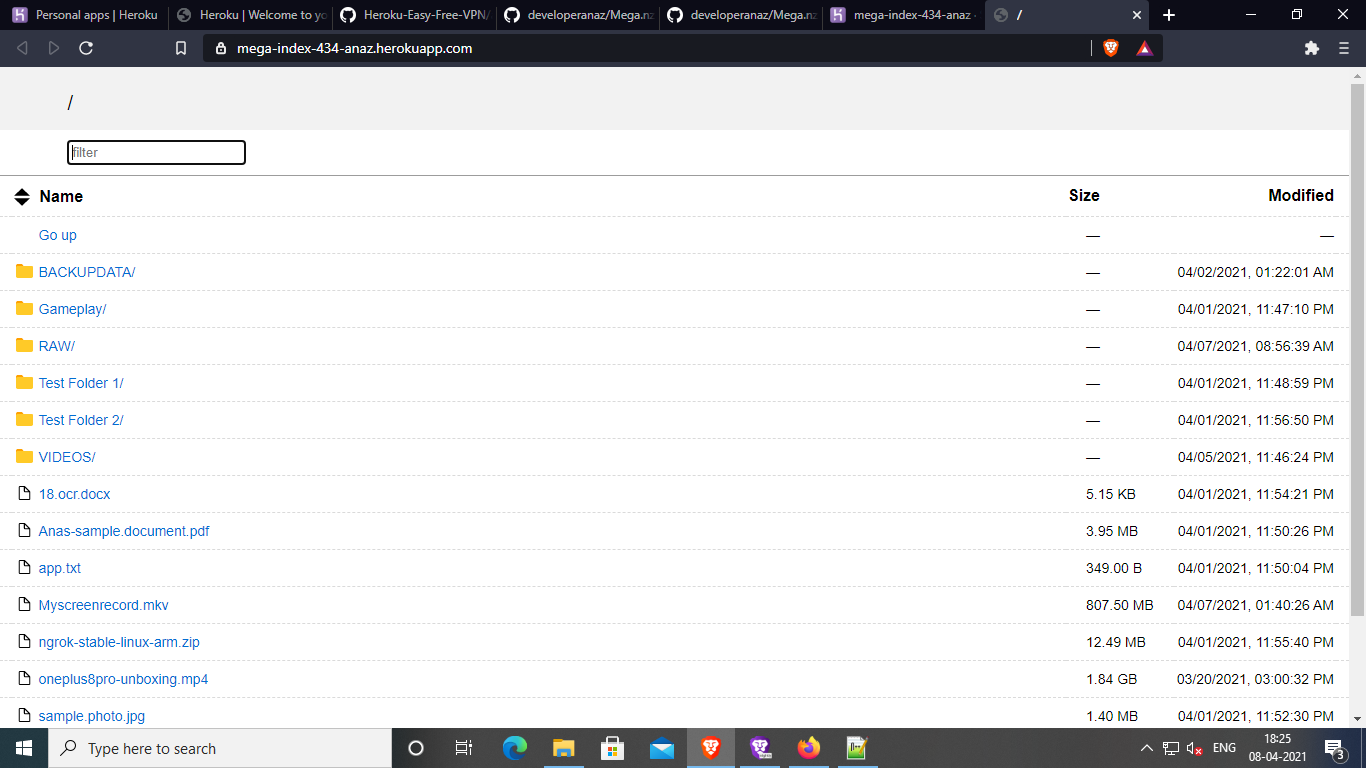
Serve the contents of your **MEGA.nz** account over HTTP using **Heroku** and **rclone**, providing a simple web-based file index.
> **Status:** Maintenance mode (functional, with occasional updates and improvements)
---
## Preview
---
## One-Click Deployment
Deploy directly to Heroku without forking the repository or creating a GitHub account.
**Quick Deployment:**
https://developeranaz.github.io/Mega-index-heroku/random.sh
[](https://developeranaz.github.io/Mega-index-heroku/random.html)
---
## Configuration
After deployment:
**Heroku Dashboard**
> **Your App → Settings → Reveal Config Vars**
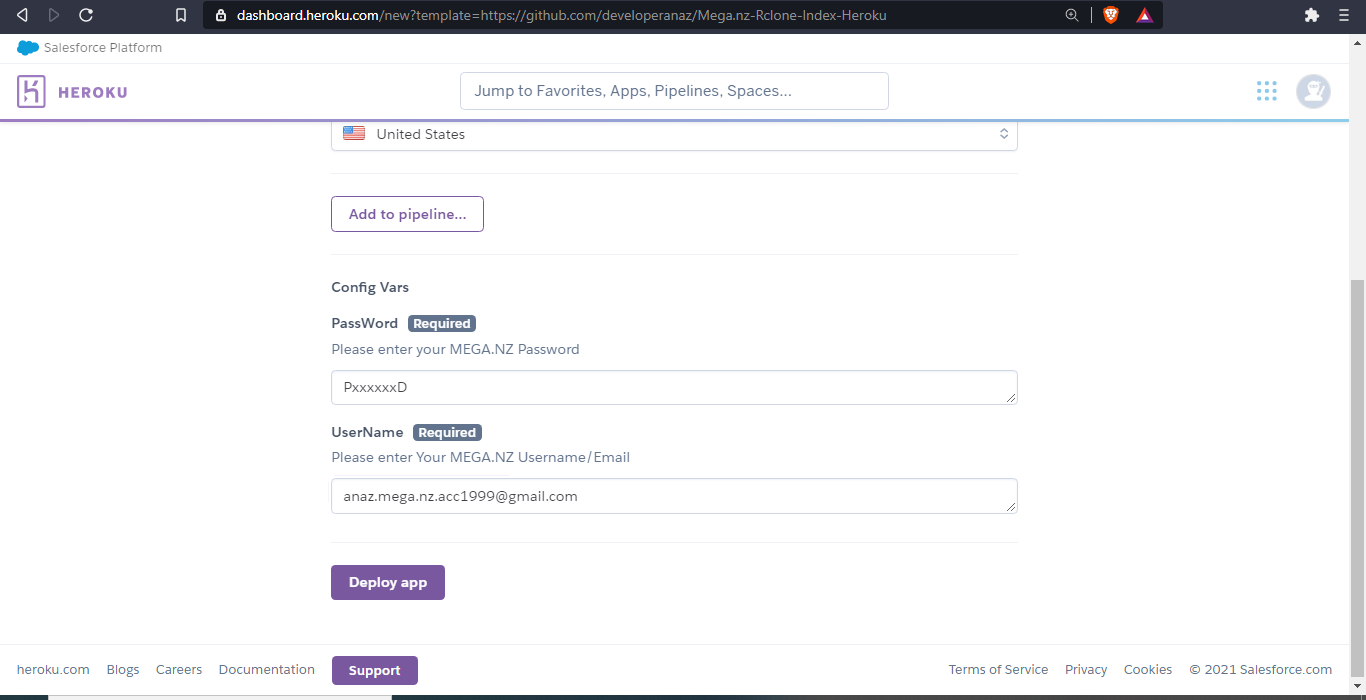
Configure the following variables using your actual MEGA account credentials.
| Variable | Description |
|----------|-------------|
| `Email` | Your MEGA account email |
| `Password` | Your MEGA account password |
> **Note:** Credentials are stored only in your Heroku application's Config Vars.
---
## Auto Quota Bypass (Optional)
A quota bypass feature was added in commit:
https://github.com/developeranaz/Mega-index-heroku/commit/414e629ec98bd5f5cb95d05ead1102e0f4db9836
To enable it, set:
```
Auto_Quota_Bypass=true
```
Additional Config Vars required:
| Variable | Description |
|----------|-------------|
| `APPNAME` | Your Heroku application name (not the URL) |
| `Heroku_Email_Id` | Heroku account email |
| `Heroku_Password` | Heroku account password |
| `Auto_Quota_Bypass` | `true` or `false` |
These variables are **only required** when using the Auto Quota Bypass feature.
---
## Screenshots
### Deployment
### Running Instance
---
# Features
- No `rclone.conf` file required
- Direct MEGA.nz integration
- Improved security
- Easily switch MEGA accounts through Config Vars
- High-speed downloads (no application speed limiting)
- Permanent public URL via Heroku
- Download resume support using download managers
- Multi-thread downloading (up to 9 connections)
- Optional automatic MEGA quota bypass
---
# Known Issues
- Download speed may vary depending on the device or network.
- If deployment fails, simply redeploy the application. Some deployment assets are served from free infrastructure and occasional failures may occur.
---
# Recommended Download Managers
For the best download experience, use:
- ADM (Android)
- Aria2
- Aria2 for Android
- Aria2 for Windows
- XDM (Xtreme Download Manager)
---
## WebDAV Support
A WebDAV version with authentication is available here:
https://github.com/bluehypergiant/Mega.nz-rclone-WebDav
---
## Deploy
### Heroku
[](https://developeranaz.github.io/Mega-index-heroku/random.html)
### Zeet
[](https://deploy.zeet.co/?url=https://github.com/developeranaz/Mega-index-heroku)
---
# Supported Storage
- ✅ MEGA.nz
---
# Support
If you encounter any issues, please open an issue:
https://github.com/developeranaz/Mega.nz-Rclone-Index-Heroku-BETA/issues/new
---
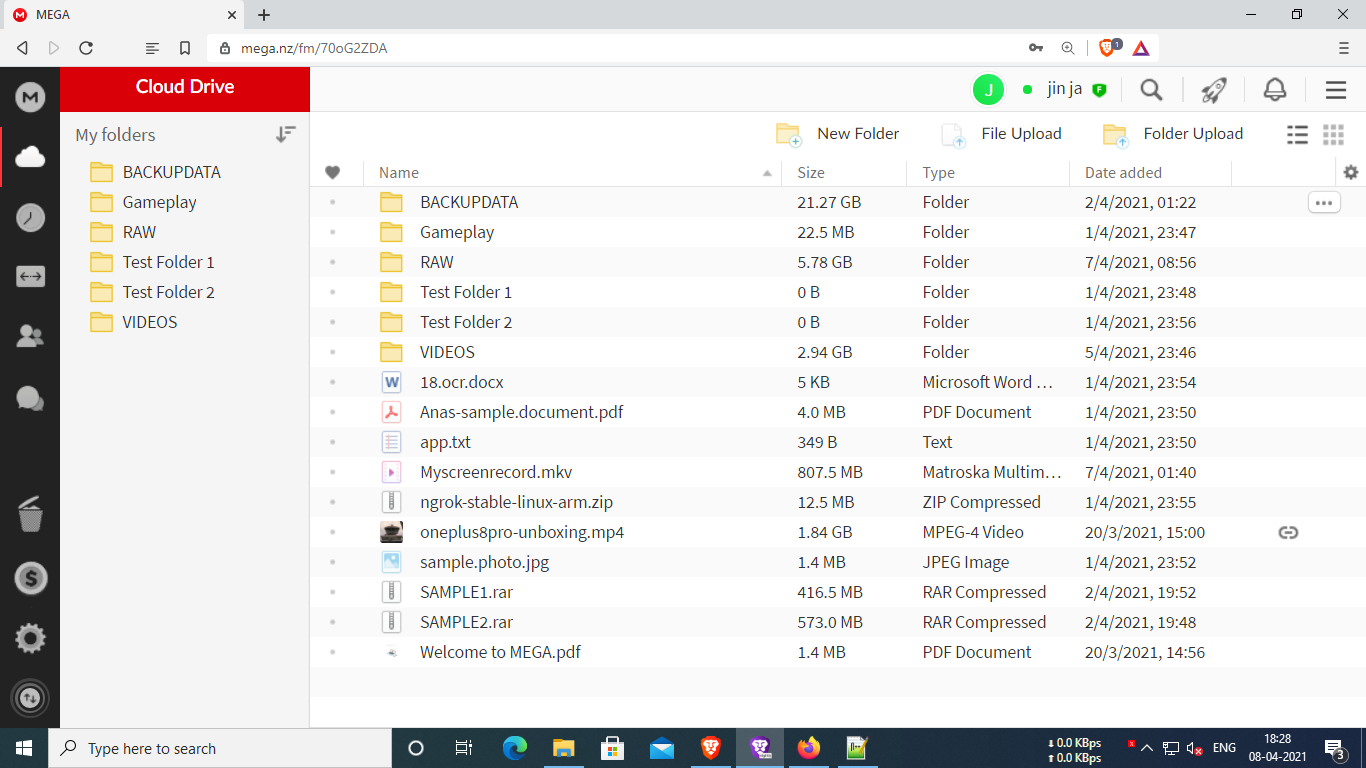
## Additional Screenshots

---
## Support the Project
If you find this project useful:
- ⭐ Star the repository
- 🍴 Fork the repository
- Follow the developer on Instagram:
https://www.instagram.com/t_h_e_anas
**Bitcoin Donation**
```
1J48LksQNiASuj48nwYATXdFzQSwdrnx7c
```
### Tutorial of will be published soon
<meta name="googlec978fa026335d582.html meganz index mega.nz index meganzindex" content="...">
<meta name="google-site-verification: googlec978fa026335d582.html" content="...">