Development Services
Services is a Java project with a Gradle build environment.
The following requirements must be met to develop Services:
-
127.0.0.1 localhost xkoha catalinker patron_client fuseki servicesadded to/etc/hostsWHY? - Git
- Gradle (For installation, see below)
- JDK 8 (One of Oracle JDK8 | OpenJDK)
- Suitable IDE
Note on IDEs: Generally, we have used IntelliJ IDEA, which comes in both community and paid-for editions. Previously, we have used two open-source IDEs (Eclipse and Netbeans) without much problem, however, IntelliJ seems to have an edge as we can use it with both Java and Node/Javascript/JSX.
Yes, you can use vim, emacs, whatever, but then you know what you're doing and there isn't much we can do to help you.
Here, we'll cover setting up IntelliJ IDEA.
If you haven't already, clone the source with:
$ git clone https://github.com/digibib/ls.ext.git
Then, move to the redef/services folder
$ cd redef/services
Since we're using Gradle wrapper, you should be able to install Gradle simply by running the gradlew shell script:
$ ./gradlew
This will also build the project.
In IntelliJ, if you have a project open, select File > New > Project from existing sources. If you have no project open, click Import project on the welcome splash screen.
At this point, you have two choices:
- if you want to use IntelliJ for all development, simply choose the ls.ext root directory;
- if you want to use IntelliJ only for Java development (i.e. if you're using IntelliJ community edition), choose the
redef/servicesdirectory.
We will proceed as if we were using IntelliJ community edition and choose redef/services.
If IntelliJ guesses that the project is a Gradle project, you may not see the following dialogue, but select Import project from external model: Gradle:

In the next dialogue, select Use auto-import and ensure that Use gradle wrapper task configuration is selected.

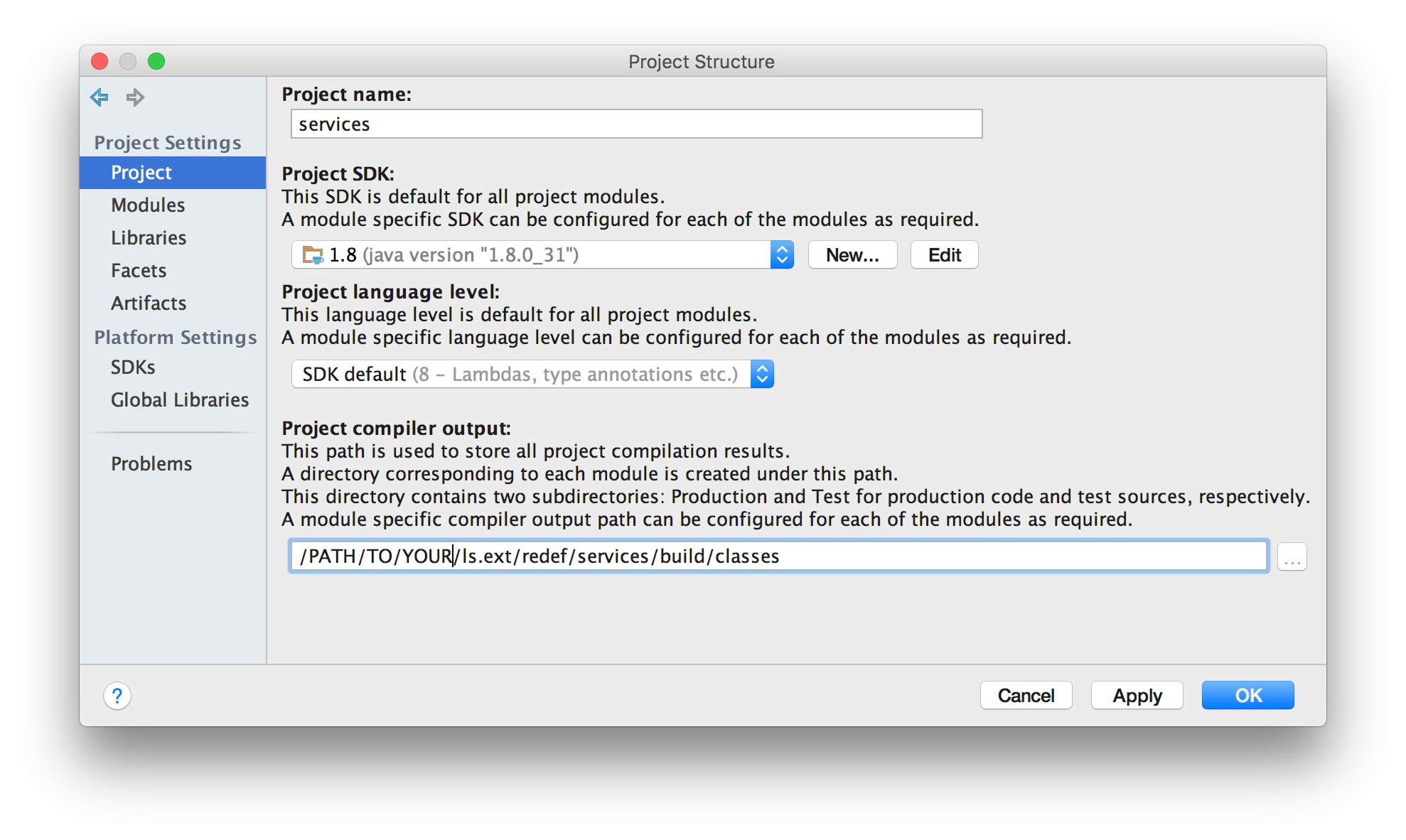
This imports the project. Before we do anything else, check File > Project structure and ensure that the Java 8 SDK is selected and that the SDK default for Java 8 (Labdas, type annotations, etc.) is selected.
Build tasks can be run from the command line or in IntelliJ directly via the Gradle project tab on the right-hand side of the IntelliJ desktop.
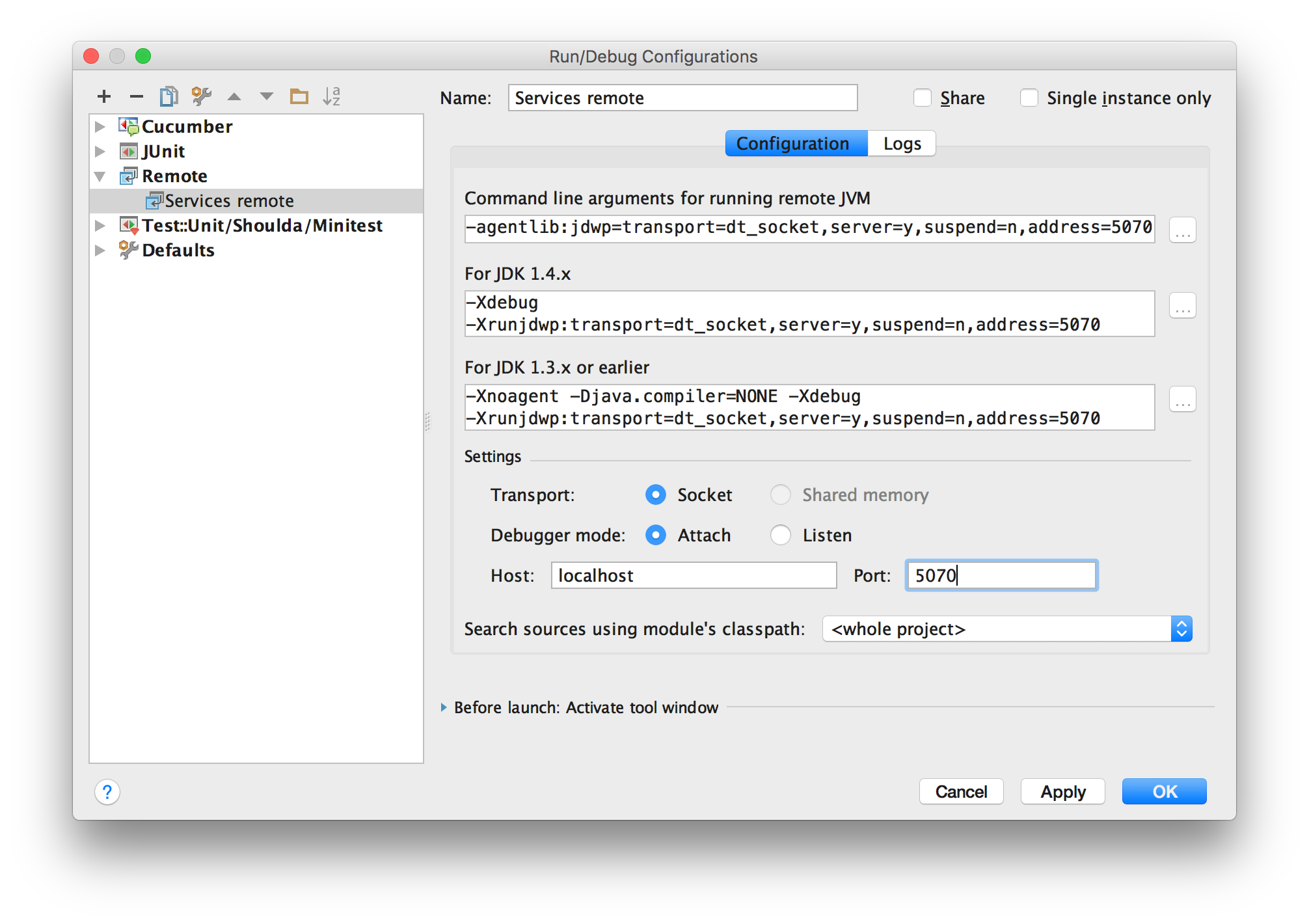
Click Run > Edit configurations, in the dialogue, click + in the top-left corner and select Remote.
In the Settings section, add Host: localhost and Port: 5070. (The port is defined in the dockerfile for services.)