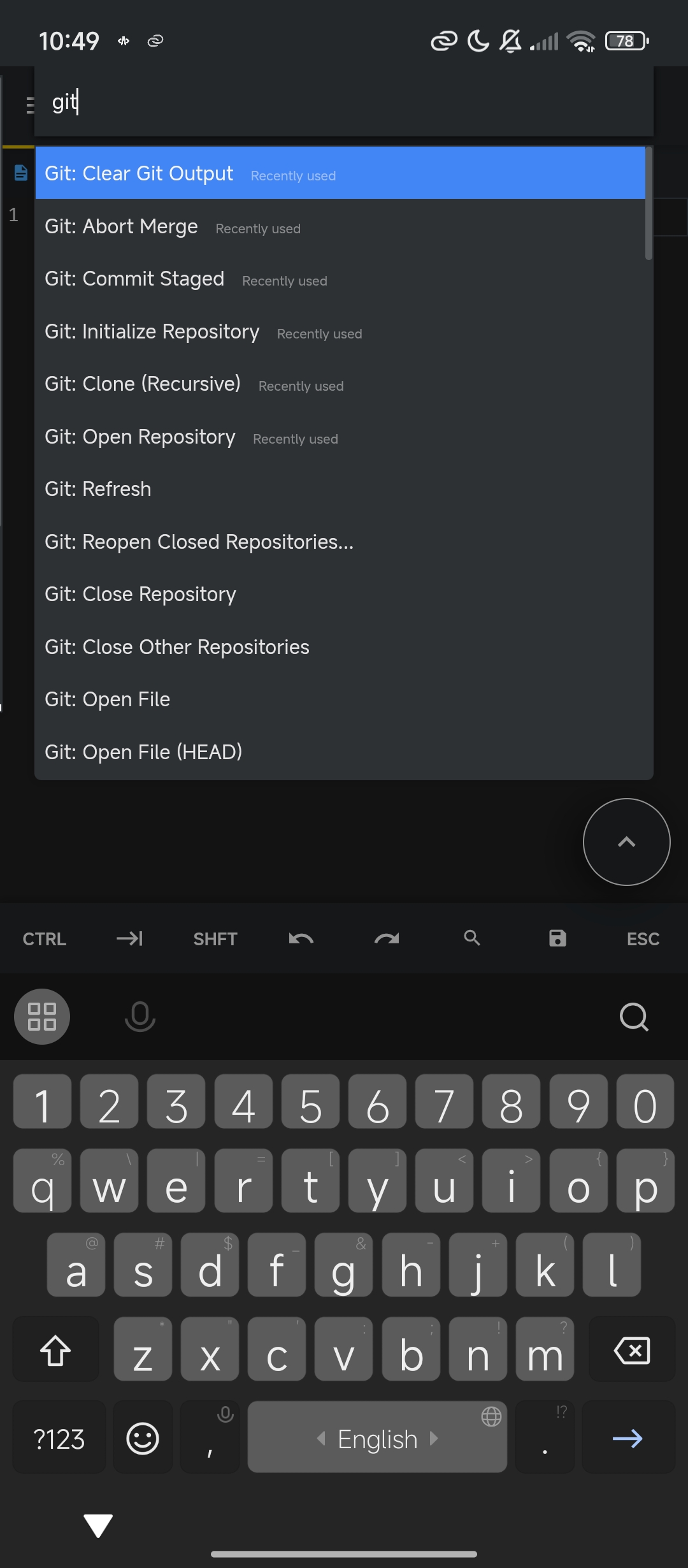
A powerful Version Control Git integration plugin for Acode Editor that brings professional version control features directly to your Android device!.


This plugin requires Node.js and a Git server to function properly. The plugin WILL NOT WORK without these components.
Git Server Setup: The plugin now includes an automated server management system! Simply:
- Click the "Start Server" button in the sidebar
- The plugin will automatically:
- Install the Git server if not present
- Start the server automatically
Or
# install server
npm install -g @dikidjatar/git-server

# start server
git-serverThis plugin is engineered for performance and efficiency:
- ⚡ Optimized Architecture: Designed with client-server architecture for maximum speed
- 🎯 Performance Focused: Handles projects with up to 1,500 files smoothly
- 🚫 Not Recommended: For projects with more than 1,500 files (performance may degrade)
Unlike the previous version control plugin that used isomorphic-git directly in the browser (which was extremely slow), this plugin uses a dedicated Git server architecture that provides:
- Significantly faster Git operations
- Proper handling of large repositories
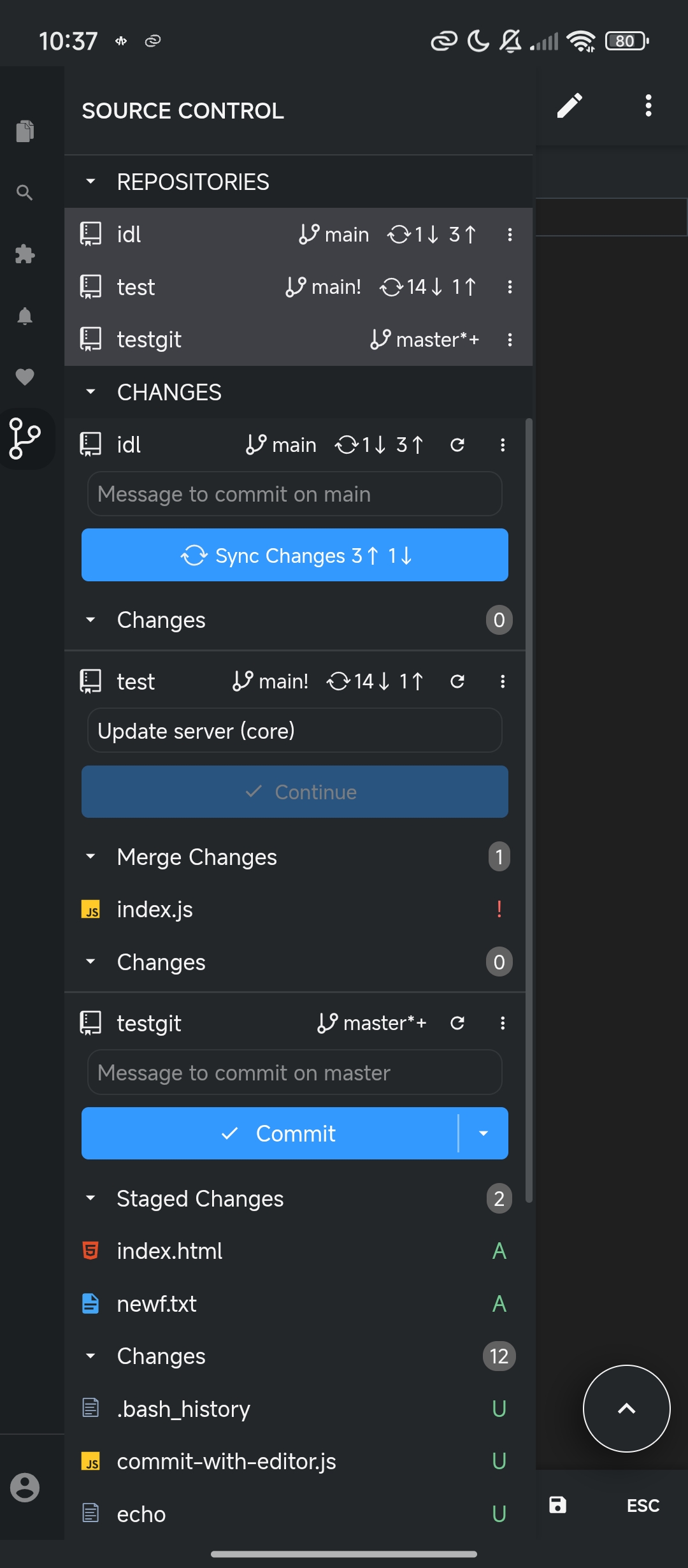
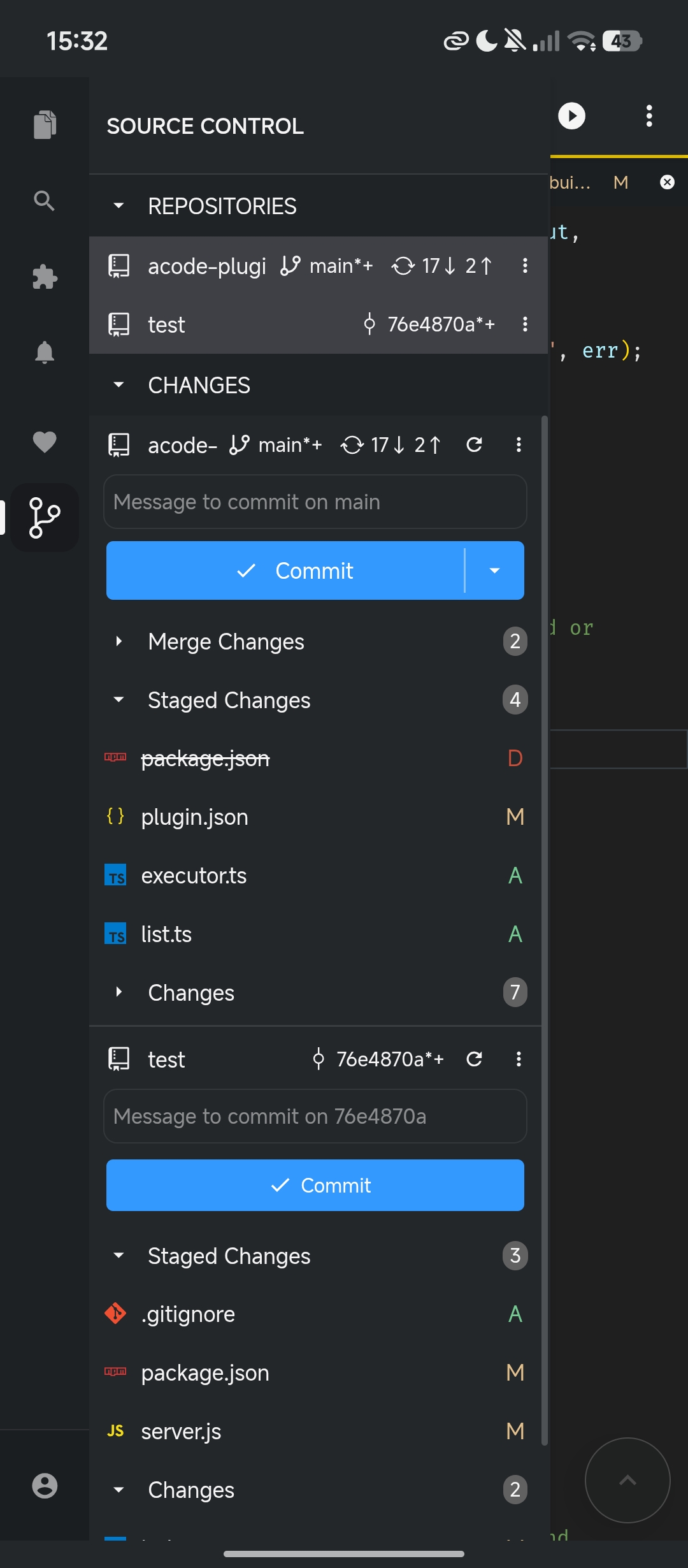
- Repository Management: Initialize, clone, and manage Git repositories
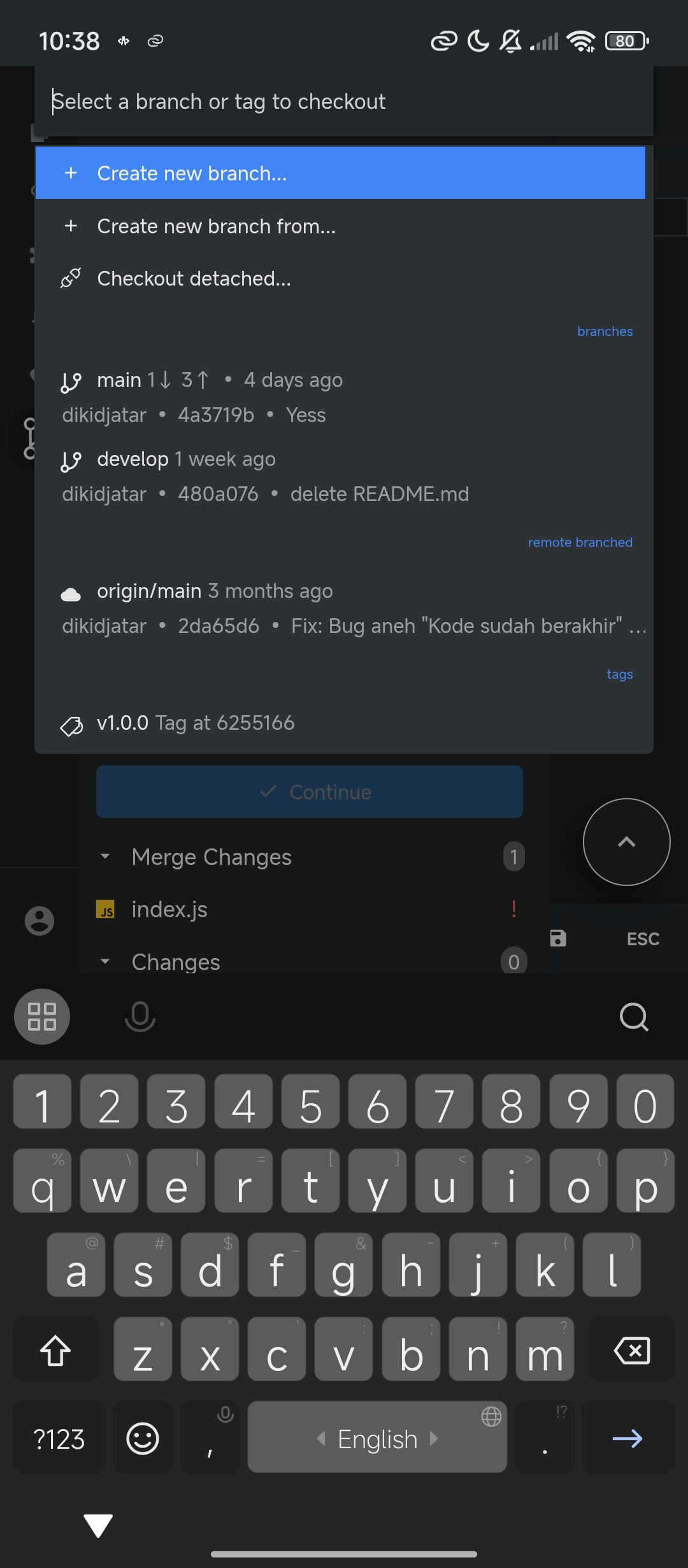
- Branch Operations: Create, switch, rename, and delete branches
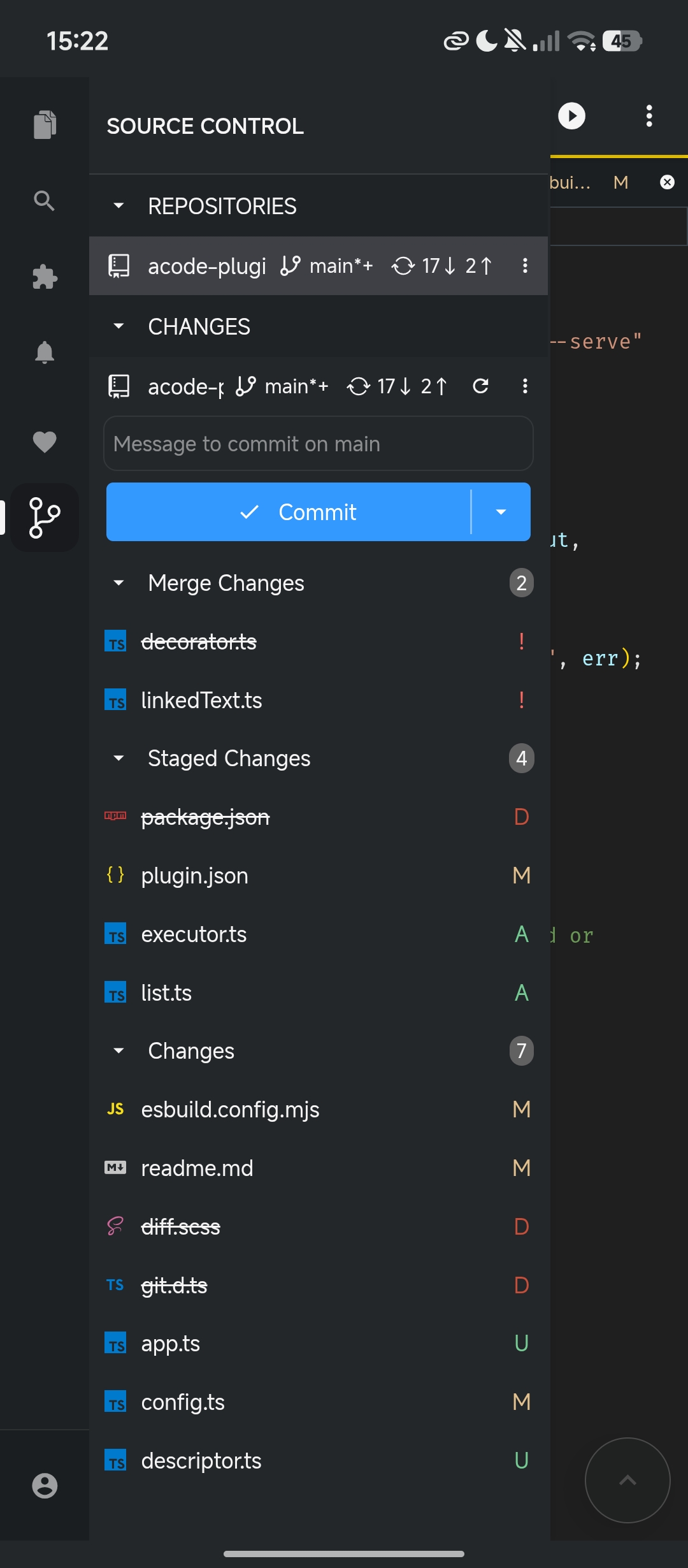
- Staging & Commits: Interactive staging area with visual file status
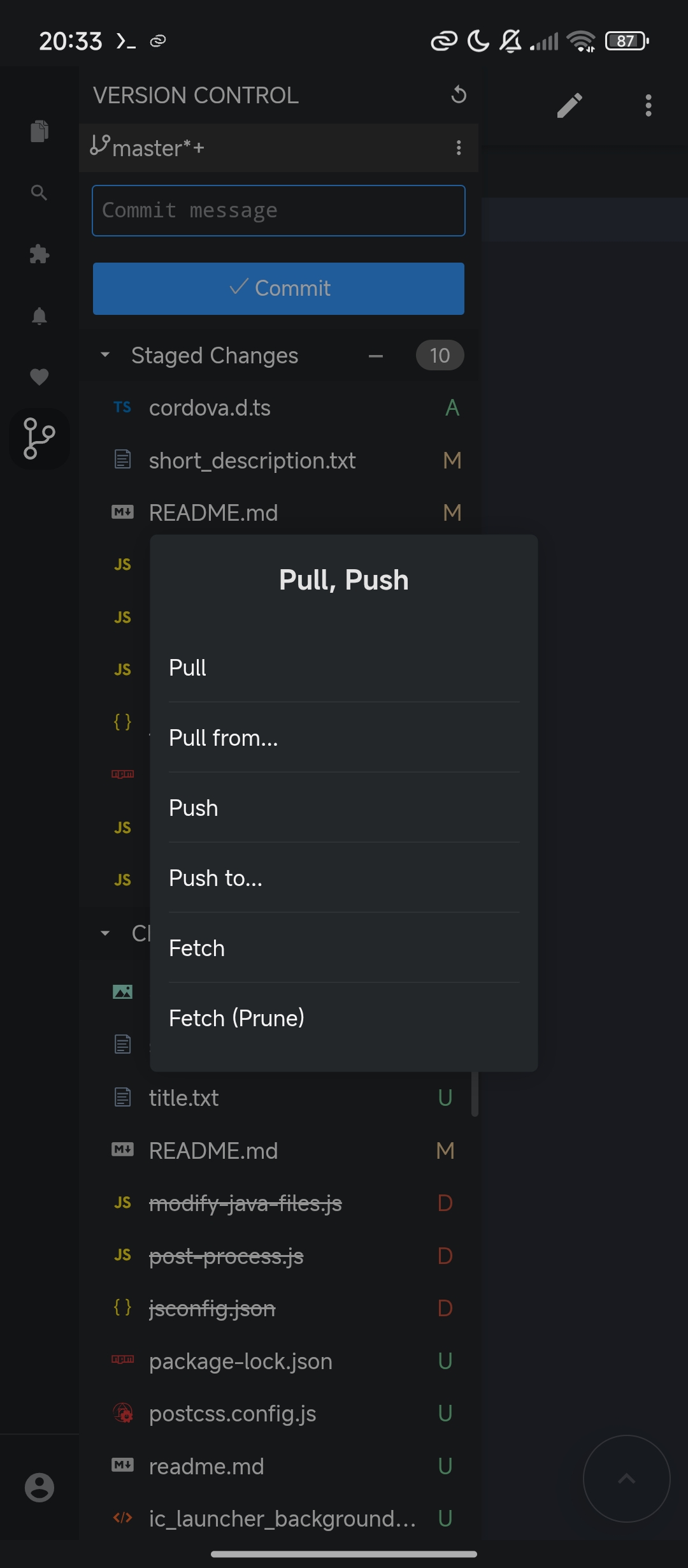
- Remote Operations: Push, pull, fetch with authentication support
- File Management: Stage/unstage individual files or all changes
- File Tree Integration: Git status directly in Acode's file explorer
- Visual Status Indicators: Color-coded file status (Modified, Added, Deleted, Untracked adn Ignored)
- Branch Status Display: Current branch with change indicators
- Commit Templates: Auto-generated commit messages with file summaries
- Authentication: GitHub token support for private repositories
- Multi-remote Support: Work with multiple Git remotes
- Amend Commits: Modify your last commit easily
- Open Acode Editor on your Android device
- Go to Settings → Plugins
- Search for "Version Control Pro"
- Install and restart Acode
git clone https://github.com/dikidjatar/acode-plugin-version-control-gitpro
cd acode-plugin-version-control-gitpro
yarn install
yarn build
Then install the generated .zip file manually in Acode.
You'll need a Git server running on your device. We recommend using:
- Termux with Git server setup
- Acode Terminal with built-in Git support
- Start Git Server: Make sure your Git server is running (default:
http://localhost:3080) - Open Project: Open any folder in Acode
- Access Plugin: Tap the Source Control icon in the sidebar
- Initialize or Clone: Create a new repository or clone an existing one
Configure the plugin in Settings → Plugins → Version Control Pro:
{
  serverUrl: "http://localhost:3080",     // Your Git server URL
  autoRefresh: true,                      // Auto-refresh on file changes
  githubToken: "your_token_here",         // For private repos
  defaultBranchName: "main",              // Default branch name
  gitConfigUsername: "Your Name",         // Git user name
  gitConfigUserEmail: "[email protected]"   // Git user email
}-
Stage Changes 📝
- View modified files in the sidebar
- Click the
+button to stage all changes - Or click individual files to stage selectively
-
Commit Changes ✅
- Write your commit message
- Click "Commit" button
- Use commit templates for detailed messages
-
Sync with Remote 🌐
- Pull latest changes: Menu → Pull
- Push your commits: Menu → Push
- Fetch updates: Menu → Fetch
Tap branch name → Select operation:
├── Switch to existing branch
├── Create new branch
├── Rename current branch
└── Delete branch
- Stage: Add file to staging area
- Unstage: Remove from staging area
- Discard: Revert changes to last commit
- View HEAD: See file content from last commit
- Branch Indicator: Shows current branch and status symbols
- Staged Changes: Files ready for commit
- Unstaged Changes: Modified files in working directory
- Commit Area: Message input and commit button
- Status Colors: Visual indicators for file status
- Git Symbols: M (Modified), A (Added), D (Deleted), U (Untracked)
For private repositories, set up GitHub token:
// In plugin settings
githubToken: "ghp_your_personal_access_token"Configure your own Git server endpoint:
// In plugin settings
serverUrl: "http://<host>:<port>"The plugin generates helpful commit templates:
# Please enter the commit message for your changes.
# On branch main
# Changes to be committed:
# modified: src/app.js
# new file: README.md
❌ "Server Unreachable" Error
- Ensure Git server is running
- Check server URL in settings
- Verify network connectivity
❌ "No Repository Found" Error
- Initialize repository: Sidebar → "Initialize Repository"
- Or clone existing repository: Sidebar → "Clone Repository"
❌ Authentication Failures
- Verify GitHub token is valid
- Check token permissions (repo access)
❌ File Tree Not Updating
- Enable "Auto Refresh" in settings
- Manually refresh: Tap refresh icon in sidebar
- Use
.gitignoreto exclude unnecessary files - Limit repository size for better performance
- Enable auto-refresh for real-time updates
We welcome contributions!
git clone https://github.com/dikidjatar/acode-plugin-version-control-gitpro
cd acode-plugin-version-control-gitpro
yarn install
yarn devThis project is licensed under the MIT License - see the LICENSE file for details.
- ⭐ Star this repository
- 🐛 Report bugs and suggest features
s
- Issues: GitHub Issues
- Discussions: GitHub Discussions
- Email: [email protected]
Happy coding ✨