
A modern, web-based solution for automated Docker stack backups with GFS (Grandfather-Father-Son) retention, scheduling, and notifications.


- 🗂️ Archive Management - Create and manage multiple archive configurations
- 📦 Stack Discovery - Automatically discovers Docker Compose stacks from mounted directories
- ⏱️ Flexible Scheduling - Cron-based scheduling with maintenance mode support
- 🔄 GFS Retention - Grandfather-Father-Son retention policy (keep X days/weeks/months/years)
- 🧹 Automatic Cleanup - Scheduled cleanup of orphaned archives, old logs, and temp files
- 🎯 Dry Run Mode - Test archive operations without making changes
- 📊 Job History & Live Logs - Detailed logs and metrics for all archive/retention runs. The Job Details modal includes live log tailing and supports per‑job EventSource streaming for near‑real‑time log updates. The modal offers terminal-like controls (search, Pause/Resume, Copy, Download, Line numbers) for easier log inspection.
- 🔔 Smart Notifications - Email via SMTP (configured in Settings → Notifications; settings are stored in the database)
- 🌓 Dark/Light Mode - Modern Bootstrap UI with theme toggle
- 🔐 User Authentication - Secure login system (role-based access coming soon)
- 💾 Multiple Formats - Support for tar, tar.gz, tar.zst, or folder output
- 🛡️ Output Permissions (configurable) — The application can apply secure permissions to generated archives.
- 🌍 Timezone Support - Configurable timezone via environment variable
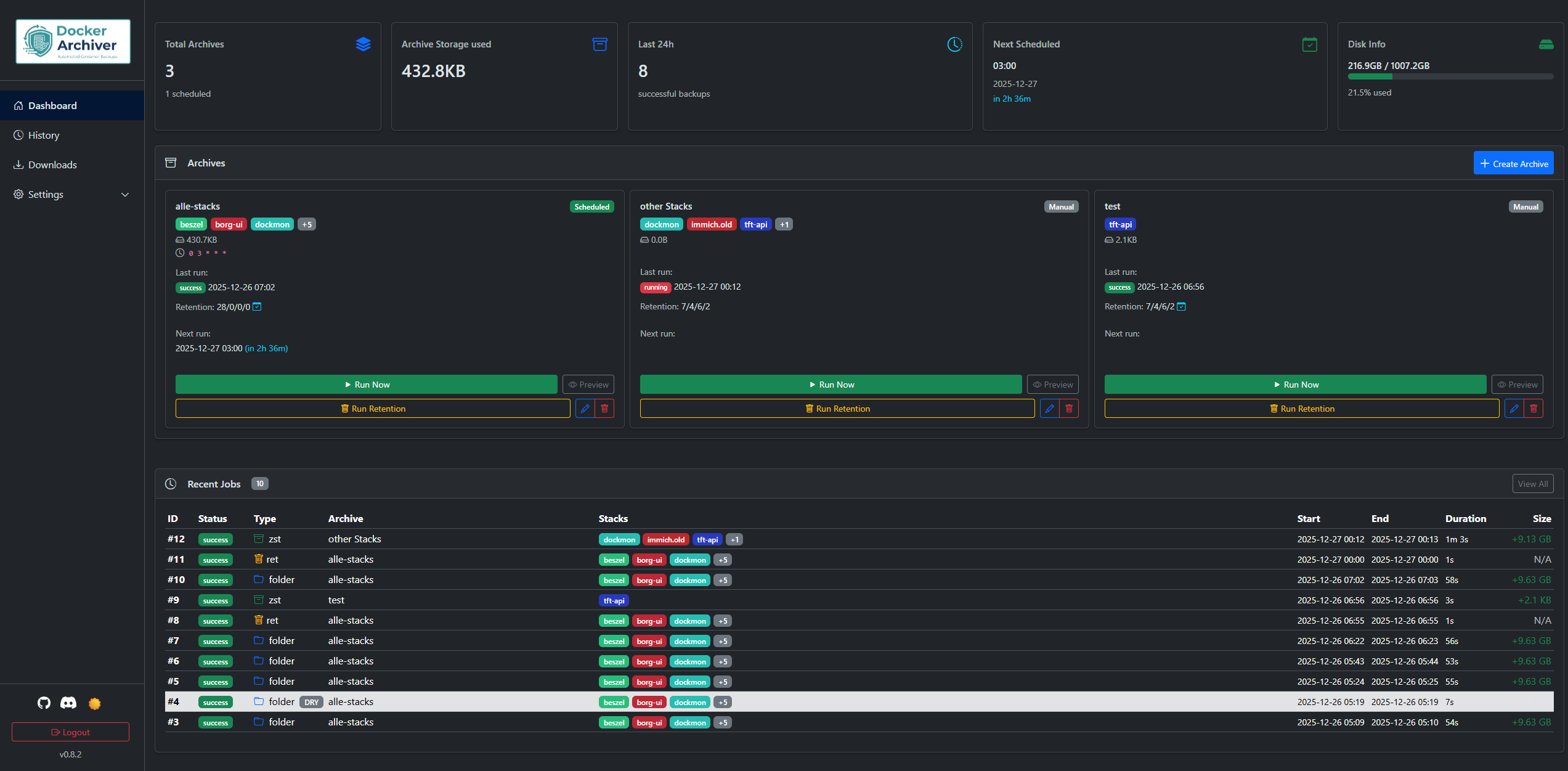
Dashboard
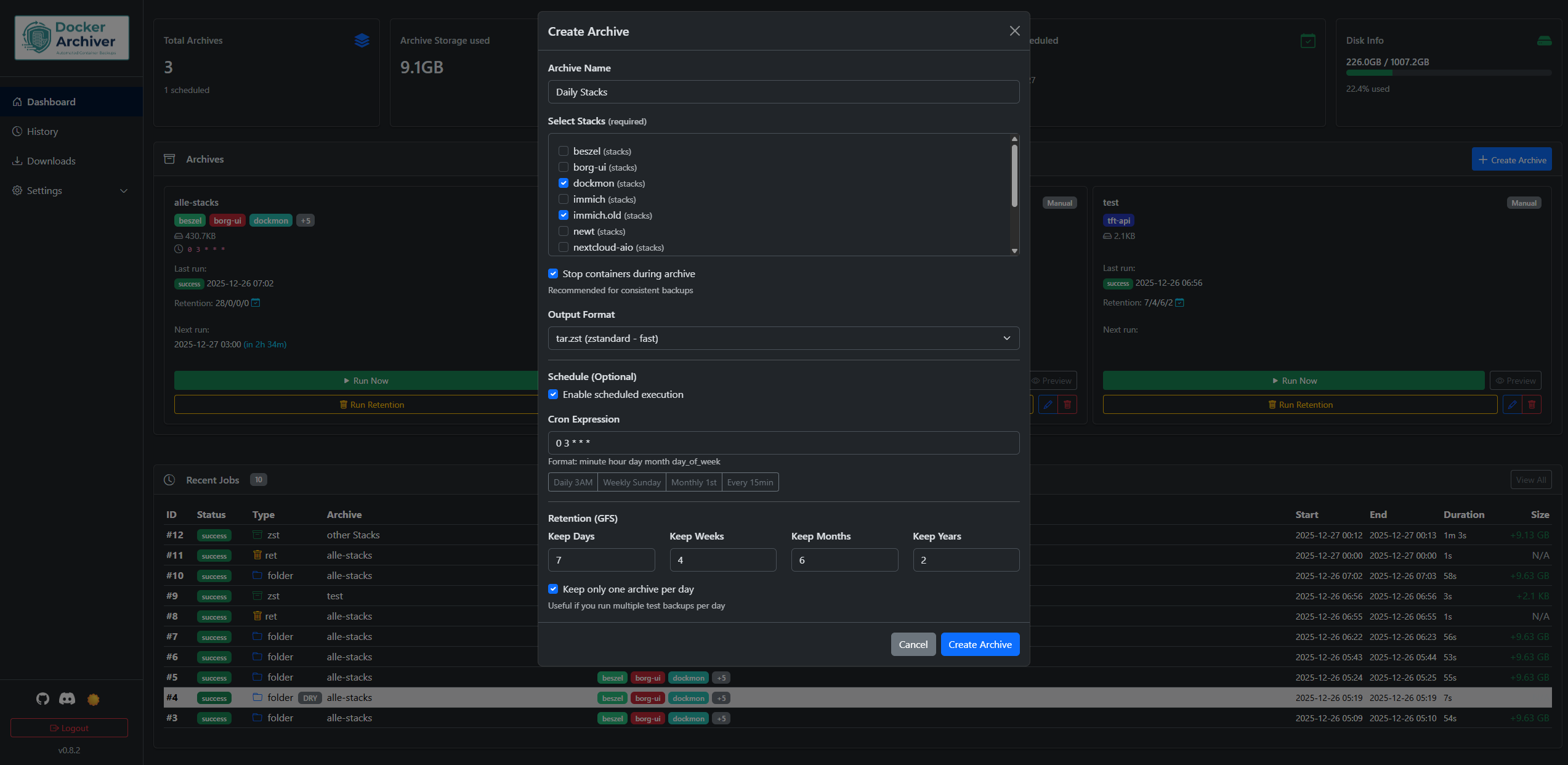
Create Archive
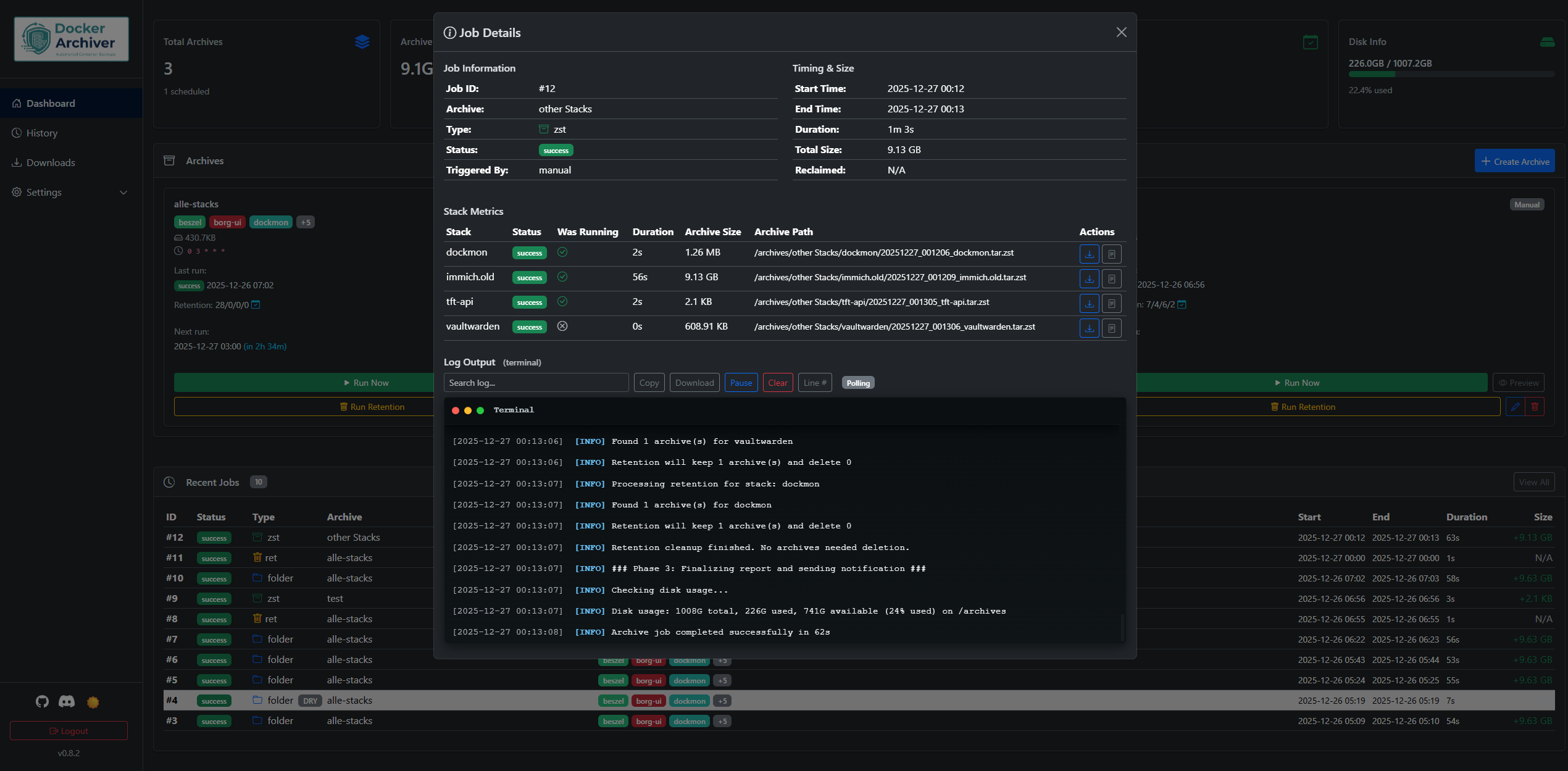
Job Details
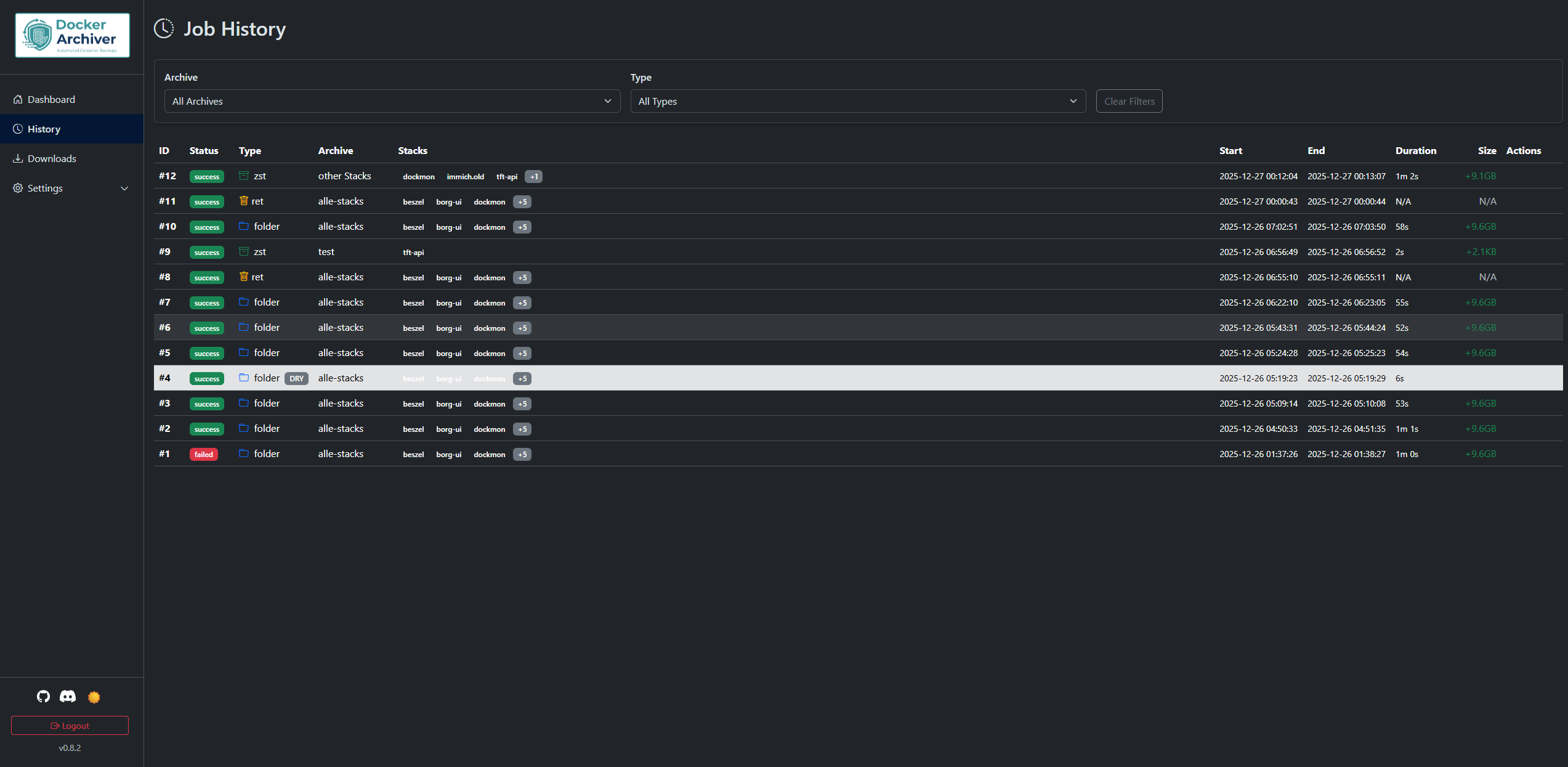
Job History
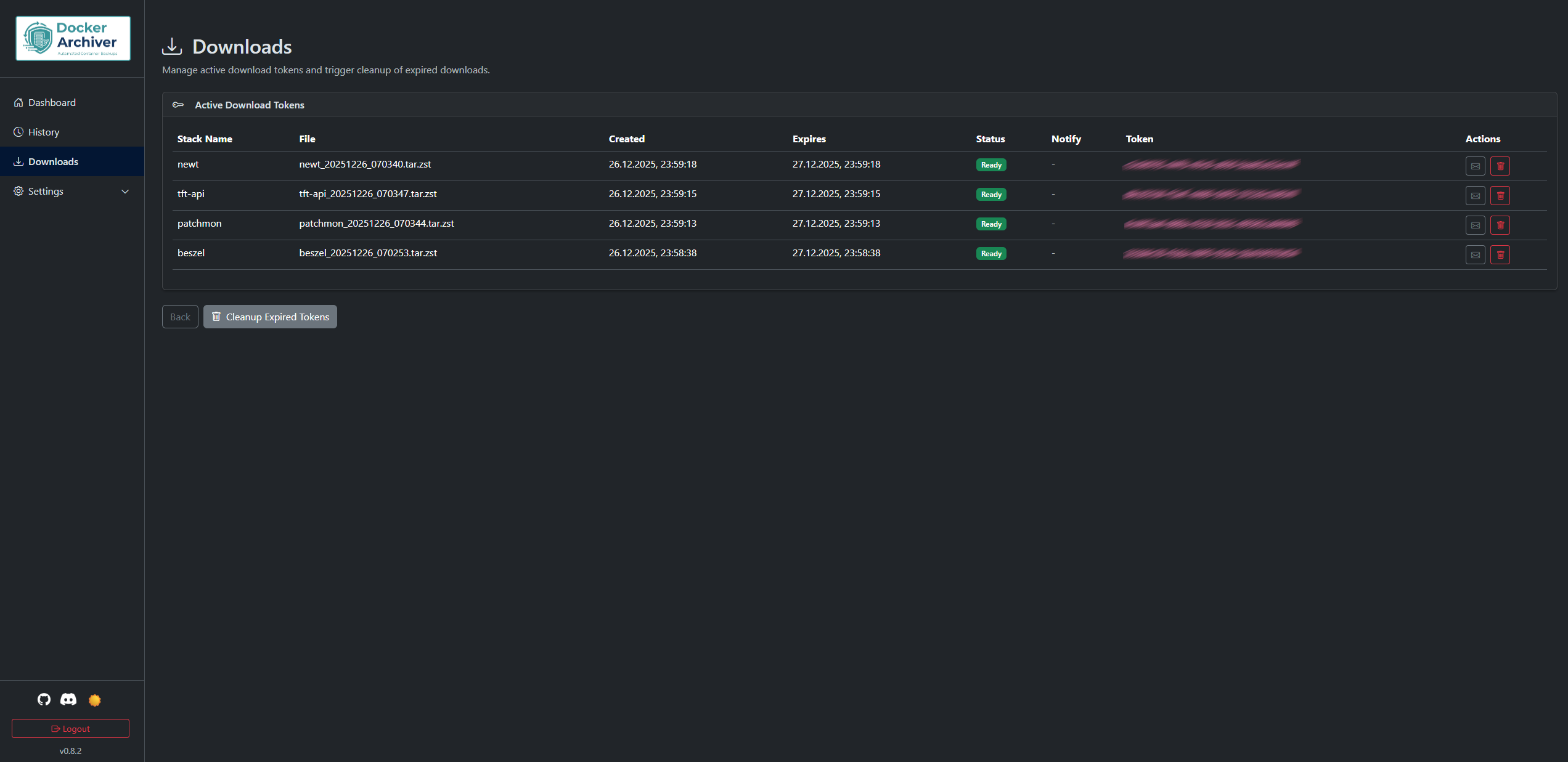
Downloads
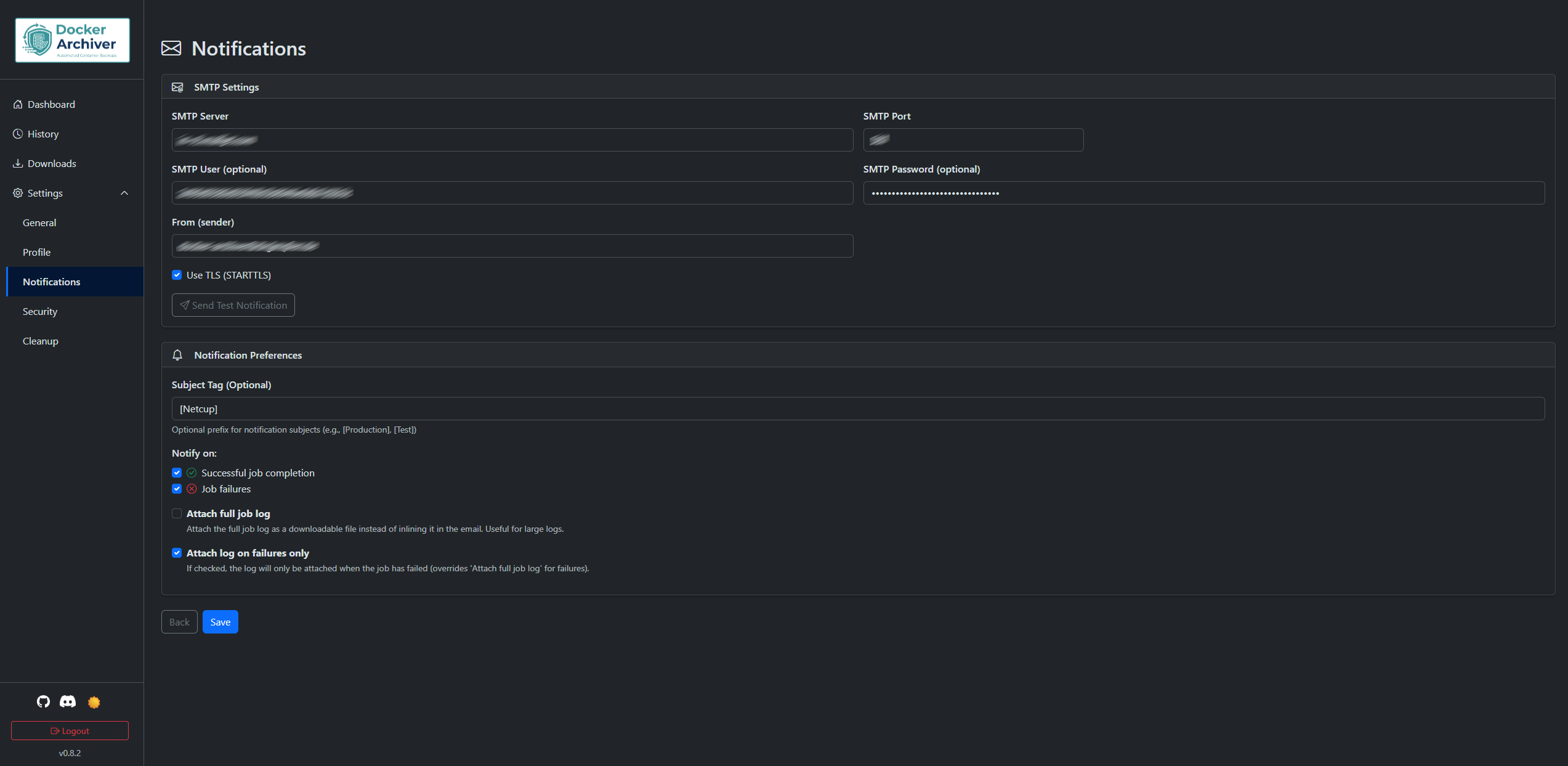
Notifications
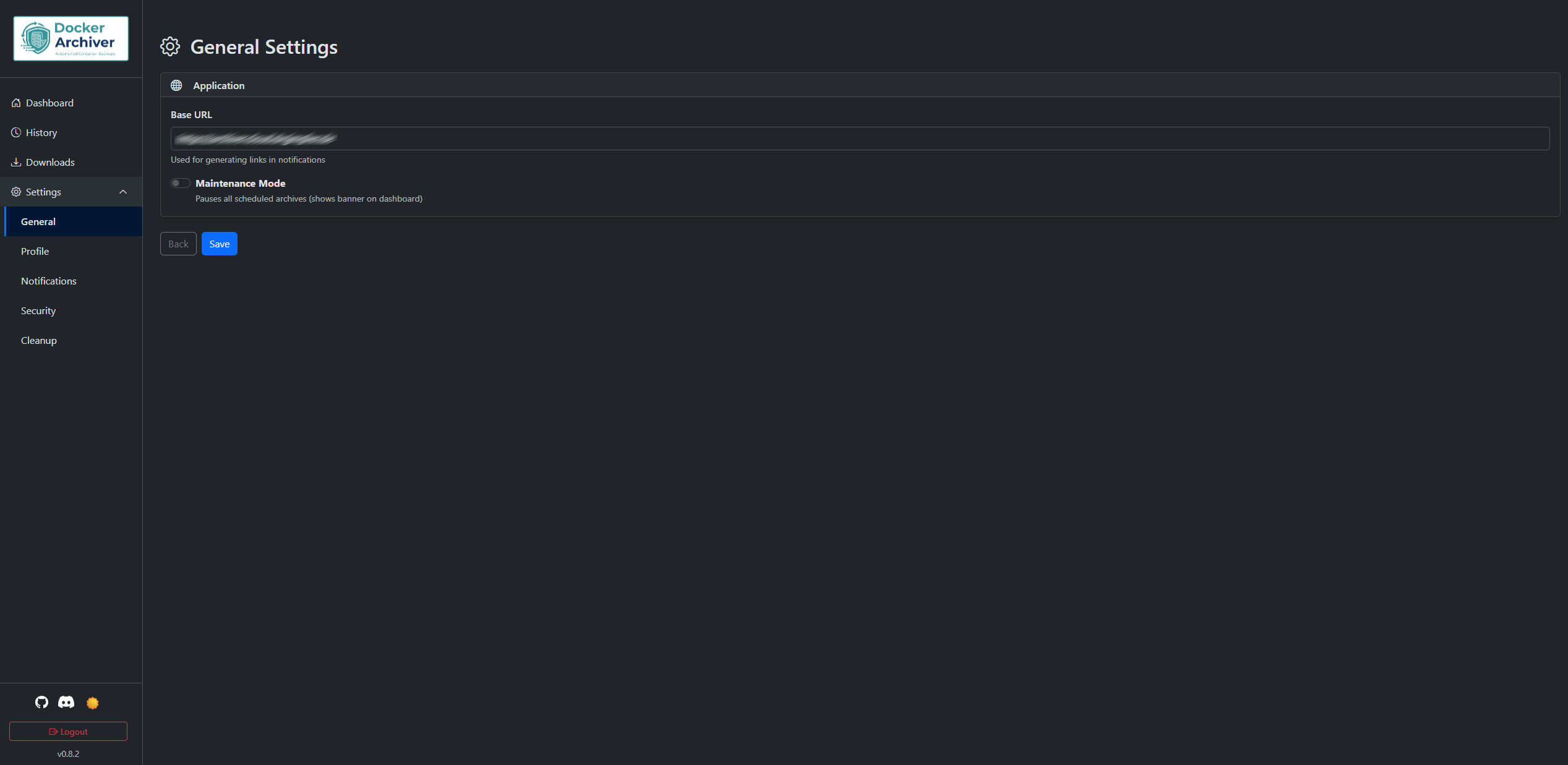
Settings
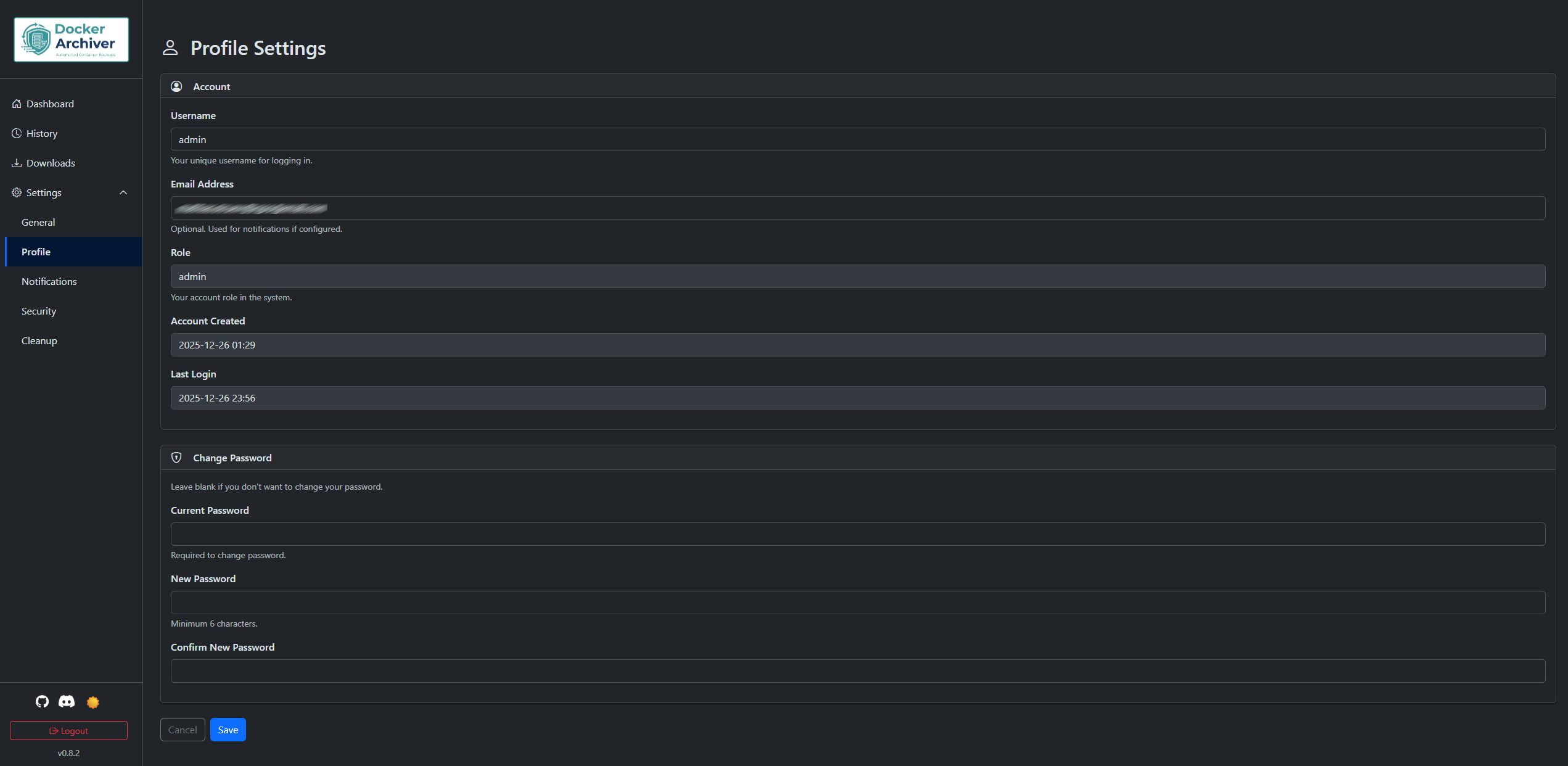
Profile
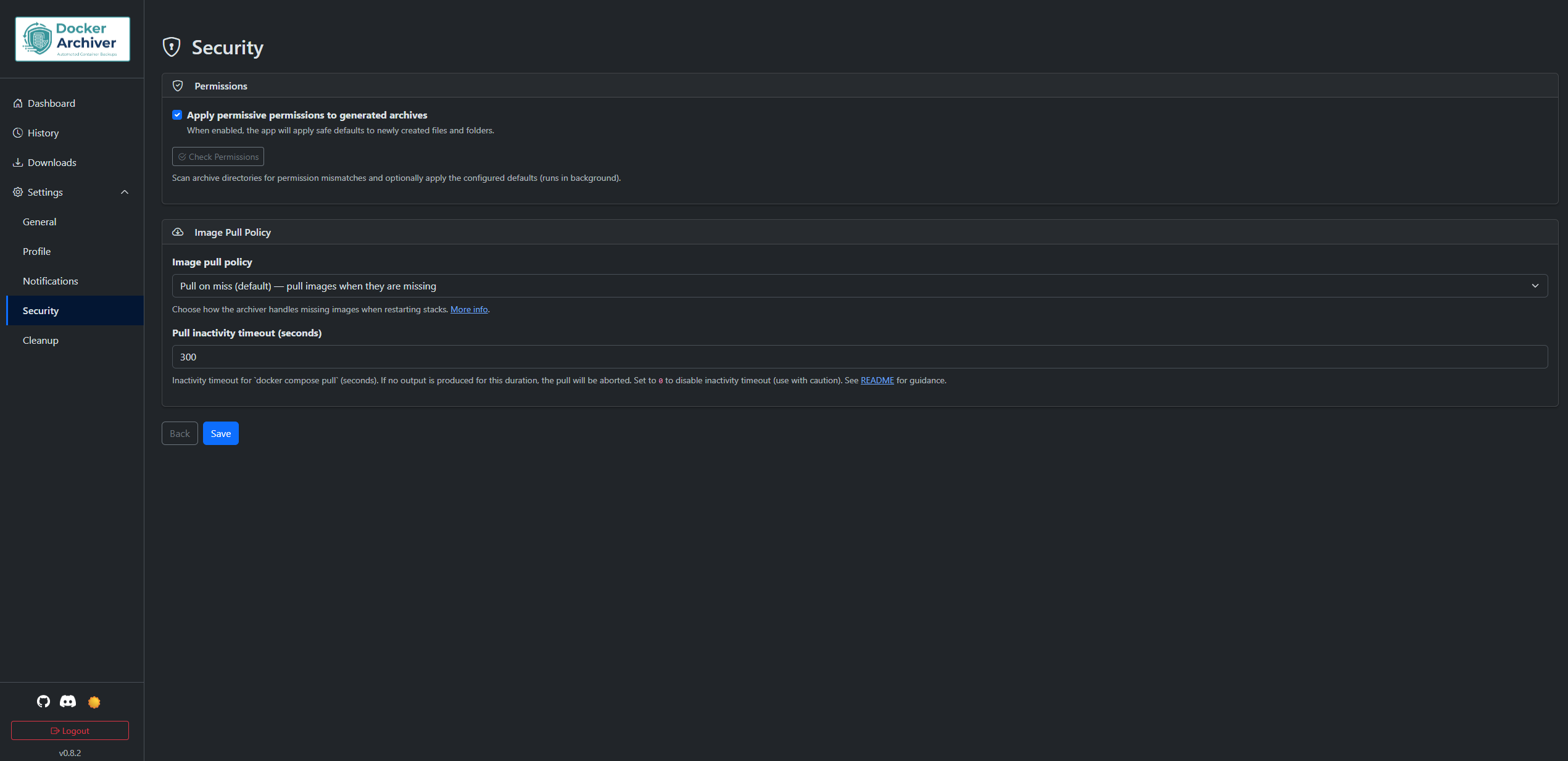
Security
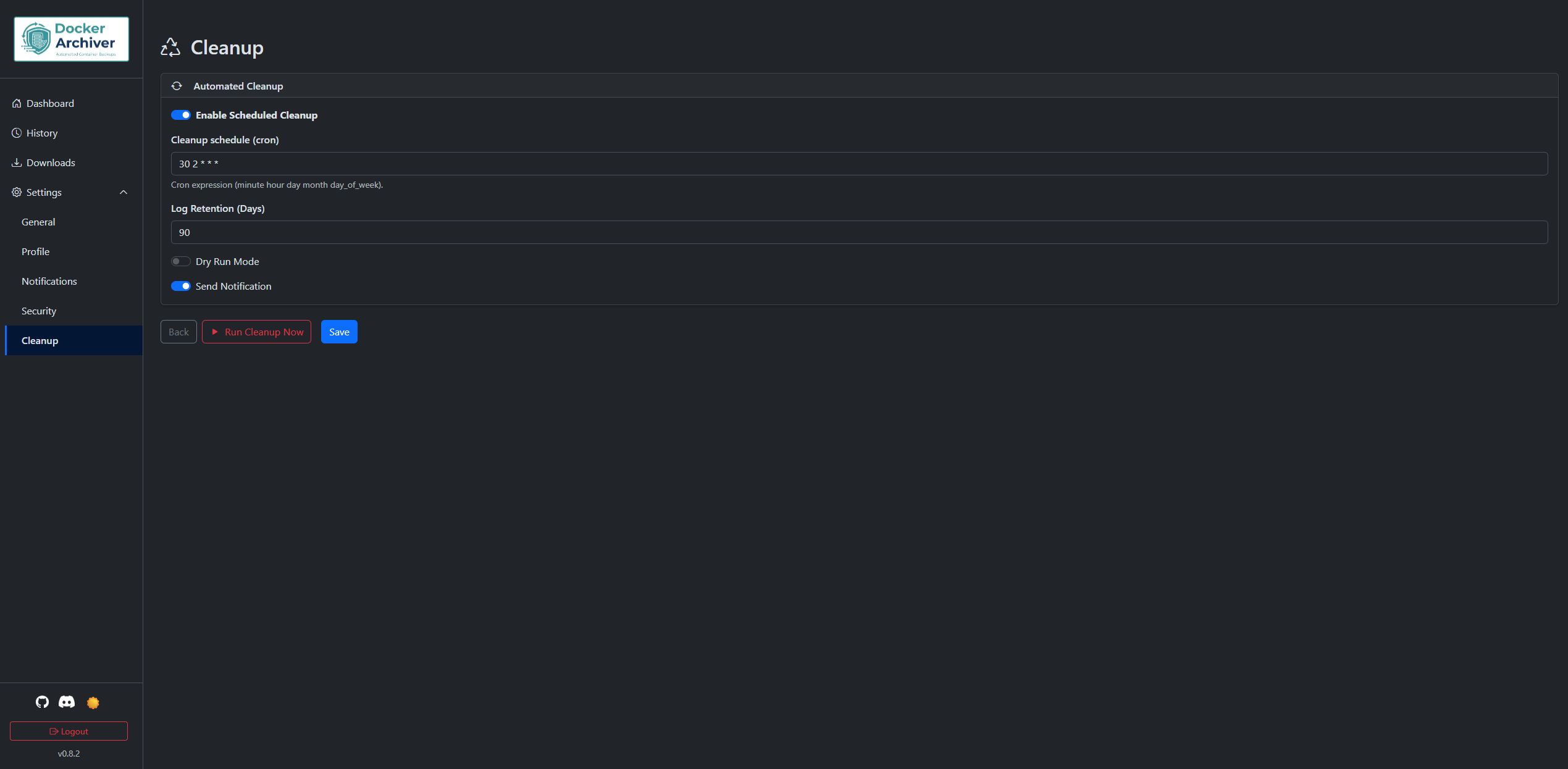
Cleanup
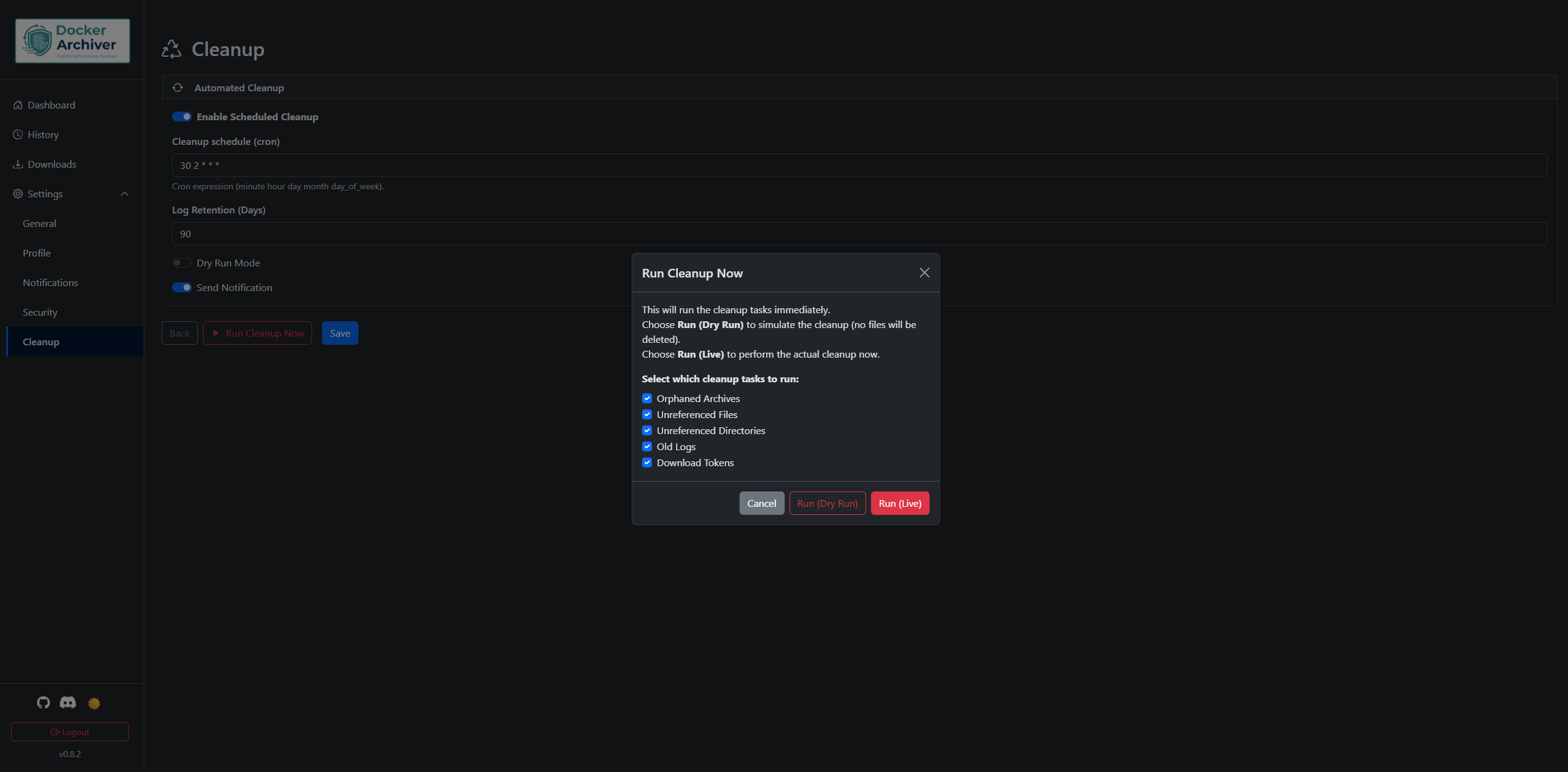
Run Cleanup
Each archive run follows a 4-phase process:
- Phase 0: Initialization - Create necessary directories
- Phase 1: Stack Processing - For each stack:
- Check if running (via Docker API)
- Stop containers (if configured and running)
- Create archive (tar/tar.gz/tar.zst/folder)
- Restart containers (if they were running)
- Phase 2: Retention - Apply GFS retention rules and cleanup old archives
- Phase 3: Finalization - Calculate totals, send notifications, log disk usage
See How Stack Discovery Works below for full details on how stack directories are detected and scanned.
Here is a minimal docker-compose.yml example that starts the core services. It uses the published image drgimpfen/docker-archiver:latest and only the minimum required environment variables and mounts.
version: "3.8"
services:
  db:
    image: postgres:16-alpine
    container_name: docker-archiver-db
    restart: unless-stopped
    environment:
      POSTGRES_DB: docker_archiver
      POSTGRES_USER: archiver
      POSTGRES_PASSWORD: examplepassword
    volumes:
      - ./postgres-data:/var/lib/postgresql/data

  redis:
    image: redis:7-alpine
    container_name: docker-archiver-redis
    restart: unless-stopped
    volumes:
      - ./redis-data:/data

  app:
    image: drgimpfen/docker-archiver:latest
    container_name: docker-archiver-app
    restart: unless-stopped
    ports:
      - "8080:8080"
    environment:
      TZ: Europe/Berlin
      DB_PASSWORD: examplepassword
      SECRET_KEY: change-me
      DATABASE_URL: postgresql://archiver:examplepassword@db:5432/docker_archiver
      REDIS_URL: redis://redis:6379/0
    volumes:
      - /var/run/docker.sock:/var/run/docker.sock
      - ./archives:/archives
      - ./logs:/var/log/archiver
      - ./downloads:/tmp/downloads
      - /opt/stacks:/opt/stacks
Note: Replace examplepassword and change-me with secure values (especially SECRET_KEY) in production environments.
On first visit, you'll be prompted to create an admin account.
- Go to the Dashboard and use the Archive management card (Create / Edit / Delete) to configure archives.
- Select stacks to backup
- Configure schedule (cron expression)
- Set retention policy (GFS: days/weeks/months/years)
- Choose output format
- Save and run manually or wait for schedule
Keep it simple: mount the folders that contain your Docker stacks into the Archiver container using bind mounts, and use the same path on the host and inside the container (for example: - /opt/stacks:/opt/stacks). The Archiver scans these mounted folders and backs up any stacks it finds.
Quick checklist:
- What to mount: the Docker socket (
/var/run/docker.sock), a folder for your stacks (e.g.,/opt/stacks), a host directory to store archives (e.g.,./archives), and mount./logsand./downloadsso logs and prepared downloads persist across container restarts. - Use absolute host paths and make sure the host path equals the container path (this is required).
- For local development, add mounts to
docker-compose.override.yml. - If discovery fails, the Dashboard shows a warning and
TROUBLESHOOTING.mdexplains how to diagnose and fix it.
Minimal example (volumes only):
services:
  app:
    volumes:
      - /var/run/docker.sock:/var/run/docker.sock
      - /opt/stacks:/opt/stacks
      - ./archives:/archives
      - ./logs:/var/log/archiver
      - ./downloads:/tmp/downloads
Notes:
- Named Docker volumes are not suitable for stack directories — use bind mounts where host and container paths match.
- If you need more diagnostic details, see
TROUBLESHOOTING.mdwhich includes commands and examples to inspect mounts and logs.
For reliable discovery and correct docker compose execution, the host path and container path of your stack directory bind mounts must be identical (for example: - /opt/stacks:/opt/stacks).
Why this matters:
- Docker Archiver runs
docker composecommands inside the container and expects to find the stack's compose files at the same path it discovered. If the host and container paths differ, the app tries to infer the host path from mounts, but this can lead to ambiguities or failures when runningdocker compose(e.g., when the host path is not accessible inside the container). - Using identical paths avoids edge cases and ensures that archive and docker-compose commands run from the correct working directory.
Bind-mount mismatch detection: The archiver will now detect bind-mount mismatches (host path != container path). When mismatches are detected, the dashboard shows a prominent warning and those mounts will be ignored for discovery; if an archive job resolves to no valid stacks because of ignored mounts, the job will abort early and be marked as failed with a clear log message ("No valid stacks found"). To avoid this, host:container bind mounts must be identical.
Examples:
- Required:
- /opt/stacks:/opt/stacks(host and container paths match) - Not supported:
- /home/stacks:/opt/stacksor- /opt/stacks:/local/stacks(host and container paths differ)
For more details and troubleshooting tips, see the dashboard warning messages or open an issue in the project repository.
| Variable | Default | Required | Description |
|---|---|---|---|
TZ |
Europe/Berlin | No | Timezone for the application (e.g., America/New_York, Asia/Tokyo) |
DB_PASSWORD |
changeme123 | Yes | PostgreSQL password |
SECRET_KEY |
(dev key) | Yes | Flask session secret (change in production — see SECURITY.md) |
REDIS_URL |
- | No | Optional Redis URL (e.g., redis://localhost:6379/0) to enable cross-worker SSE event streaming |
DOWNLOADS_AUTO_GENERATE_ON_ACCESS |
false | No | When true, visiting a missing download link can trigger automatic archive generation on demand. Default: false (recommended). |
DOWNLOADS_AUTO_GENERATE_ON_STARTUP |
false | No | When true, the app attempts to generate missing downloads for valid tokens during startup (use with caution). Default: false (recommended). |
LOG_LEVEL |
INFO | No | Global log level for application logging (DEBUG, INFO, WARNING, ERROR). Set LOG_LEVEL=DEBUG to enable debug-level output for troubleshooting. |
Logs & Notifications troubleshooting: Details and commands moved to
TROUBLESHOOTING.md— consult that file for examples and tips.
Image pull policy: The app lets you choose when images are pulled for stack restarts. You can find the option on Settings → Security → Image pull policy (default: Pull on miss). In short:
- Pull on miss (default) — If images referenced by a stack are missing locally, the archiver will attempt
docker compose pullfor that stack and retry starting it once; pull output is recorded in the job log. - Always — Try to pull images before starting each stack. The executor runs
docker compose pulland will record the pull output in the job log. - Never — Do not pull images automatically; missing images will cause the stack restart to be skipped and a warning recorded. The executor will append
--pull=nevertodocker compose upto explicitly prevent pulls when restarting stacks.
Pull inactivity timeout: To avoid a hung image pull blocking a whole job, the executor now uses an inactivity timeout (seconds) which aborts a pull if no output is produced for the configured period. You can set Pull inactivity timeout (seconds) in Settings → Security (default: 300). Set it to 0 to disable the inactivity timeout (use with caution).
Notification note: When images are pulled, notifications include the full filtered pull output inline (HTML‑escaped), so operators can see the final result directly in the message. The excerpt filters out transient progress/spinner lines and keeps final, meaningful lines (for example: “[+] Pulling …”, “✔ … Pulled”, “Already exists”, “Download complete”, digest/sha256 lines). The full raw pull output is also stored in the job log and included as an attachment when log attachments are enabled; partial output is preserved if a pull times out or fails.
Notes:
- Pulls can fail for network or authentication reasons; the job log will contain details to help debugging.
- For deterministic production behavior we recommend pre-pulling images on hosts or using the Always option only when appropriate for your environment.
- The archiver records skipped stacks and reasons in the job summary so operators can act on them.
GFS (Grandfather-Father-Son):
- Keep Days: Daily archives for last X days
- Keep Weeks: One archive per week for last X weeks
- Keep Months: One archive per month for last X months
- Keep Years: One archive per year for last X years
One Per Day Mode: When enabled, keeps only the newest archive per day (useful for test runs).
Format: minute hour day month day_of_week
Examples:
0 3 * * *- Daily at 3:00 AM0 2 * * 0- Weekly on Sunday at 2:00 AM0 4 1 * *- Monthly on 1st at 4:00 AM*/30 * * * *- Every 30 minutes
Docker Archiver sends notifications via email (SMTP) only; configure SMTP in the web UI (Settings → Notifications). For secure SMTP and TLS guidance see SECURITY.md. The runtime API and download/token behavior are documented in API.md and TROUBLESHOOTING.md.
When using an authentication proxy like Pangolin or Authelia, you need to exclude the following paths from authentication:
# Paths that should bypass authentication
exclude_paths:
  - /download/*         # Archive downloads (token-based, 24h expiry)
  - /api/*              # External API endpoints (use Bearer token auth)
  - /health             # Health check endpoint
Note: The /api/* endpoints have their own authentication via Bearer tokens. The download endpoint (/download/<token>) uses time-limited tokens and doesn't require session authentication.
Downloads are always prepared/stored under /tmp/downloads on the host container (this path is fixed). If a requested token points to an archive outside this directory, the application will attempt to regenerate a download file into /tmp/downloads before serving it. The application treats /tmp/downloads as a fixed, intentionally-ignored destination for bind-mount mismatch checks (similar to /archives and /var/run/docker.sock), so it will not appear in bind-mount mismatch warnings in the Dashboard. To persist generated downloads across container restarts, mount a host directory (for example ./downloads:/tmp/downloads).
For readable, centralized reverse proxy guidance and ready-to-copy examples for Traefik, Nginx / Nginx Proxy Manager, and Caddy, see REVERSE_PROXY.md.
See: REVERSE_PROXY.md — includes SSE/WebSocket tips and recommended auth exclusions.
Development instructions moved to DEVELOPMENT.md — see DEVELOPMENT.md for local setup, Docker development workflow, running tests, project structure, and tips for contributors.
- users - User accounts
- archives - Archive configurations
- jobs - Archive/retention job records
- job_stack_metrics - Per-stack metrics within jobs
- download_tokens - Temporary download tokens (24h expiry)
- settings - Application settings (key-value)
MIT License - see LICENSE file for details
For deployment hardening, secrets handling, CI token guidance, and vulnerability reporting, see SECURITY.md.
For contribution guidelines, the PR checklist, and local test instructions, see CONTRIBUTING.md.
-
Documentation (local): DEVELOPMENT.md · API.md · TROUBLESHOOTING.md · SECURITY.md · CONTRIBUTING.md
-
🐛 Issues: https://github.com/drgimpfen/Docker-Archiver/issues
-
📚 Documentation: https://github.com/drgimpfen/Docker-Archiver/wiki
-
💬 Discussions: https://github.com/drgimpfen/Docker-Archiver/discussions
-
💬 Discord: https://discord.gg/Tq84tczrR2