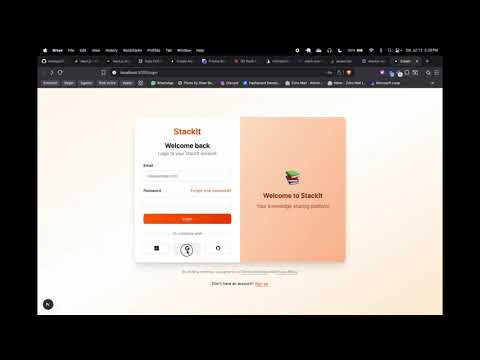
Watch the complete walkthrough of StackIt features and functionality
Click the image above to watch the demo video on YouTubeIt - Community-Driven Q&A Platform
StackIt is a modern, community-driven question and answer platform inspired by Stack Overflow, built with cutting-edge web technologies. The platform provides developers and tech enthusiasts with a comprehensive solution for asking questions, sharing knowledge, and building communities around specific topics. With features like sophisticated authentication, community management, real-time notifications, and reputation systems, StackIt offers a complete Q&A ecosystem.
- Question Management: Create, edit, and organize questions with rich text formatting
- Answer System: Comprehensive answering system with voting and acceptance mechanisms
- Comment Threading: Nested comment system for detailed discussions
- Vote System: Upvote and downvote functionality for answers with reputation tracking
- Search & Filtering: Advanced search capabilities with tag-based filtering and sorting options
- Tag System: Comprehensive tagging system for categorizing and organizing content
- Community Management: Create and manage topic-specific communities
- Membership System: Join communities and participate in focused discussions
- Community Moderation: Role-based access control with admin and member permissions
- Private Communities: Support for both public and private community spaces
- Community Discovery: Browse and discover communities with search functionality
- Multi-Provider Authentication: Support for Google, Microsoft, GitHub, and email/password
- OTP-based Email Verification: Secure email verification with 6-digit OTP codes
- Session Management: Robust session handling with automatic expiration and renewal
- User Profiles: Comprehensive user profiles with bio, location, and website information
- Reputation System: Dynamic reputation tracking based on user contributions and votes
- Rich Text Editor: TipTap-based WYSIWYG editor with code highlighting and formatting
- Real-time Notifications: Instant notifications for answers, comments, and mentions
- Badge System: Achievement badges for user recognition and gamification
- Watched Tags: Follow specific tags to stay updated on relevant questions
- Analytics Dashboard: User statistics and performance tracking
- Responsive Design: Mobile-first design with dark/light theme support
- Progressive Web App: PWA capabilities for enhanced mobile experience
- Draft System: Save questions as drafts before publishing
- Content Moderation: Admin tools for content management and user moderation
- Duplicate Detection: Smart duplicate question detection and suggestions
- Content Search: Full-text search across questions, answers, and comments
- Pagination: Efficient pagination for large content sets
- Next.js 15.3.5: Latest React framework with App Router and server components
- React 19.0.0: Latest React version with concurrent features and hooks
- TypeScript 5: Type-safe development with strict typing and IntelliSense
- Tailwind CSS 4: Latest utility-first CSS framework with custom design system
- Radix UI: Accessible, unstyled UI components for consistent user experience
- TipTap Editor: Modern WYSIWYG editor with extensibility and customization
- PostgreSQL: Primary database with advanced features and full-text search
- Prisma 6.11.1: Next-generation ORM with type-safe database access
- Better Auth 1.2.12: Modern authentication library with multi-provider support
- Nodemailer 7.0.5: Email service for OTP verification and notifications
- Multi-Provider OAuth: Google, Microsoft, GitHub integration
- Email OTP Verification: Secure 6-digit OTP system with 5-minute expiration
- Session Security: Secure session management with automatic cleanup
- CSRF Protection: Built-in protection against cross-site request forgery
- Rate Limiting: API rate limiting for security and performance
- Lucide React: Modern icon library with consistent design language
- React Icons: Comprehensive icon set for enhanced user interface
- Class Variance Authority: Type-safe utility for component styling variants
- Sonner: Beautiful toast notifications with stacking and animations
- Next Themes: Seamless dark/light mode with system preference detection
- ESLint 9: Latest linting with modern JavaScript/TypeScript rules
- SWR 2.3.4: Data fetching library with caching and revalidation
- Date-fns 4.1.0: Modern date utility library for time formatting
- Lowlight 3.3.0: Syntax highlighting for code blocks in editor
- User: User accounts with authentication, reputation, and profile information
- id, name, email, emailVerified, image, role, reputation, bio, location, website
- Relations: accounts, questions, answers, comments, votes, badges, communities
- Session: User sessions with expiration and security tracking
- id, expiresAt, token, userId, ipAddress, userAgent, impersonatedBy
- Account: OAuth provider accounts linked to users
- id, accountId, providerId, userId, accessToken, refreshToken, scope
- Verification: Email verification tokens and OTP codes
- id, identifier, value, expiresAt
- Question: Core question entity with community support
- id, title, description, attempt, authorId, views, communityId, answersCount
- Relations: author, answers, tags, community, votes
- Answer: Answer responses to questions with voting and acceptance
- id, content, authorId, questionId, isAccepted, isDeleted
- Relations: author, question, comments, votes
- Comment: Comments on answers for detailed discussions
- id, content, authorId, answerId, isDeleted
- Relations: author, answer
- Tag: Topic tags for categorizing questions
- id, name, description
- Relations: questions (many-to-many), users (watched tags)
- Community: Topic-specific communities with ownership and privacy
- id, name, description, ownerId, isPrivate, imageUrl, bannerUrl
- Relations: owner, members, questions
- CommunityMembers: Community membership with role-based access
- userId, communityId, role (MEMBER, ADMIN, OWNER), joinedAt
- Relations: user, community
- Vote: Voting system for answers with reputation impact
- id, userId, answerId, type (UPVOTE, DOWNVOTE)
- Relations: user, answer
- Badge: Achievement badges for user recognition
- id, name, description, imageUrl
- Relations: users (many-to-many)
- Notification: Real-time notification system
- id, recipientId, type, message, isRead, entityId, entityType
- Relations: recipient (user)
- TagsOnQuestions: Many-to-many relationship between questions and tags
- TagsOnUsers: Watched tags functionality for users
- UserBadges: Achievement tracking with award timestamps
stackit-odoo/
├── app/                           # Next.js App Router
│   ├── page.tsx                  # Homepage with main feed
│   ├── layout.tsx                # Root layout with providers
│   ├── loading.tsx               # Global loading component
│   ├── globals.css               # Global styles and Tailwind imports
│   ├── (auth)/                   # Authentication routes group
│   │   ├── login/                # Login page with multi-provider auth
│   │   └── signup/               # Registration page
│   ├── questions/                # Question management
│   │   ├── page.tsx              # Questions listing with filtering
│   │   ├── ask/                  # Create new question
│   │   └── [id]/                 # Individual question view
│   ├── communities/              # Community management
│   │   ├── page.tsx              # Communities discovery
│   │   ├── create/               # Create new community
│   │   └── [id]/                 # Community pages
│   ├── users/                    # User profiles and management
│   ├── tags/                     # Tag browsing and management
│   ├── admin/                    # Administrative interface
│   ├── profile/                  # User profile management
│   └── api/                      # API routes and endpoints
├── components/                    # Reusable UI components
│   ├── header/                   # Navigation and search
│   ├── sidebar/                  # Main navigation sidebar
│   ├── sidebar-right/            # Secondary content sidebar
│   ├── main/                     # Homepage content components
│   ├── questions/                # Question-related components
│   ├── ask-question/             # Question creation components
│   ├── users/                    # User-related components
│   ├── tags/                     # Tag-related components
│   ├── rich-text-editor/         # TipTap editor components
│   └── ui/                       # Shadcn/ui base components
├── lib/                          # Utility functions and configurations
│   ├── auth.ts                   # Better Auth configuration
│   ├── auth-client.ts            # Client-side auth utilities
│   ├── prisma.ts                 # Database connection
│   ├── email.ts                  # Email service configuration
│   ├── api.ts                    # API client and types
│   ├── utils.ts                  # General utility functions
│   └── hooks/                    # Custom React hooks
├── prisma/                       # Database schema and migrations
│   ├── schema.prisma             # Database schema definition
│   └── migrations/               # Database migration files
└── public/                       # Static assets and images
- Node.js 18.x+: Latest LTS version recommended
- PostgreSQL 14+: Database server (local or cloud)
- pnpm: Fast, disk space efficient package manager
- Git: Version control system
Create a .env.local file in the root directory:
# Database Configuration
DATABASE_URL="postgresql://username:password@localhost:5432/stackit_db"

# Authentication Providers
GOOGLE_CLIENT_ID="your_google_client_id"
GOOGLE_CLIENT_SECRET="your_google_client_secret"
MICROSOFT_CLIENT_ID="your_microsoft_client_id"
MICROSOFT_CLIENT_SECRET="your_microsoft_client_secret"
GITHUB_CLIENT_ID="your_github_client_id"
GITHUB_CLIENT_SECRET="your_github_client_secret"

# Email Configuration (Gmail)
EMAIL_USER="[email protected]"
EMAIL_PASS="your_app_specific_password"

# Application Configuration
NEXT_PUBLIC_APP_URL="http://localhost:3000"
BETTER_AUTH_SECRET="your_random_secret_key_here"
BETTER_AUTH_URL="http://localhost:3000"

# Optional: Production configurations
NODE_ENV="development"- Clone the Repository
git clone <repository-url>
cd stackit-odoo- Install Dependencies
pnpm install- Database Setup
# Generate Prisma client
pnpm prisma generate

# Push database schema to PostgreSQL
pnpm prisma db push

# Optional: Seed database with initial data
pnpm prisma db seed- Configure OAuth Applications
- Go to Google Cloud Console
- Create a new project or select existing
- Enable Google+ API
- Create OAuth 2.0 credentials
- Add authorized redirect URIs:
http://localhost:3000/api/auth/callback/google
- Go to GitHub Settings > Developer settings > OAuth Apps
- Create new OAuth App
- Set Authorization callback URL:
http://localhost:3000/api/auth/callback/github
-
Go to Azure Portal
-
Register new application in Azure AD
-
Configure redirect URI:
http://localhost:3000/api/auth/callback/microsoft -
Email Configuration
- Enable 2-factor authentication on Gmail
- Generate app-specific password
- Use app password in EMAIL_PASS environment variable
-
Start Development Server
pnpm dev- Access the Application
- Open http://localhost:3000
- Create account or sign in with OAuth providers
- Explore the platform features
pnpm prisma studio# Create migration after schema changes
pnpm prisma migrate dev --name "migration_name"
# Reset database (development only)
pnpm prisma migrate reset# Run database seeding
pnpm prisma db seedPOST /api/auth/sign-in- User authentication with email/passwordPOST /api/auth/sign-up- User registration with email verificationGET /api/auth/session- Get current user sessionPOST /api/auth/verify-email- Verify email with OTP codePOST /api/auth/send-otp- Send OTP for email verification
GET /api/questions- Fetch questions with pagination and filteringPOST /api/questions- Create new question (authenticated)GET /api/questions/[id]- Get specific question with answersPUT /api/questions/[id]- Update question (author only)DELETE /api/questions/[id]- Delete question (author/admin only)
POST /api/answers- Create new answer (authenticated)PUT /api/answers/[id]- Update answer (author only)DELETE /api/answers/[id]- Delete answer (author/admin only)POST /api/answers/[id]/vote- Vote on answer (upvote/downvote)POST /api/answers/[id]/accept- Accept answer (question author only)
GET /api/answers/[id]/comments- Get comments for answerPOST /api/answers/[id]/comments- Add comment to answerPUT /api/comments/[id]- Update comment (author only)DELETE /api/comments/[id]- Delete comment (author/admin only)
GET /api/communities- List communities with search and paginationPOST /api/communities- Create new community (authenticated)GET /api/communities/[id]- Get community detailsPOST /api/communities/[id]/join- Join communityPOST /api/communities/[id]/leave- Leave communityPUT /api/communities/[id]- Update community (admin only)
GET /api/users- List users with search and filteringGET /api/users/[id]- Get user profile and statisticsPUT /api/users/[id]- Update user profile (self only)GET /api/user/stats- Get current user statisticsGET /api/user/watched-tags- Get watched tagsPOST /api/user/watched-tags- Add watched tagDELETE /api/user/watched-tags/[id]- Remove watched tag
GET /api/tags- List tags with search and popularityGET /api/tags/[id]- Get tag details and related questionsPOST /api/tags- Create new tag (authenticated)
GET /api/notifications- Get user notificationsPUT /api/notifications/[id]/read- Mark notification as readPUT /api/notifications/mark-all-read- Mark all notifications as read
/- Homepage with question feed and community highlights/questions- Browse all questions with filtering and search/questions/[id]- View individual question and answers/communities- Discover public communities/users- Browse user profiles and reputation rankings/tags- Browse and search tags
/login- Multi-provider authentication page/signup- User registration with email verification/verify-email- Email verification with OTP input
/questions/ask- Create new question/profile- User profile management and settings/communities/create- Create new community/communities/[id]/manage- Community management (admins)
/admin- Administrative dashboard/admin/users- User management and moderation/admin/communities- Community oversight and management/admin/reports- Content moderation and reports
- Header: Navigation bar with search, notifications, and user menu
- Sidebar: Main navigation with links to questions, tags, users, communities
- RightSidebar: Secondary content like trending questions and community highlights
- Footer: Links, legal information, and platform statistics
- QuestionCard: Question preview with voting, answer count, and tags
- QuestionDetail: Full question view with description and attempt details
- AnswerCard: Answer display with voting, comments, and acceptance
- CommentThread: Nested comment system with replies
- UserCard: User profile summary with reputation and badges
- QuestionForm: Rich question creation with title, description, tags
- AnswerForm: Rich answer editor with code highlighting
- CommentForm: Simple comment input with real-time preview
- SearchForm: Advanced search with filters and sorting options
- VoteButtons: Upvote/downvote with real-time feedback
- TagInput: Dynamic tag selection with autocomplete
- RichTextEditor: TipTap-based editor with formatting toolbar
- NotificationDropdown: Real-time notification display
// OAuth provider configuration
socialProviders: {
  google: {
    clientId: process.env.GOOGLE_CLIENT_ID,
    clientSecret: process.env.GOOGLE_CLIENT_SECRET,
  },
  microsoft: {
    clientId: process.env.MICROSOFT_CLIENT_ID,
    clientSecret: process.env.MICROSOFT_CLIENT_SECRET,
  },
  github: {
    clientId: process.env.GITHUB_CLIENT_ID,
    clientSecret: process.env.GITHUB_CLIENT_SECRET,
  }
}// OTP configuration
emailOTP({
async sendVerificationOTP({ email, otp }) {
await sendOTPEmail(email, otp);
},
otpLength: 6,
expiresIn: 300, // 5 minutes
allowedAttempts: 3,
});// Session configuration
session: {
cookieCache: {
enabled: true,
maxAge: 5 * 60 // 5 minutes cache
},
expiresIn: 60 * 60 * 24 * 2, // 2 days
updateAge: 60 * 60 * 24 // Update every day
}- Guest: Browse content, view questions and answers
- User: Ask questions, provide answers, vote, comment
- Admin: User moderation, content management, community oversight
- Community Admin: Manage specific community settings and membership
// Editor extensions
extensions: [StarterKit, CodeBlockLowlight, Image, Link, TextAlign];- Rich Formatting: Bold, italic, underline, strikethrough
- Code Highlighting: Syntax highlighting for multiple languages
- Lists: Ordered and unordered lists with nesting
- Links: Automatic link detection and manual insertion
- Images: Image upload and embedding
- Code Blocks: Multi-language code blocks with syntax highlighting
- Tables: Rich table creation and editing
- Text Alignment: Left, center, right, justify alignment
// Notification types
enum NotificationType {
  ANSWER_TO_QUESTION,
  COMMENT_ON_ANSWER,
  MENTION,
  ANSWER_ACCEPTED,
  VOTE_THRESHOLD,
  BADGE_EARNED,
}- Real-time Notifications: Instant notifications for user interactions
- Vote Count Updates: Live vote count changes without page refresh
- New Answer Alerts: Instant notifications when answers are posted
- Comment Threading: Real-time comment additions and replies
# Local development
pnpm dev

# Production build
pnpm build
pnpm start// Production environment variables
DATABASE_URL = "postgresql://prod_user:password@prod_host:5432/stackit_prod";
BETTER_AUTH_URL = "https://your-domain.com";
NEXT_PUBLIC_APP_URL = "https://your-domain.com";# Create migration for schema changes
pnpm prisma migrate dev --name "descriptive_migration_name"
# Update Prisma client
pnpm prisma generate