An application for those of us who appreciate a well made straw. It features authentication and a postgres database hosted with Supabase. Made mainly to learn about supabase and how to set up a proper authentication system.
This project is currently in development. Users can signup and login using email/Oauth through google. Users must be validated by confirming their email. They can also reset their password through email. Users can update data for their account like their favorite straw and add an avatar picture. There is also an admin tab that allows super users to perform certain actions on other users.
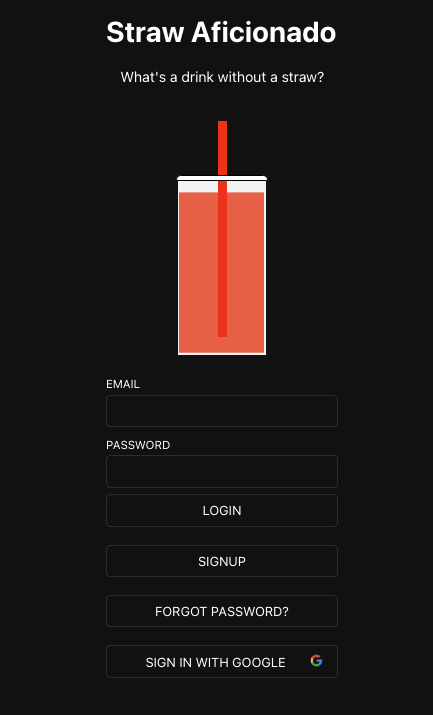
Clone down this repository. You will need node and npm installed globally on your machine.
Installation:
npm install
To Start the Client:
npm run start
To Start the Server:
node server.js
To Visit App:
localhost:3000/
- What was the purpose of this app?
- This was built as a take home assignment for a prospective employer. I used it as an opportunity to learn more about setting up a backend/authentication system that utilizes two factor authentication and allows users to reset their passwords.
- So uh, why straws?
- It is an inside joke. At some point, I'll come back and build a proper app to utilize the login/backend skeleton I created here
- Challenges
- Figuring out how to write policies and functions in the supabase dashboard was tough at first. I'd recommend doing pretty much everything inside the SQL query editor they provide. Trying to build SQL functions using their builtin tool was frustrating.
- Why Supabase?
- I researched the best platofrms and libraries for authentication for a web application. I considered a number of different options, from all in one platforms like Google Firebase to JS libraries like Nextauth.js. I was tempted to build my own authentication system with Nexauth rather than use an API from a third party, but decided that it would likely be tough to manage it in the given time frame. I also am not super familiar with Next.js and it seems to work best with Next and server side rendering. Eventually it came down to Supabase and Firebase. I decided to go with Supabase because it uses Postgres for the database which I am more familiar with than Firestore. One small downside to Supabase is that it does not provide hosting services so I had to deploy the app separately. I also had a small problem when incorporating hCaptcha. Enabling captchas is easy with Supabase, but you can't control which endpoints need to be authenticated. For example, I wanted to have anyone signing up verified with a captcha. But if I did that, I would also have to verify every login with a captcha as well. It makes sense from a security standpoint, but having to complete a captcha everytime you sign is an annoyance for the user. I plan on building a similar app with Firebase to compare the two.
- What tools did you use to implement this project?
- The app was bootstrapped with Create React App. I used the Supabase platform for its authentication API and Postgres database. I used React router for uh, routing. The server was built using Node.js and Express.js. I also utilized react data table component for making the admin table, and react spring for making the cup animation on the login page. Next time I'd use Vite or Next.js for setting up the development environment and utilize server side rendering.