
A Chrome Extension that displays the professors' ratings next to their name in the DeAnza Class Listings. Designed to help students plan and register for classes more efficiently.
RateMyProfessors is known for taking down extensions in the Chrome Store, so here is another way to download it.
- Either use
git clone https://github.com/nTony46/DeAnza-RMP-Extensionon the command line to clone the repository or click the big green "Code" button ---> "Download ZIP" and extract the main folder. - Go to
chrome://extensions/and enable "Developer mode" - Use the "Load Unpacked" button and add the main folder.
- Displays color-coded ratings next to the professors' names in the De Anza Class Listings site
- Clicking on the rating will open a new tab directly to the professor's RateMyProfessors page
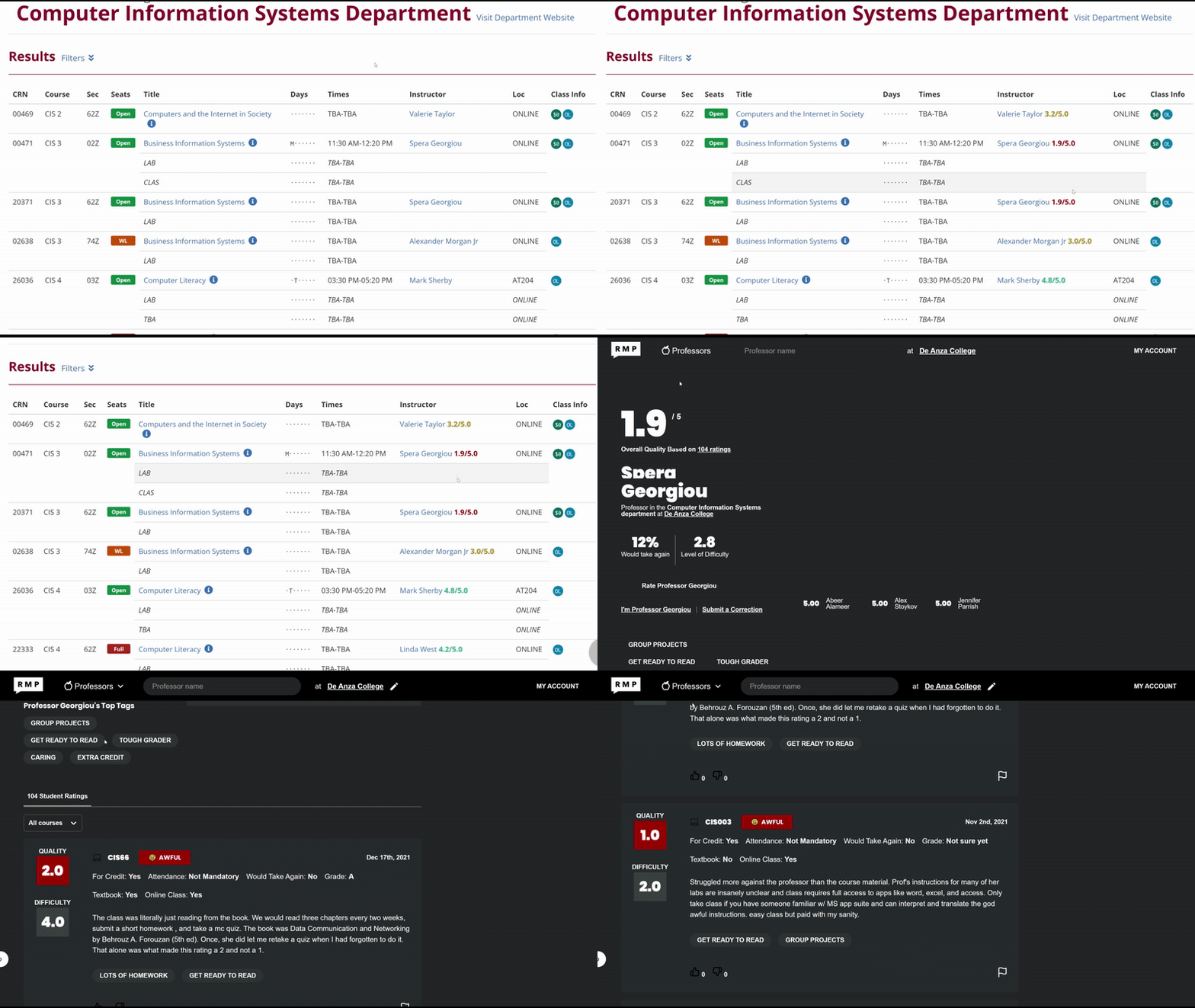
- This extension fetches and parses RateMyProfessor's data of each professor from the school
- It then injects the data into the corresponding professor in the Class Listings site