Repository navigation
Avatar menu icons missing #5834
Description

Steps to reproduce
- Create conversation
- Add some participants
- Open avatar menu for participant
Expected behaviour
Entry for one to one chat with a magnifying glass icon.
Actual behaviour
Entry is there but the icon is not visible:
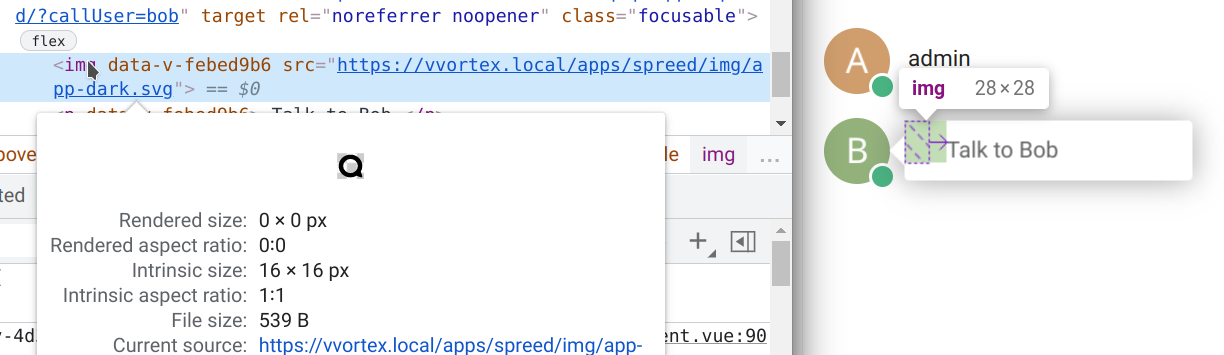
Talk app
Talk app version: 12.0.0 git master 4a49dc5
Likely related to the recent nextcloud-vue updates
Activity
nickvergessen commentedon Jun 22, 2021
Also going ham on the dashboard (where you can't even open it as it automatically opens the conversation already)
PVince81 commentedon Jun 22, 2021
okay I'll just disable the menu in the dashbaord as well as part of a PR I'm working on
PVince81 commentedon Jun 22, 2021
this PR will remove the menu in dashboard: #5837
nickvergessen commentedon Sep 28, 2021
Actually the problem is the padding from:
https://github.com/nextcloud/nextcloud-vue/blame/90b8c1224d1268d66c23d28aa230a6980fb136db/src/components/PopoverMenu/PopoverMenuItem.vue#L306-L311
nickvergessen commentedon Sep 28, 2021
If
padding: $icon-margin;is replaced withmargin: $icon-margin;it works as expected.Pytal commentedon Sep 28, 2021
Fix in nextcloud-libraries/nextcloud-vue#2289