QZ Tray online scripted installer
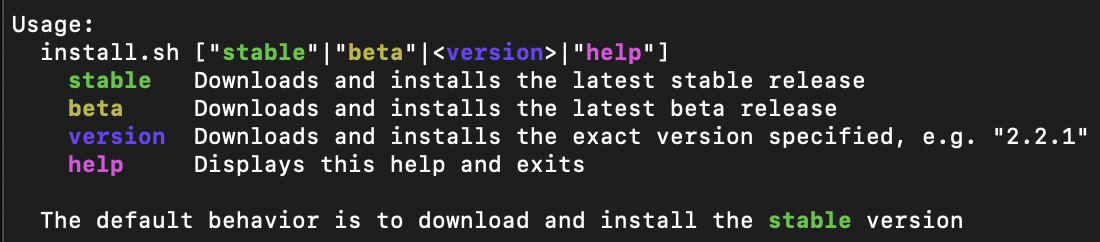
# Download and install the latest stable release of QZ Tray
curl qz.sh |bash# Download and install the latest stable release of QZ Tray
wget -O - qz.sh |bash# Download and install the latest stable release of QZ Tray
irm pwsh.sh | iexClick to expand what to do if you recieve a security error
# Optional: Needed to run a remote script the first time
Set-ExecutionPolicy RemoteSigned -Scope CurrentUserAdditional parameters can be provided to specify beta or an exact tagged release.
curl qz.sh |bash -s -- "beta"   # latest beta release
curl qz.sh |bash -s -- "2.2.1" # tagged "v2.2.1" releasewget -O - qz.sh |bash -s -- "beta" # latest beta release
wget -O - qz.sh |bash -s -- "2.2.1" # tagged "v2.2.1" release& ([scriptblock]::Create((irm pwsh.sh))) beta # latest beta release
& ([scriptblock]::Create((irm pwsh.sh))) 2.2.1 # tagged "v2.2.1" release