

Touch an enrolled finger. A TOTP code is typed into the focused field over Bluetooth — no phone, no app, no copy-paste.
Built on the M5StickC Plus 2 (ESP32). Pairs with macOS, Windows, and Linux as a standard BLE HID keyboard.


┌──────────────────────────────────────────────┐
│             M5StickC Plus 2                  │
│                                              │
│  Fingerprint sensor  ──→  match slot N       │
│  NVS (AES-256-XTS)   ──→  load secret[N]     │
│  RTC (BM8563)        ──→  current timestamp  │
│                           ↓                  │
│                        TOTP code             │
│                           ↓                  │
│  NimBLE HID keyboard ──→  broadcast          │
└──────────────────────────────────────────────┘
          │ BLE             │               │
          ▼                 ▼               ▼
    Host computer 1   Host computer 2   Host computer 3
One finger = one service. Place the enrolled finger, the device matches it, generates the 6-digit code, and types it via BLE. Wrong finger → red LED, nothing typed.
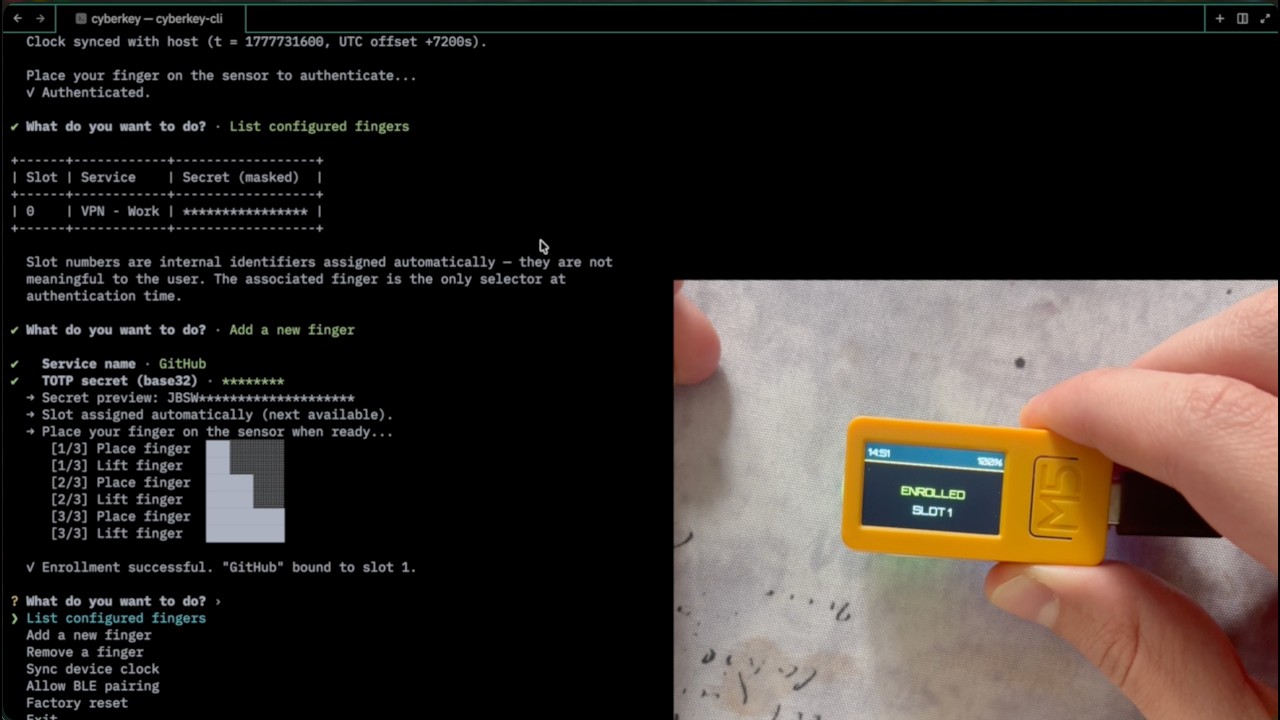
Configuration (enrollment, clock sync, bond management) happens over USB-C serial using the cyberkey-cli desktop tool.
| Action | Button | Effect |
|---|---|---|
| Wake Up | Any button | Turns on the screen and activates the sensor. |
| TOTP | Sensor | Place an enrolled finger — the service label and 6-digit code appear on the display, then the code is typed via BLE. |
| Pairing | Button B (short) | Toggle the BLE pairing window (displays the PIN). |
| Clear Bonds | Button A (1.5s) | Resets all Bluetooth pairings (hold again to confirm). |
| Power Off | Button C (1.5s) | Shuts down the device. |
| Action | Button | Effect |
|---|---|---|
| Factory Reset | Button A (hold 2s, press again within 10s) | Erases all fingerprints and stored secrets. |
| Part | Reference |
|---|---|
| M5StickC Plus 2 | M5Stack SKU:K016-P2 |
| Fingerprint sensor | M5Stack Unit Fingerprint2 SKU:U203 |
The sensor connects to the M5StickC Plus 2 Grove port (UART, no soldering).
BLE pairing uses LESC (ECDH P-256) + MITM passkey entry. A random 6-digit passkey is generated at boot and displayed on the LCD. The host must enter it to complete pairing — a rogue device nearby cannot pair silently.
Storage uses ESP-IDF encrypted NVS (AES-256-XTS). The encryption key is generated at first boot and burned into the ESP32's eFuses (one-time programmable, cannot be read back). A stolen device with a dumped flash image yields only ciphertext.
Authentication gates the USB CLI behind fingerprint unlock. TOTP secrets are never sent over the wire in full.
Full details: docs/ble-security.md · docs/storage.md
# Install the Xtensa toolchain (one-time)
cargo install espup
espup install
source ~/.espup/export-esp.sh
espflash is required to flash. It is pulled in automatically via cargo run.
cd firmware
cargo build --release        # build only
cargo run --release # build, flash, and open serial monitorcargo build --release --package cyberkey-cli
# binary: target/release/cyberkey-cliConnect the device over USB-C, then run cyberkey-cli. It auto-detects the serial port, syncs the clock, and shows an interactive menu.
The no_std crates are fully testable on a standard Rust toolchain (no hardware needed):
cargo test --exclude firmwareThe firmware crate targets Xtensa ESP32 and requires the Espressif toolchain; it is excluded from the above. See docs/testing.md for the manual smoke test checklist.
| Crate | Target | Description |
|---|---|---|
crates/cyberkey-core |
no_std |
TOTP engine (RFC 6238), BCD helpers |
crates/cyberkey-hid |
no_std |
ASCII → HID keycode table |
crates/fingerprint2-rs |
no_std |
Fingerprint2 sensor UART driver |
crates/cyberkey-cli |
std |
Desktop configuration tool |
firmware |
ESP32 only | Hardware integration, BLE, main loop |
Architecture and design decisions: ARCHITECTURE.md
Cyberpunk 2077 is the primary aesthetic inspiration. CyberKey is a first attempt at making real the kind of cyberware gadgets from the game — a physical device that does something that still feels futuristic. This project was born from the desire to learn embedded systems by building something useful that doesn't exist yet.
-
AirHound — A Rust
no_std+ ESP32 project with the same architectural pattern: a portable detection library tested on a laptop, wired to hardware in a thin firmware crate. A reference for what a well-structured ESP32/Rust workspace looks like. -
M5Unified — M5Stack's official C++ hardware abstraction library. Used as the reference for GPIO maps, peripheral initialization order, and battery ADC calibration formula.
-
M5Unit-Fingerprint2 — M5Stack's official Arduino driver for the Fingerprint2 sensor. Source of the UART packet protocol implemented from scratch in
fingerprint2-rs. -
Export Google Authenticator OTP keys — Script for extracting base32 TOTP secrets from Google Authenticator. Useful for migrating existing 2FA accounts to CyberKey.
-
m5stickc-plus-2-hello-world — First exploration of the M5StickC Plus 2 in Rust, comparing bare-metal
esp-halvsesp-idf-svc. Led to the choice of ESP-IDF for CyberKey (NVS, FreeRTOS, NimBLE). -
m5stickc-plus-2-bluetooth-macos — The prototype that cracked macOS BLE HID pairing. Documents why the pure-Rust
trouble-hoststack failed and why switching to NimBLE viaesp32-nimblewas the fix. Became the foundation for CyberKey's BLE layer.
This project is licensed under the MIT License.