



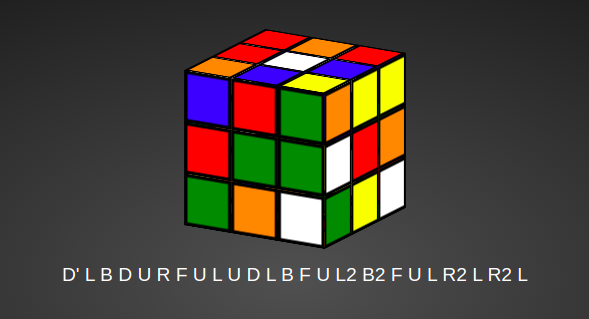
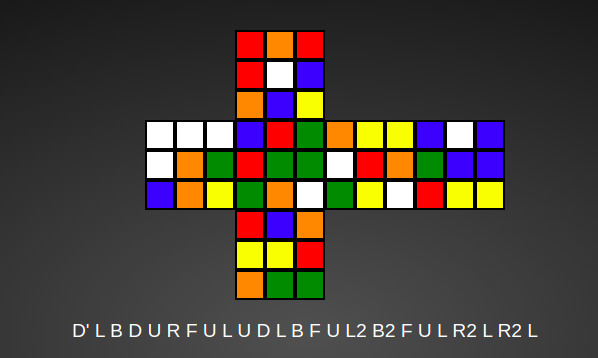
A Rubik's Cube Visualizer with face turns, cube rotations, scramble generator and flat view of cube.

- Fork a copy of the repo from https://github.com/vasu-gondaliya/rubiks-cube/.
- Clone the repo onto your machine using
git clone <REPO URL>(e.g.git clone https://github.com/your-user-name/your-rubiks-cube-repo.git). - Open
index.htmlin a web browser of your choice to use the visualizer.
No other preresiquites or configurations needed.
Note: If for regular use or for testing, on-screen buttons would be more useful for you than using the given keyboard commands, index.html has hidden buttons which perform most functionality.
These buttons can be revealed by commenting out the line visibility: hidden under the buttons class in cube.css.
Revealing the buttons will overlap with the default layout of the visualizer, but could be useful if for some reason keyboard functionality is problematic for you.
cube.css: Handles styling of the main visualizer page, notably the instruction tables.cubeparts.css: Handles styling of the individual squares ("parts") of the cube.- This includes coloring and the positioning of each part in 3d space. Each part's class is labeled
ffor front,bfor back,ufor up,dfor down,lfor left, andrfor right, along with its numbering in a 3x3 grid corresponding to a face of the cube (where1is the top-left square in the grid,2the top-middle, etc.). - Note: The styling for the classes
part,front,back,up,down,left, andrightis duplicated inplaneparts.css.planeparts.cssoverwrites the correspondingcubeparts.cssstyling, so any changes to the listed classes must also be made inplaneparts.css.
- This includes coloring and the positioning of each part in 3d space. Each part's class is labeled
planeparts.css: Analogous tocubeparts.cssexcept it handles the styling for the plane view of the cube (which can be toggled on usingvin the visualizer).- Classes follow the same convention except prepended by an
x, e.g.xf1is the first part of the front face in plane view.
- Classes follow the same convention except prepended by an
cubeanimations.css: Animates the movements of the cube (when the user uses the arrow keys to change the facings or when the automated animation changes the facings).- The classes (e.g.
s23) correspond to the different states of the cube created incube.js.
- The classes (e.g.
cube.js: Handles all the user interaction. Includes functions corresponding to each keyboard command (e.g.faceturn(),changeView()) and handles the keyboard events.
index.html: The visualizer itself as the user sees it. Includes the cube (styled according to the sheets) and tables which explain the keyboard commands for each action, as handled incube.js.
cube.cpp: Used to automate writing thecubeparts.cssandcubeanimations.cssfiles. Reads the raw data of the coordinates fromcubeinput.txtand prints that data into the context of CSS code.cubeinput.txt: Has the (x,y,z) coordinates forcube.cppto read for the positions of each state (labeled in the comments asfront,back, etc.) and the coordinates for the animation transformations.- Example: The first row of data under the
frontlabel is0 0 45. This corresponds to the linetransform: translate3d(0px, 0px, 45px);for#f1incubeparts.css.
- Example: The first row of data under the
cube.txt: Previously served the function ofcubeinput.txt, now is a blank file./assets: Stores images used inREADME.md.