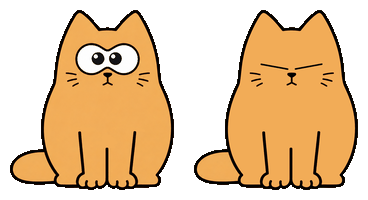


I made a cute little animated cat 🐈 for your desktop.
It's a lightweight Python + Qt app - no borders, and you can drag it around easily.
Shows static first frame for 5 seconds, then plays GIF animation once, then loops back to static.
If you like it, maybe I'll share an AnimeGirl version next time~ 😉


Turn a few photos into your own cat. Right-click → Chars → Create custom with AI…, add 1–3 photos of the same person, edit the prompt (and a negative prompt for the self-hosted backends) to shape the character, pick txt2img (from the prompt) or img2img (from your photos), and generate with OpenAI or your own self-hosted Stable Diffusion (AUTOMATIC1111) or ComfyUI server — set its address in the dialog and pick the checkpoint from the live model list. It's saved as an ordinary local char you can reuse or delete anytime; reference photos are resized in memory and never stored by myCat. OpenAI needs your own API key (one request per generation) and returns a transparent cat; the self-hosted backends run on your own GPU.


Pick whichever is easiest - the cat runs on Windows, macOS and Linux.
Grab the build for your OS - each button downloads the latest release:




Then run it:
- Windows - double-click the
.exe. - macOS - unzip and open
mycat.app(first launch: right-click → Open to get past Gatekeeper). - Linux
.deb-sudo apt install ./mycat-linux-amd64.deb. - Linux AppImage -
chmod +x mycat-linux-x86_64.AppImage && ./mycat-linux-x86_64.AppImage(needs FUSE:sudo apt install libfuse2).
Builds for every release live on the Releases page.
pip install mycat
mycat
On Linux also install the Qt platform plugin once:
sudo apt install -y libxcb-cursor0The activity diary can count key presses and clicks (never which keys) - it works out of the box on Windows, macOS and Linux/X11. Where global input access isn't available (e.g. Wayland) it degrades to recording the cursor path.
Upgrade or remove later with pip install -U mycat / pip uninstall mycat.
git clone https://github.com/yumiaura/myCat
cd myCat
pip install .
mycat # or, without installing: python3 mycat/main.py- Animated overlay 🐱 - a frameless, always-on-top, draggable cat. Right-click for the menu (switch char, quit).
- Reminder 🛩️ - set a message and a time (one-shot or daily) and the cat flies a little banner plane across the top of your screen. Right-click → Reminder… to set the message, direction, plane and color.
- Chat (Ollama) 💬 - talk to the cat through a local Ollama model, no account or API key needed (see below).
- Create with AI 🎨 - turn 1–3 photos into a custom chibi cat character with your own OpenAI key (right-click → Chars → Create custom with AI…). Reference photos are never stored; the result is an ordinary local char you can reuse or delete.
The cat can chat using a model served locally by Ollama - everything stays on your machine, no API key required.
- Install Ollama and pull a model:
ollama pull llama3.1
- Launch mycat, then right-click the cat → Ollama…
- Set the host/port (default
localhost:11434), click Load models, pick one, hit Test, then Save and tick LLM enabled. - Right-click → Chat to start talking. 🐾
Run mycat (or python3 mycat/main.py from source) and customise it with command-line options.
--image, -i <path> 🖼️ - use a custom ZIP archive (containing one GIF) instead of the default cat:
mycat --image ~/my-custom-cat.zipA char ZIP must contain exactly one .gif: its first frame is the static pose, then the GIF plays once and returns to that frame. Images larger than 300×500 are scaled down automatically.
--pos <x> <y> 📍 - start at a specific screen position (otherwise the cat appears bottom-right and remembers where you last dragged it):
mycat --pos 960 540 # center of a 1920x1080 screen--wait <seconds> ⏱️ - how long to hold the static first frame before the animation plays.
--debug 🐞 - verbose per-frame logging.
- Left-drag the cat to move it.
- Right-click the cat for the menu (Chars, Reminder…, Ollama…, Chat, Quit).
- Quit from the menu or with Ctrl+C in the terminal.
The cat remembers its position and selected char between sessions in ~/.config/mycat/config.ini.
A char is just an animated GIF in a .zip - from a quick doodle to a fully
interactive cat with cursor-tracking eyes, blinking, sleeping and click
reactions. Step-by-step guide (draw it, build the GIF, package, install & share):
docs/CHARS.md.
Run the cat in a container with GUI forwarding to your host's X server.
Prerequisites: Docker, and an X server on the host (Xorg on Linux, VcXsrv on Windows, XQuartz on macOS).
# Linux
xhost +local:docker
docker compose up --build

# Windows (VcXsrv running, network clients allowed)
docker compose -f docker-compose.windows.yml up

# macOS (XQuartz running, network clients allowed)
docker compose -f docker-compose.mac.yml upCat appears in a black box / transparency doesn't work 🫥
- On X11 transparency needs a compositor. mycat falls back to clipping the window to the cat's outline when none is running, so this is rare; if you still see a box, enable display compositing (XFCE: Window Manager Tweaks → Compositor) or run a compositor such as
picom.
Window doesn't stay on top / doesn't show in the taskbar 📌
- Some window managers override "always on top" - restart the desktop session or check the WM settings.
Custom char doesn't load ❌
- The ZIP must contain exactly one valid
.gif. Check the path and that the file isn't corrupted.
Position not saving 💾
- Make sure
~/.config/mycat/exists and is writable; the config file is~/.config/mycat/config.ini.
Windows / launch issues 🪟
- Need Python ≥ 3.10 (
python --version) for the pip install, or just use the prebuilt.exe. - From the repo you can also launch with
run.bat(Windows) orrun.sh(Linux/macOS). - Verify PySide6:
python -c "import PySide6; print('PySide6 OK')".
Permission errors 🔒
- On Linux prefer a user install over
sudo(pip install --user mycat).
- Search the GitHub Issues for similar problems.
- Read CONTRIBUTING.md for development setup.
- Open a new issue with your OS, desktop environment, Python version and any terminal errors.
Thank you for reading to the end! 😸🐾

